VxWorks Task
R2026bSpawn task function as separate VxWorks thread
VxWorks Task block
To add a block to a model, double-click the canvas and start typing the block name. Then, select the block from the list.
Libraries:
Embedded Coder Support Package for ARM Cortex-A Processors
Description
Add-On Required: This feature requires the Embedded Coder Support Package for ARM Cortex-A Processors add-on.
The VxWorks Task block creates a task function that spawns as a separate VxWorks® thread. The task function runs the code of the downstream Function-Call Subsystem block.
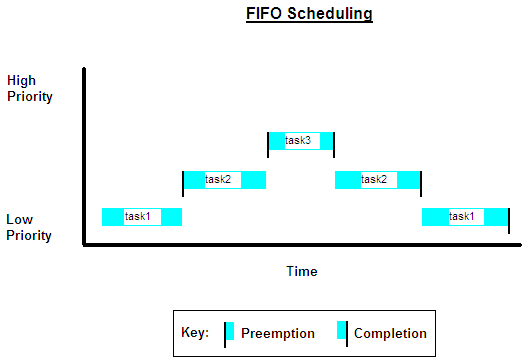
The VxWorks Task block uses a first-in, first-out (FIFO) scheduling algorithm, which executes real-time processes without time slicing. With FIFO scheduling, a higher-priority process preempts a lower-priority process. While the higher-priority process runs, the lower-priority process remains at the top of the list for its priority. When the scheduler blocks the higher-priority processes, the lower-priority process resumes.
Examples
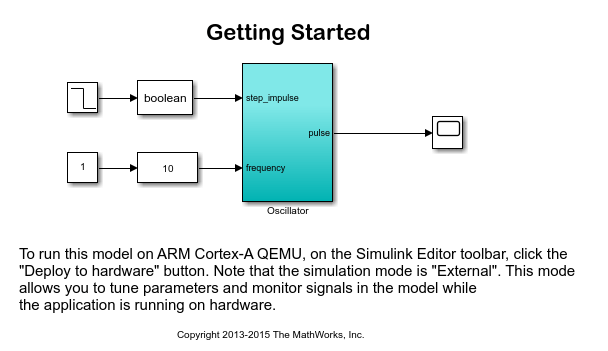
Get Started with Embedded Coder Support Package for ARM Cortex-A Processors
Use Embedded Coder® Support Package for ARM® Cortex®-A Processors to run a Simulink® model on an ARM Cortex-A9 (QEMU) emulator.
Ports
Output
Parameters
Version History
Introduced in R2014a

