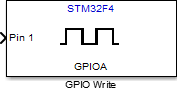
GPIO Write
Set GPIO pin status
Libraries:
STM32 Microcontroller Blockset /
STM32F4-Discovery
Description
Set the logical value of a digital pin of the STM32F4 -Discovery™ board.
Examples
Getting Started with Embedded Coder Support Package for STMicroelectronics Discovery Boards
Demonstrates how to use the Embedded Coder® Support Package for STMicroelectronics® STM32 Processors to run a Simulink® model on an STMicroelectronics STM32F4-Discovery, STM32F746G-Discovery, or STM32F769I-Discovery board.
Push Button and LED
Use the GPIO blocks to control the push-button and the LED components by using the STM32™ Microcontroller Blockset.
G.729 Voice Activity Detection for STM32 Processor Based Board
Model the ITU-T G.729 Voice Activity Detector (VAD) algorithm and run it on the ARM® Cortex®-M based STMicroelectronics® STM32 boards using STM32™ Microcontroller Blockset.
Asynchronous Scheduling for STM32F4-Discovery Board
Model asynchronous scheduling using the Hardware Interrupt block for the STMicroelectronics® STM32F4xx processor board using Asynchronous Scheduling for STM32F4-Discovery Board using STM32™ Microcontroller Blockset.
Ports
Input
The input port to set the GPIO pin status.
Data Types: single | double | int8 | int16 | int32 | uint8 | uint16 | uint32 | Boolean | fixed point | enumerated | bus
Parameters
Select one of GPIOA to GPIOI ports to set a GPIO pin status.
Programmatic Use
Block Parameter:
gpio_name |
Select a GPIO pin to write the logical status.
Programmatic Use
Block Parameter:
pin_number |
Select this option to set the GPIO pin status during model initialization.
Programmatic Use
Block Parameter:
gpio_init_out |
Select this option to enable GPIO pin toggling when the input is ‘true’.
Programmatic Use
Block Parameter:
toggle_pin |
Extended Capabilities
C/C++ Code Generation
Generate C and C++ code using Simulink® Coder™.
Version History
Introduced in R2013b
See Also
MATLAB Command
You clicked a link that corresponds to this MATLAB command:
Run the command by entering it in the MATLAB Command Window. Web browsers do not support MATLAB commands.
Sélectionner un site web
Choisissez un site web pour accéder au contenu traduit dans votre langue (lorsqu'il est disponible) et voir les événements et les offres locales. D’après votre position, nous vous recommandons de sélectionner la région suivante : .
Vous pouvez également sélectionner un site web dans la liste suivante :
Comment optimiser les performances du site
Pour optimiser les performances du site, sélectionnez la région Chine (en chinois ou en anglais). Les sites de MathWorks pour les autres pays ne sont pas optimisés pour les visites provenant de votre région.
Amériques
- América Latina (Español)
- Canada (English)
- United States (English)
Europe
- Belgium (English)
- Denmark (English)
- Deutschland (Deutsch)
- España (Español)
- Finland (English)
- France (Français)
- Ireland (English)
- Italia (Italiano)
- Luxembourg (English)
- Netherlands (English)
- Norway (English)
- Österreich (Deutsch)
- Portugal (English)
- Sweden (English)
- Switzerland
- United Kingdom (English)


