Design Patterns That Benefit from Adaptive Pipelining
R2026bYou can improve the achievable clock frequency or reduce the area usage on an FPGA by using the adaptive pipelining optimization. This optimization uses modeling patterns or blocks with registers to insert pipeline registers in the design. For more information, see Specify Adaptive Pipelining Settings.
By default, the adaptive pipelining optimization is disabled. However, for certain design patterns, you must enable the adaptive pipelining optimization before generating code. You must enable adaptive pipelining if:
Your model uses blocks that support the adaptive pipelining optimization and you do not selectively insert pipeline registers for these blocks.
Your model uses blocks that support the adaptive pipelining optimization and you enable any of these optimizations:
Resource sharing
Streaming
Clock-rate pipelining
See Adaptive Pipelining Report and Supported Blocks.
Example: Discrete FIR Filter That Uses Resource Sharing
This example shows how adaptive pipelining affects a model. Open the hdlcoder_dfir_sharing_singlerate model, which represents a discrete FIR filter.
model = "hdlcoder_dfir_sharing_singlerate";
open_system(model);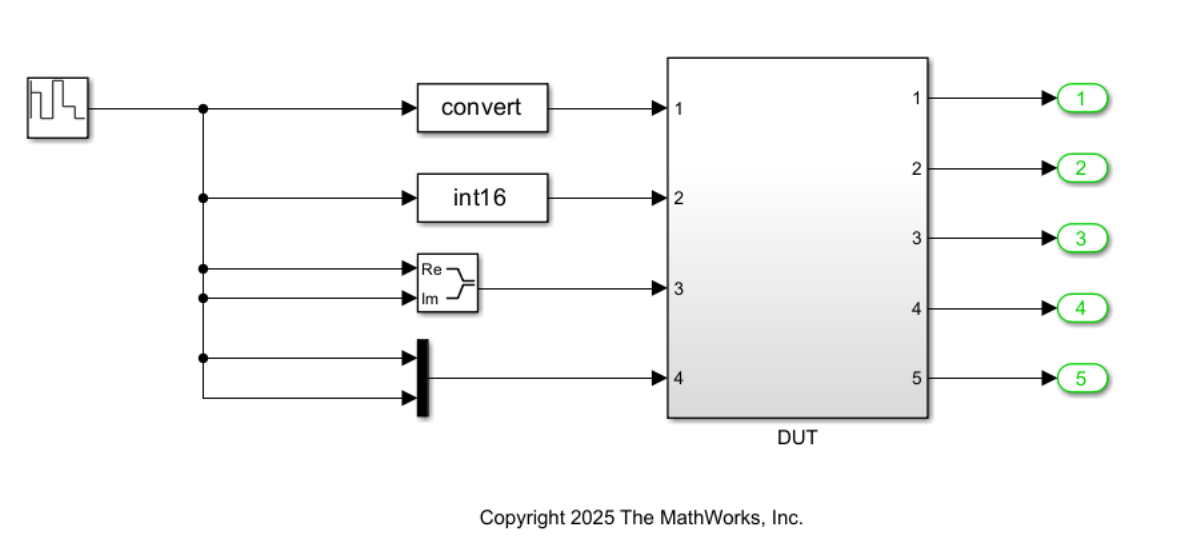
How Adaptive Pipelining Changes the Model and Synthesis Results
Enabling adaptive pipelining can have a significant impact on the structure and timing results of a model. This optimization inserts pipeline registers, which help the model meet timing constraints and improve its performance.
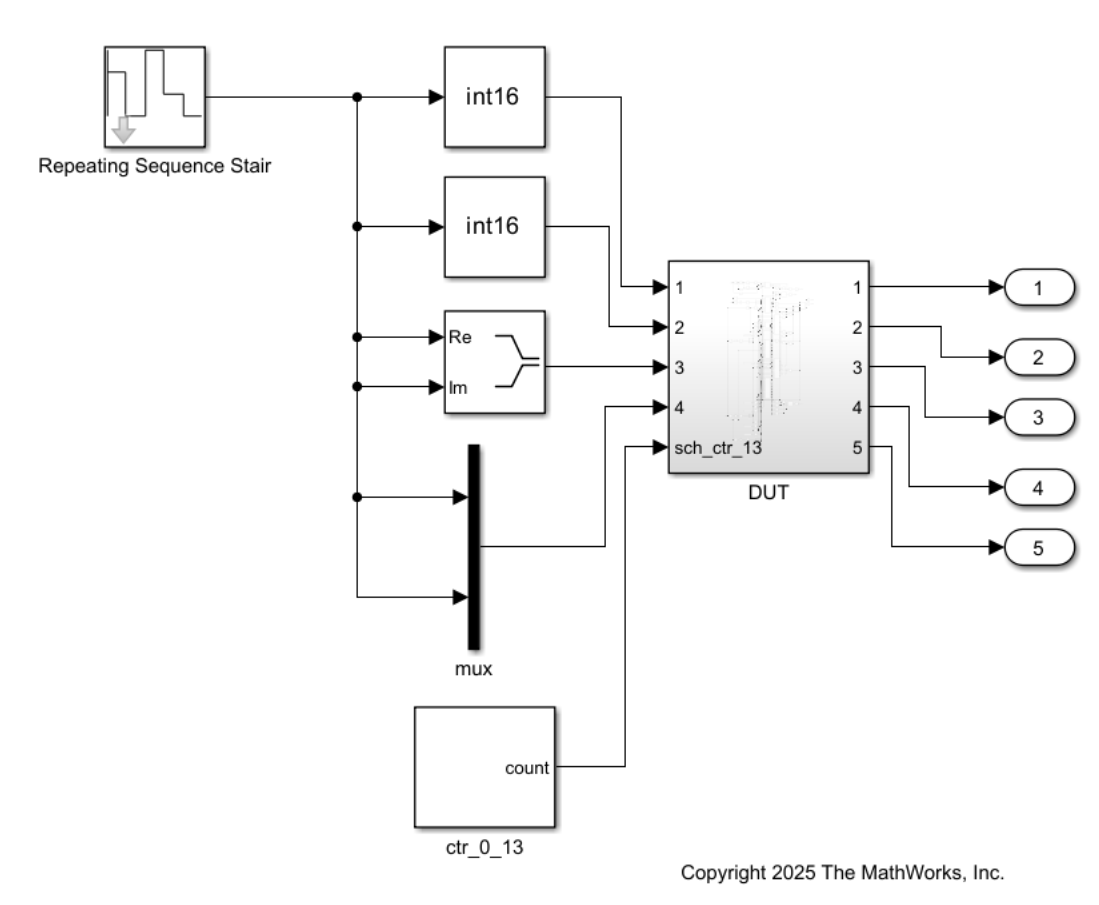
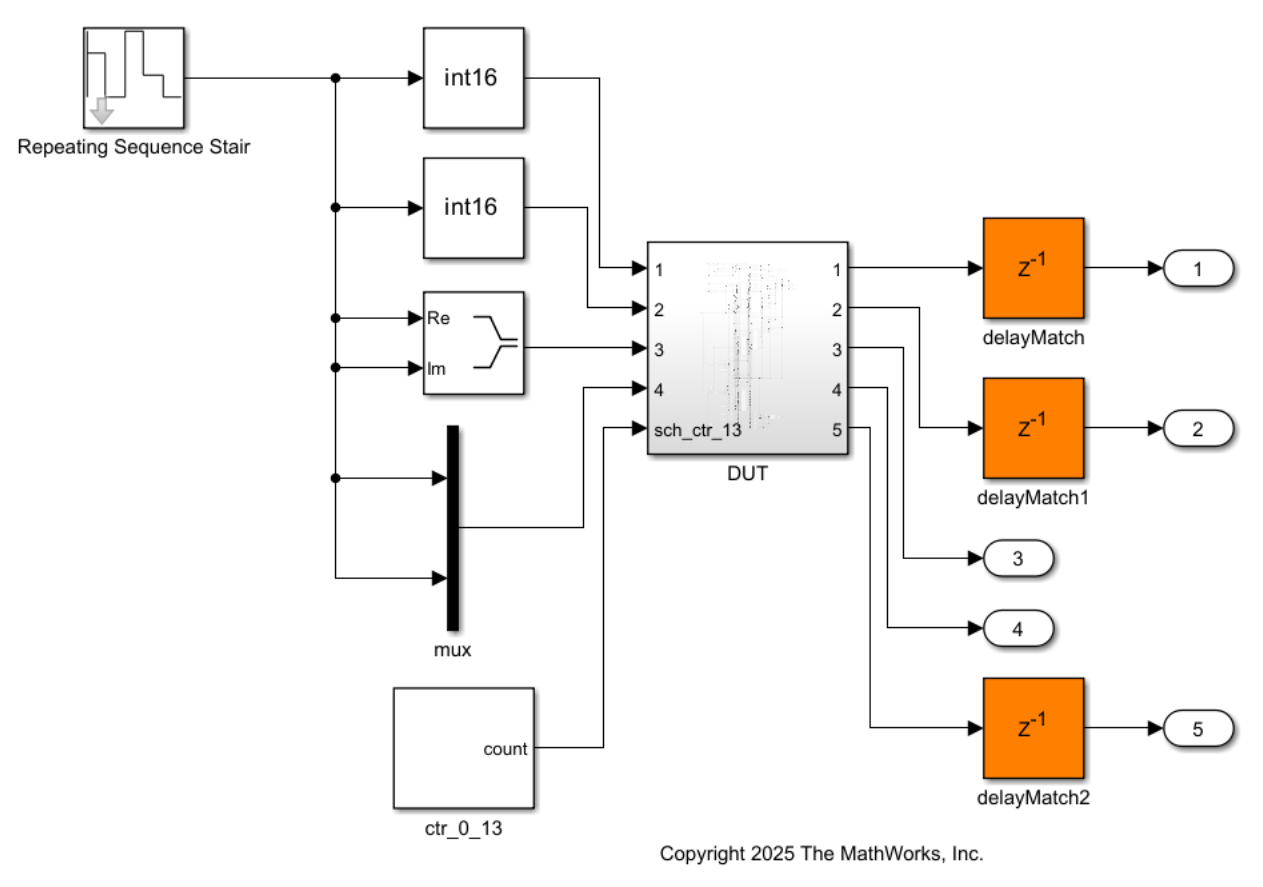
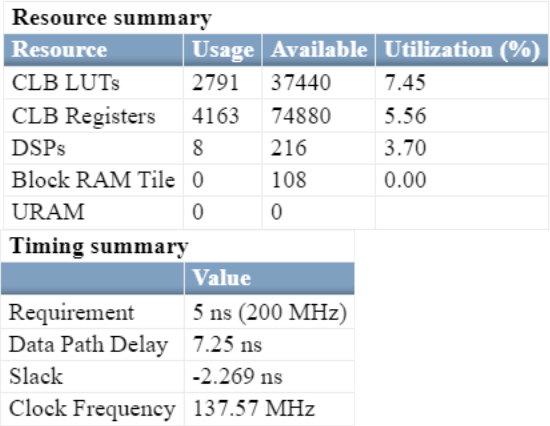
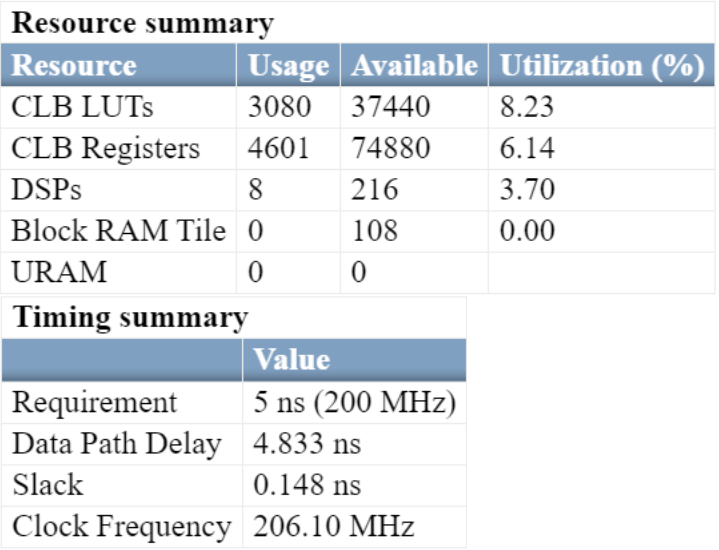
This table summarizes the differences in the generated model and synthesis results when you enable or disable adaptive pipelining.
| Adaptive Pipelining Is Disabled | Adaptive Pipelining Is Enabled | |
|---|---|---|
| Generated Model |
There are no adaptive pipelines in the generated model. |
The code generator inserts adaptive pipelines for the multiplier blocks in the generated model. |
| Synthesis Result |
The synthesis results show a negative slack, which indicates that the timing constraints are not met. |
The synthesis results show a positive slack, which indicates that the timing constraints are met. |
Enable Adaptive Pipelining
To enable adaptive pipelining:
In the HDL Workflow Advisor, set Target Frequency (MHz) to a value greater than
0and specify a Synthesis tool.In the Configuration Parameters dialog box, on the HDL Code Generation > Optimization pane, in the Pipelining tab, select Adaptive pipelining.
Then, generate HDL code and perform FPGA synthesis. For more information on the code generation and synthesis steps, see HDL Code Generation and FPGA Synthesis from Simulink Model.

