La traduction de cette page n'est pas à jour. Cliquez ici pour voir la dernière version en anglais.
Communication avec les drivers d’instrument
R2026aComme l’expliquent de nombreuses sections de cette documentation, vous devez créer un objet interface, par exemple gpib ou i2c, pour communiquer avec des instruments. Vous pouvez également créer un objet dispositif qui vous permet de configurer et d’interroger un instrument sans connaître son jeu de commandes. Pour plus d’informations sur l’utilisation d’objets dispositifs, consultez Creating and Connecting Device Objects.
Fonctions
Rubriques
- Creating and Connecting Device Objects
Includes the general procedure for the creation and use of device objects.
- Communicating with Instruments
Configuring and exchanging data through device objects.
- Device Groups
Obtaining and using group device properties.
- Device Objects
Device objects allow you to configure and query an instrument without knowledge of its command set. The low-level communication is performed through a MATLAB® instrument driver.
Sélection d՚exemples

Measure Resistance with an NI Switch Module and DMM
Use an NI switch module with an NI digital multimeter to measure resistance.
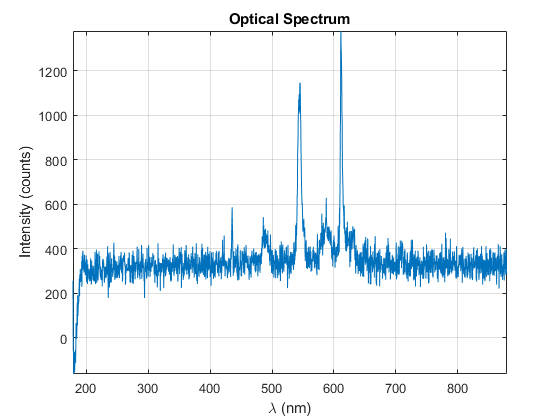
Fetch Spectrum Through Ocean Optics Spectrometer Using MATLAB Instrument Driver
Acquire the spectrum of a fluorescent light source from an Ocean Optics Spectrometer.

