Calibrate a Feature for an Estimator Subsystem in an ECU
This example shows how to calibrate the electronic control unit (ECU) subsystem feature model. The feature model estimates the spark-ignition (SI) engine torque, T, as a function of speed, N, load, L, air-to-fuel ratio, AFR, and delta spark angle, S.
In this example, three lookup tables represent an ECU subsystem.
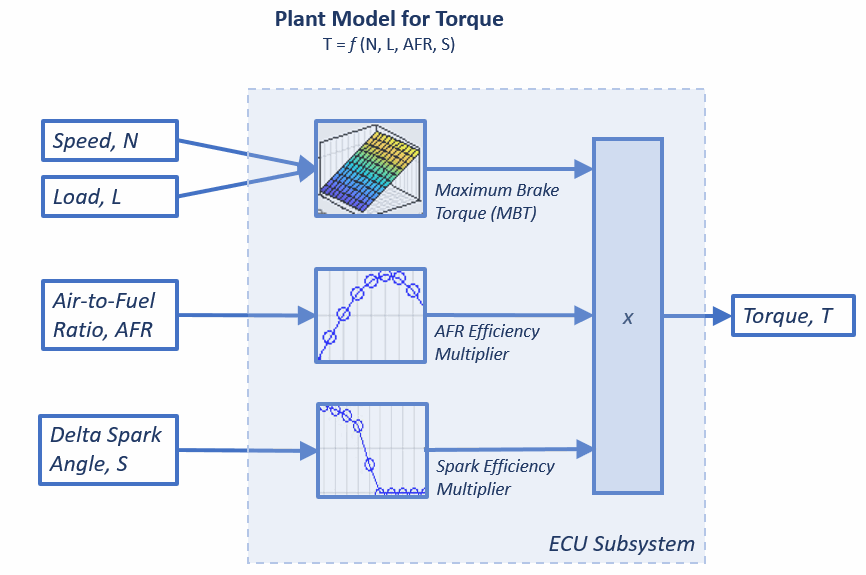
This table shows a workflow for calibrating an ECU subsystem.
Step | Description | |
|---|---|---|
1 | Create the feature and import the strategy from a Simulink® model file. In this example, the strategy represents torque as the product of three lookup tables:
| |
2 | Use CAGE to import these two-stage statistical models:
| |
3 | To align the statistical model with the feature inputs, create function models. | |
4 | Fill the feature so that torque table, T, represents the torque at standard conditions where the engine operates most of the time. | |
5 | Use validation data to validate the feature fill. Export the calibrated tables. | |

