Elevator with Custom Belt Pulley Components
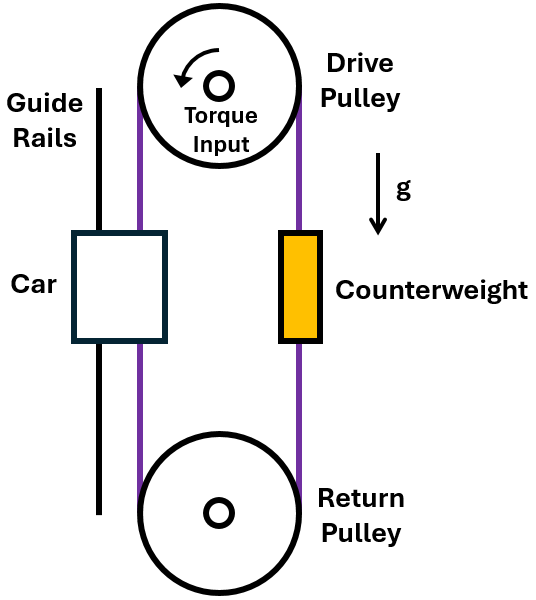
R2026bThis example shows how to couple custom belt pulley blocks with position-based mechanical translational blocks to build an elevator system. The elevator is a belt drive system with a car and a counterweight. The drive pulley and return pulley are at the top and bottom, respectively, and the car follows the guide rails. The distance between the drive pulley and the return pulley is 20 m, and the radius of each pulley is 0.5 m.
Configure Elevator Model
The model consists of three networks: the drive pulley network, the return pulley network, and the position-based mechanical translational network. The position-based network represents the cables for the elevator. The Mass With Length & Friction (PB) block represents the car, and its friction corresponds to the guide rail friction. Open the model.
open_system('CustomBeltPulleyLibraryElevator');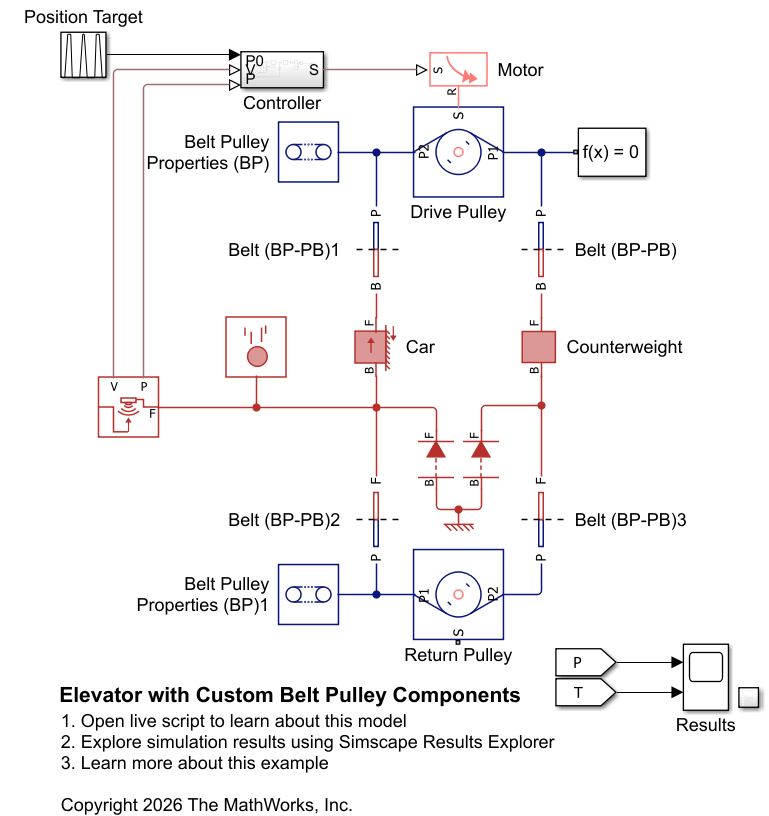
The custom belt pulley (BP) library has four blocks: Belt (BP), Belt (BP-PB), Belt Pulley Properties (BP), and Pulley (BP). A Belt (BP) block provides the connection between two Pulley (BP) blocks. A Belt (BP-PB) block serves as an interface between a Pulley (BP) block and a position-based (PB) translational network. A Belt Pulley Properties (BP) block specifies the domain parameters of the network.
open_system('belt_pulley_lib');
Connect Custom Pulley with Position-Based Network
The custom Belt (BP-PB) block is an interface block that connects the custom pulley block to a position-based translational network. The block represents a belt segment and models the spring, viscous, and acceleration forces. Specify the Belt angle entering pulley parameter for each Belt (BP-PB) block. Using the right-hand rule, measure the belt angle entering the pulley with respect to the x-axis of the two-dimensional space that the belt pulley domain defines. For example, the Belt (BP-PB) block connecting to the drive pulley uses 90 deg for this parameter.
open_system('CustomBeltPulleyLibraryElevator/Belt (BP-PB)')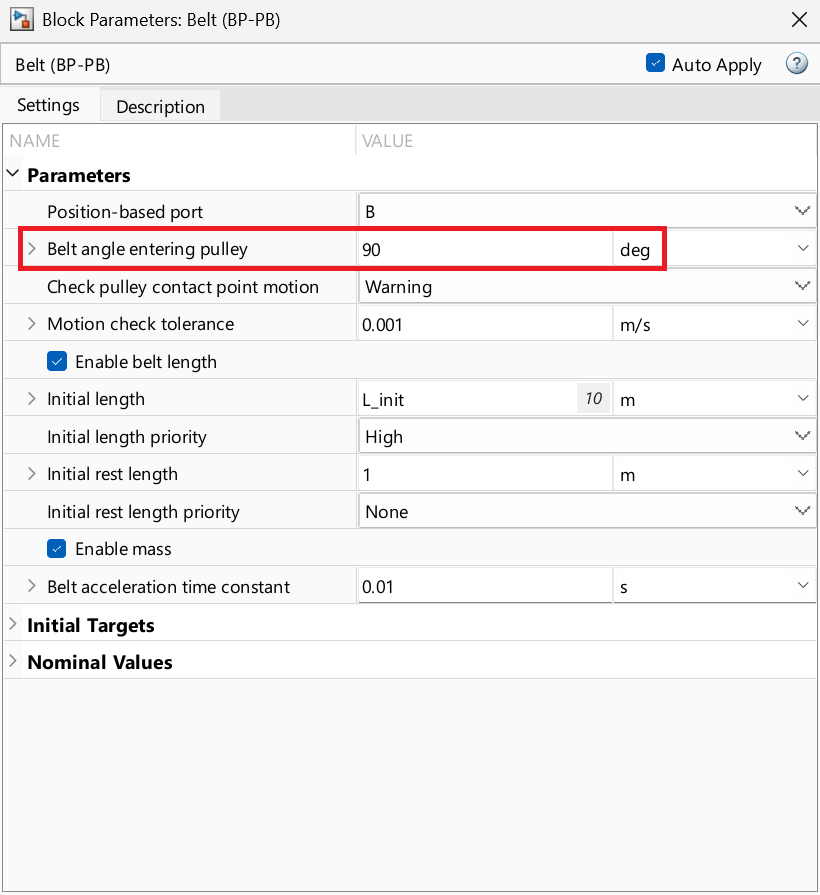
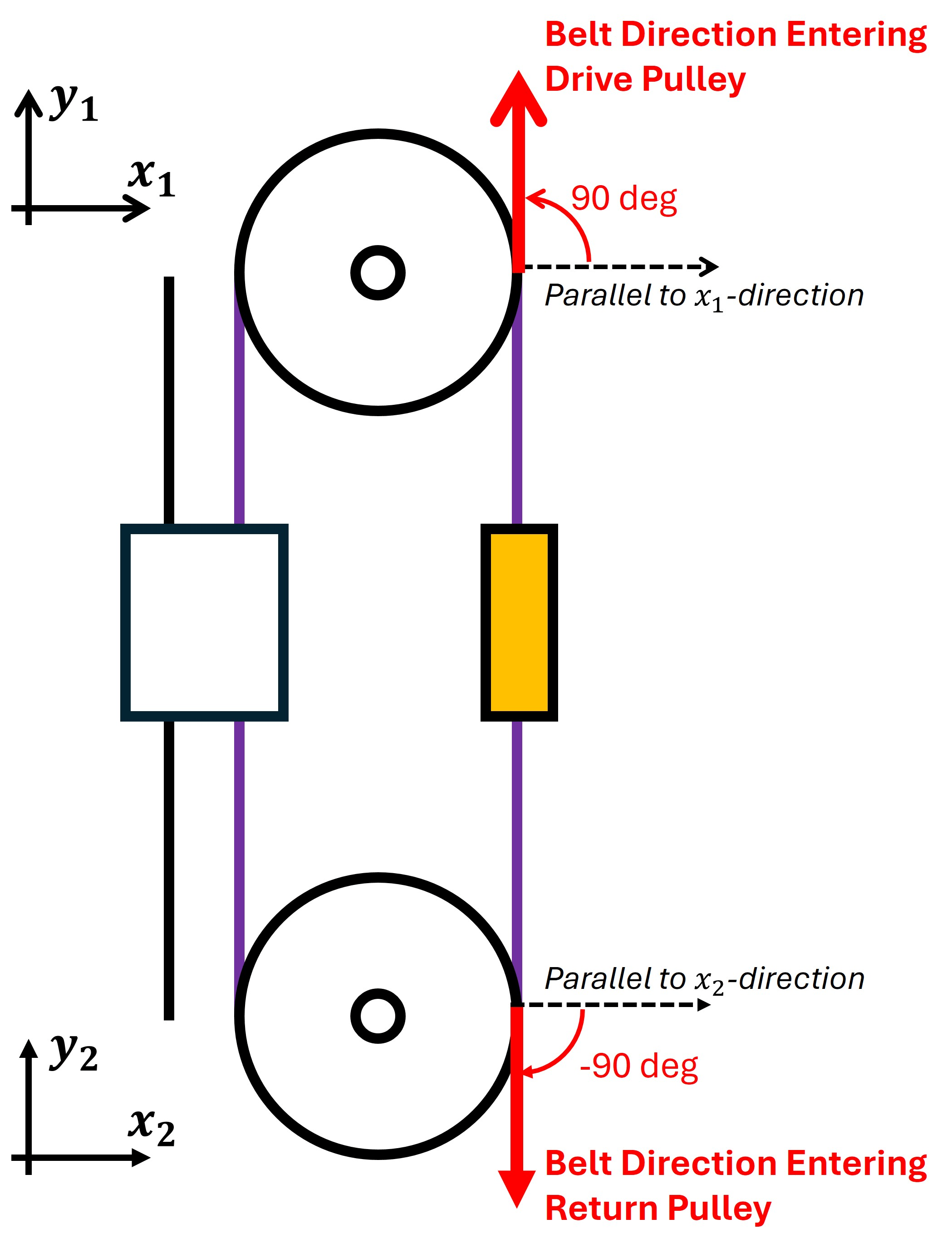
Similarly, the angle for the belts connecting to the return pulley is -90 deg. Note that the two custom belt pulley networks in the model have their own two-dimensional spaces because no belt pulley conserving ports connect them. The two networks do not share domain parameters, so the model uses separate Belt Pulley Properties (BP) blocks for each network.
Analyze Results
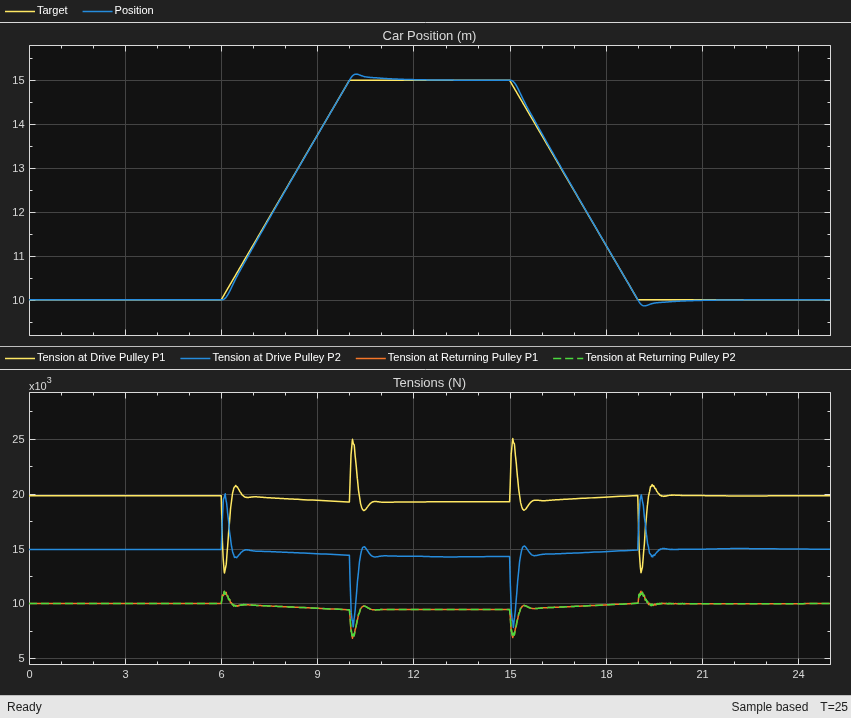
The height is the distance from the return pulley. The controller regulates the car's height according to the simulation time, t.
t = 0.0 - 6.0 s — The controller maintains the initial height, which is 10 m.
t = 6.0 - 10.0 s — The controller operates the motor to linearly increase the height to 15 m.
t = 10.0 - 15.0 s — The controller keeps the height steady at 15 m.
t = 15.0 - 19.0 s — The controller operates the motor to linearly decrease the height to 10 m.
t = 19.0 - 25.0 s — The controller maintains the height of the car.
The model initializes at static equilibrium. The controller output compensates for gravity so that the motor produces equilibrium torque.
open_system('CustomBeltPulleyLibraryElevator/Controller') 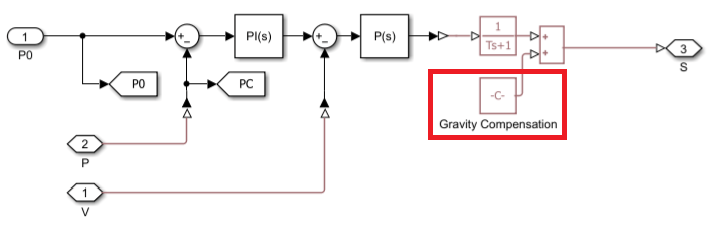
The gravity compensation equals the torque that the weights of the car and counterweight generate. To specify the compensation, enter:
set_param('CustomBeltPulleyLibraryElevator/Controller/Gravity Compensation','constant','m_cart * g * r_pulley - m_counter * g * r_pulley')
For static equilibrium, the model uses the following high priority initial targets.
Block | Initial Target | Value |
| Initial angular velocity Initial acceleration torque |
|
| Initial angular velocity |
|
| Initial length |
|
| Initial length |
|
| Initial length Belt tension |
|
| Initial length Belt tension |
|
| Velocity Acceleration force |
|
| Velocity Acceleration force |
|
Note that the initial acceleration torque for the return pulley automatically becomes 0 N*m because the two belt segments on the pulley have the same initial tension 1e4 N. The solver determines the correct tension in each belt segment connecting to the drive pulley to achieve static equilibrium.
Simulate the model to predict tension variations.
open_system('CustomBeltPulleyLibraryElevator/Results');
sim('CustomBeltPulleyLibraryElevator');