Validate Port Signals Among Ports of the Same Masked Block
R2026bYou can create cross-port constraints to validate compile-time signal attributes on ports of the same masked block. For example, you can set a constraint on the input and output port signals of the masked block so that they have the same data type. The available rules for cross-port constraints are Same Data Type, Same Dimension, and Same Complexity. You can also set parameter conditions. The constraint is validated only if the parameter condition is satisfied. Each port in the masked block is identified by a port identifier. The cross-port constraint association is created through port identifiers.
Explore Model
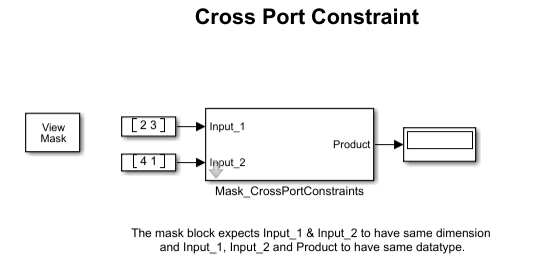
In the example model slexMaskPortConstraints, the block Mask_CrossPortConstraints multiplies input signals and displays the product in the output. This model uses cross-port constraints to check whether the input and output port signals have same dimensions and data types. The model has a Subsystem block with two input ports and one output port. The input port identifiers are 1 and Input_2. The output port identifier is 1. The cross-port constraints CheckDimensions and CheckDatatype are defined to validate the compile-time port signals of the input and output ports for same dimensions and same data types, respectively. The cross-port constraints are validated only when you select CheckSameCrossDimension on the mask dialog box.
Create Port Identifiers
The mask identifies each port with port identifiers. To create port identifiers to associate with the cross-port constraints:
1. Create a mask on the Subsystem block Mask_CrossPortConstraints.
2. In the Mask Editor, select the Constraints tab. In the Constraint Gallery pane, click Cross Port. In the Associations pane, under Ports, click Define Ports.
3. For each input port, enter Name as Input_1 and Input_2. For the output port, enter Output_1.
The port name uniquely identifies the port in the mask. Multiple ports can have the same port identifier.
4. Set the Type to Input or Output.
5. Set Identifier Type to name or index.
Select name if you want to identify the port using its name. Select index if you want to identify the port using its numerical port identifier.
6. In the Identifier(s) column, enter numerical port identifiers when Identifier Type is index. Enter port names when Identifier Type is name.
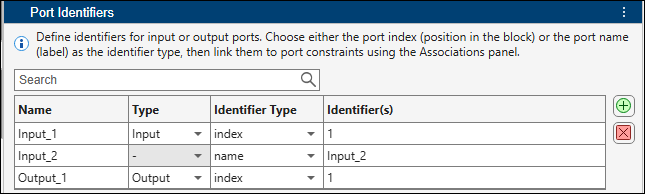
If you select name as the Identifier Type, then you do not need to select the Type, because each port name is unique.
Create Cross-Port Constraints
To create a cross-port constraint that validates whether input signals have the same dimension:
1. In the Mask Editor, in the Parameters & Dialog tab, create a check box parameter named checkCrossPortDimension.
2. Select the Constraints tab. In the Constraint Gallery pane, click Cross Port.
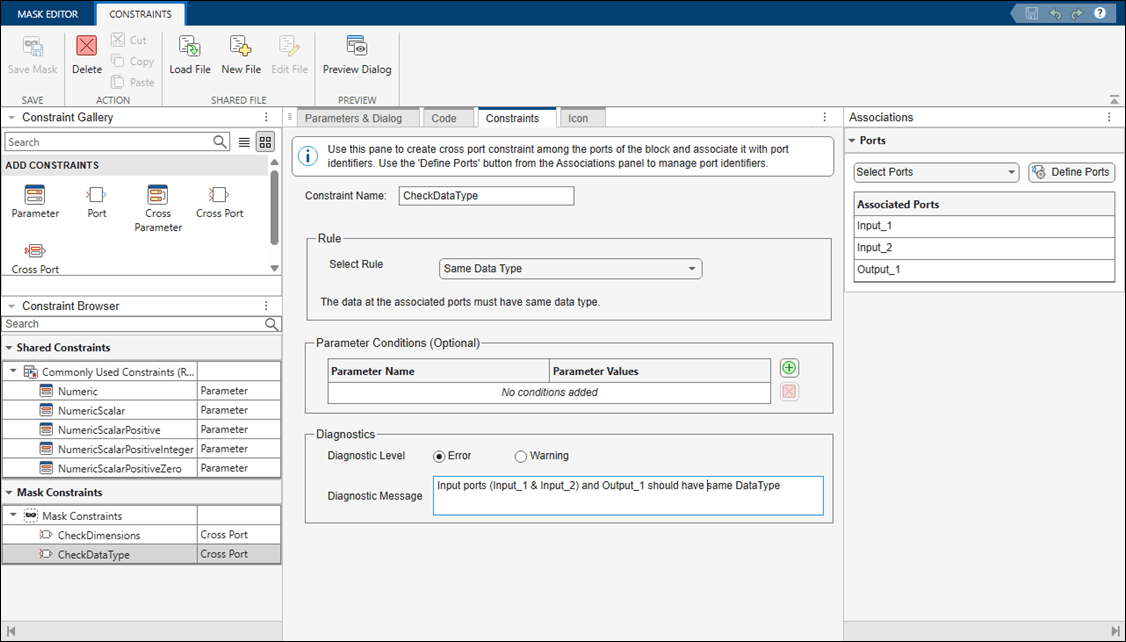
3. Specify Constraint Name as CheckDimensions.
4. In the Parameter Conditions section, specify Parameter Name as checkCrossPortDimension and Parameter Values as on. The input signals are validated only when you select the check box CheckSameCrossDimension on the mask dialog box.
5. From the Rule list, select Same Dimension.
6. In the Associations pane, select the Port Identifiers Input_1 and Input_2.
7. In the Diagnostics section, set Diagnostic Level, to Error or Warning. In the Diagnostic Message box, enter a message for the software to display if the cross-port constraint validation fails.
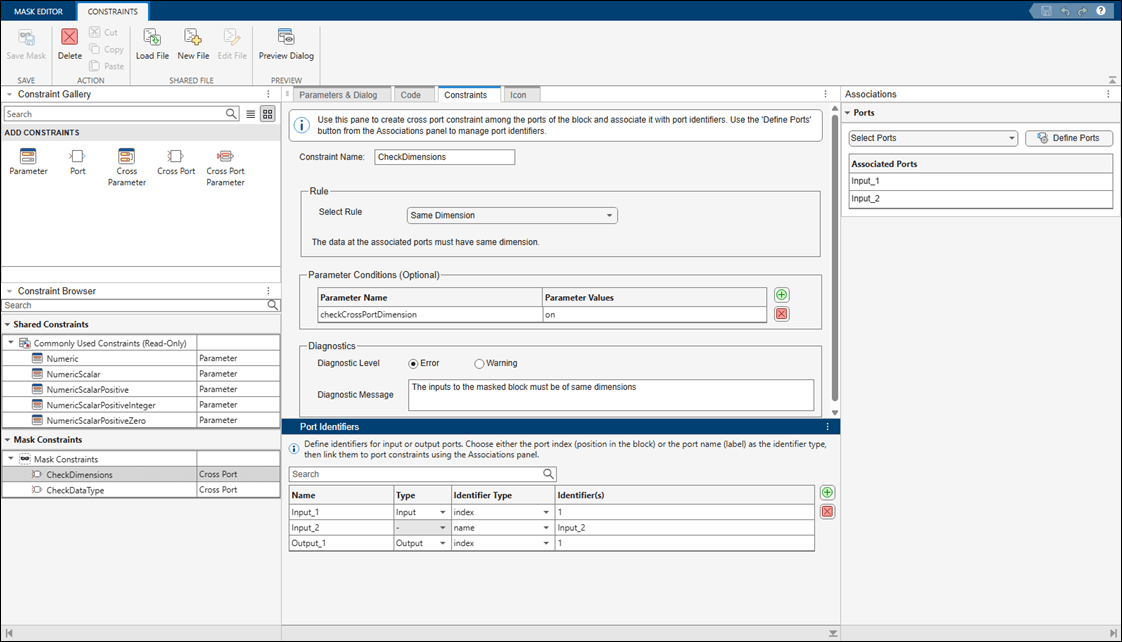
Similarly, create another cross-port constraint named CheckDataType to validate that the ports Input_1, Input_2, and Output_1 have the same data type.
Validate Cross-Port Constraints
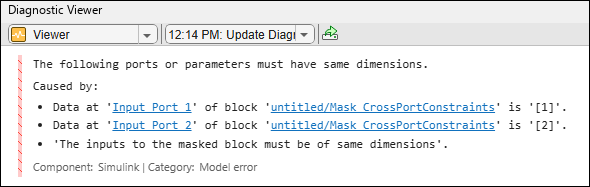
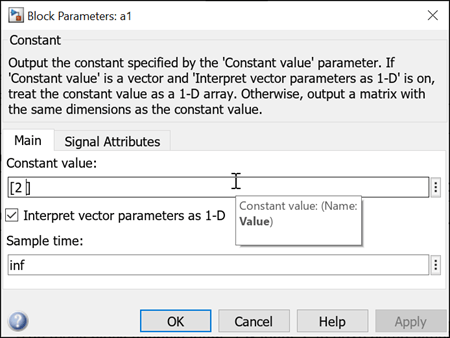
Change the Dimension value of Input_1 and simulate the model.
The Diagnostic Viewer displays this message.