Persistent Variable Write
R2026bPersistent Variable Write block

To add a block to a model, double-click the canvas and start typing the block name. Then, select the block from the list.
Libraries:
Simulink Real-Time /
Target Management
Description
The Persistent Variable Write block writes a value to the selected persistent variable when the real-time application starts and stops. The variable value persists when the Speedgoat® target computer is shut down.
Use the getPersistentVariables function and setPersistentVariables function to access the persistent variable values on the
target computer.
Examples
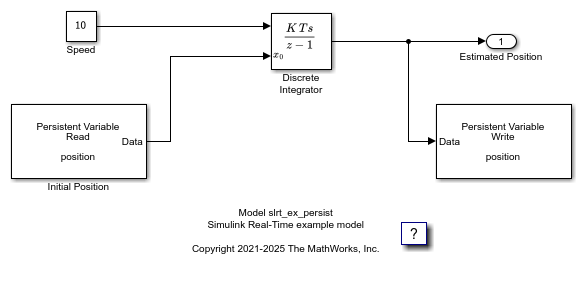
Apply Persistent Variables in Real-Time Applications
Apply Simulink Real-Time persistent variables to preserve variable values when the real-time application stops or the target computer is powered off.
Ports
Input
Parameters
Programmatic Use: Add Block
To add the block programmatically, use the add_block function with one of these library block paths as the source.
"slrealtimetgmanagement/Persistent Variable Write"
Example: add_block("slrealtimetgmanagement/Persistent Variable Write","myModel/myBlock",MakeNameUnique="on")
Extended Capabilities
Version History
Introduced in R2022a

