C28x SCI Receive
R2026bReceive data on target via serial communication interface (SCI) from host
C28x SCI Receive block

To add a block to a model, double-click the canvas and start typing the block name. Then, select the block from the list.
Libraries:
C2000 Microcontroller Blockset /
C2802x
C2000 Microcontroller Blockset /
C2803x
C2000 Microcontroller Blockset /
C2805x
C2000 Microcontroller Blockset /
C2806x
C2000 Microcontroller Blockset /
C280x
C2000 Microcontroller Blockset /
C281x
C2000 Microcontroller Blockset /
C2833x
C2000 Microcontroller Blockset /
C2834x
C2000 Microcontroller Blockset /
F280013x
C2000 Microcontroller Blockset /
F280015x
C2000 Microcontroller Blockset /
F28002x
C2000 Microcontroller Blockset /
F28003x
C2000 Microcontroller Blockset /
F28004x
C2000 Microcontroller Blockset /
F2807x
C2000 Microcontroller Blockset /
F2837xD
C2000 Microcontroller Blockset /
F2837xS
C2000 Microcontroller Blockset /
F2838x /
C28x
C2000 Microcontroller Blockset /
F28M35x /
C28x
C2000 Microcontroller Blockset /
F28M36x /
C28x
C2000 Microcontroller Blockset /
F28p65x
C2000 Microcontroller Blockset /
F28p55x
C2000 Microcontroller Blockset /
F28E12x
Description
The SCI Receive block supports asynchronous serial digital communication between the processor and other asynchronous peripherals. This block receives scalar or vector data using the specified SCI hardware module.
A model can only contain one SCI Receive block for each module. The C28x processor has four SCI modules — A, B, C, and D. The number of SCI modules available varies depending on the processor selected. You can configure the SCI modules by navigating to Hardware Implementation > Target hardware resources. Verify that these settings meet the requirements of your application.
Note
Serial External mode with similar SCI module blocks results in conflict check error.
The block outputs data either in blocking mode or in non-blocking mode. In blocking mode, the model blocks the execution while it waits for the requested data to be available. In non-blocking mode, the model runs continuously. To set the block in blocking mode, select the Wait until data received option.
Examples
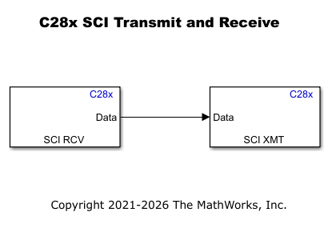
Serial Communication Using SCI Blocks
Use the SCI blocks to set up serial communication between the target hardware and your host computer for C2000™ Microcontroller Blockset.
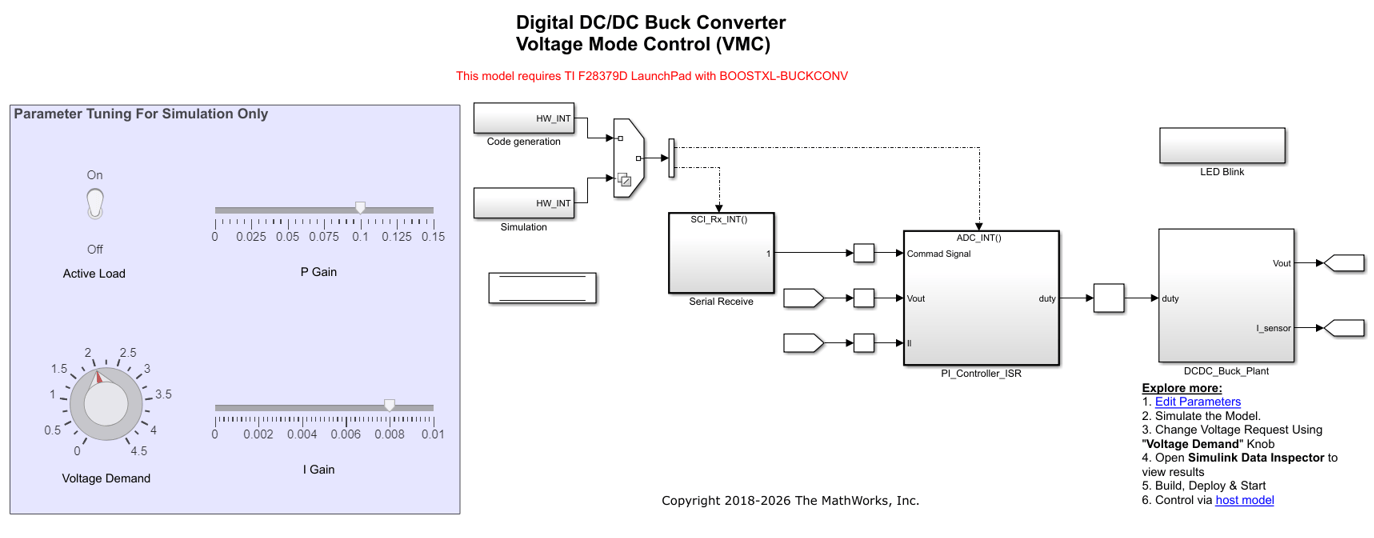
Closed Loop Control of a DC-DC Buck Converter
Model a closed loop control of a DC-DC buck converter in the C2000™ Microcontroller Blockset. The model runs on a F28379D Launchpad connected to the C2000 digital power supply booster pack.
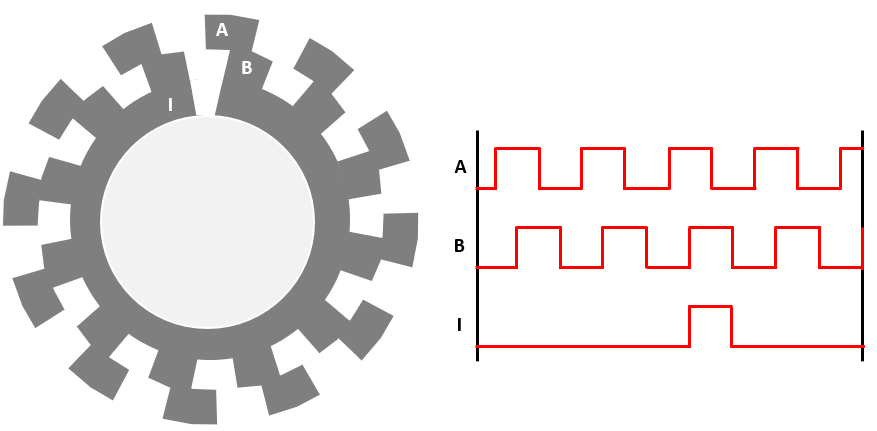
Field-Oriented Control of PMSM with Quadrature Encoder Using C2000 Processors
Implements the field-oriented control (FOC) technique to control the speed of a three-phase permanent magnet synchronous motor (PMSM). The FOC algorithm requires rotor position feedback, which is obtained by a quadrature encoder sensor. For details about FOC, see Field-Oriented Control (Motor Control Blockset).
Limitations
In blocking mode with a finite timeout (Wait until data received is enabled, Timeout is set to a finite value greater than 0, and Data length option is set to
Length via dialogorLength via input port), the generated code reserves CPU Timer2 on the target hardware. CPU Timer2 is not available for other uses in this configuration. To release CPU Timer2, set Timeout toinfor disable Wait until data received.
Ports
Input
Output
Parameters
Programmatic Use: Add Block
To add the block programmatically, use the add_block function with one of these library block paths as the source.
"c2802xlib/SCI Receive"
"c2803xlib/SCI Receive"
"c2805xlib/SCI Receive"
"c2806xlib/SCI Receive"
"c280xlib/SCI Receive"
"c281xlib/SCI Receive"
"c2833xlib/SCI Receive"
"c2834xlib/SCI Receive"
"c280013xlib/SCI Receive"
"c280015xlib/SCI Receive"
"c28002xlib/SCI Receive"
"c28003xlib/SCI Receive"
"c28004xlib/SCI Receive"
"c2807xlib/SCI Receive"
"c2837xDlib/SCI Receive"
"c2837xSlib/SCI Receive"
"c2838xlib/SCI Receive"
"f28M35x_C28x_lib/SCI Receive"
"f28M36x_C28x_lib/SCI Receive"
"c28P65xlib/SCI Receive"
"c28P55xlib/SCI Receive"
"c28E12xlib/SCI Receive"
Example: add_block("c2802xlib/SCI Receive","myModel/myBlock",MakeNameUnique="on")

