How to Set Model Configuration for a Model
Accessing the UAV Toolbox Support Package for ArduPilot Autopilots Block Library
Describes how to access the block library and open the required target hardware.
After you have completed the steps in Install UAV Toolbox Support Package for ArduPilot Autopilots in Windows , you can open the block library for UAV Toolbox Support Package for ArduPilot® Autopilots.
To open the UAV Toolbox Support Package for ArduPilot Autopilots Library, at the MATLAB® command prompt, enter the command:
ardupilotlib
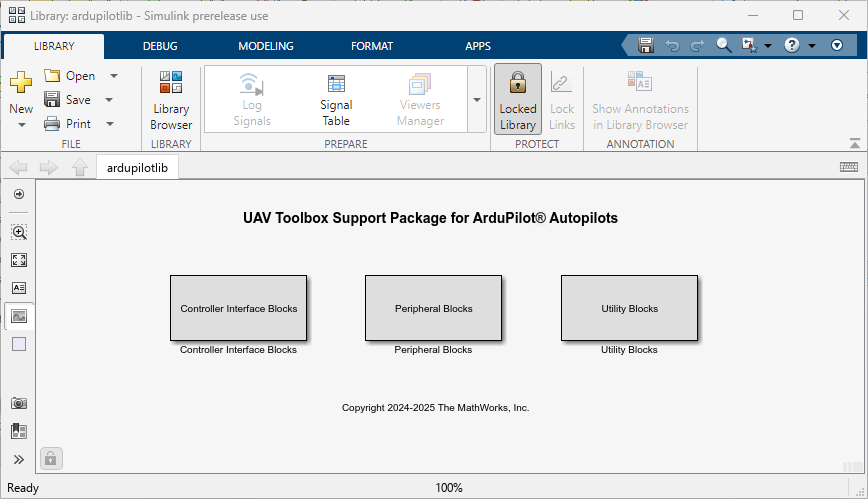
Alternately from the Simulink® Library Browser, locate, and select UAV Toolbox Support Package for ArduPilot Autopilots.
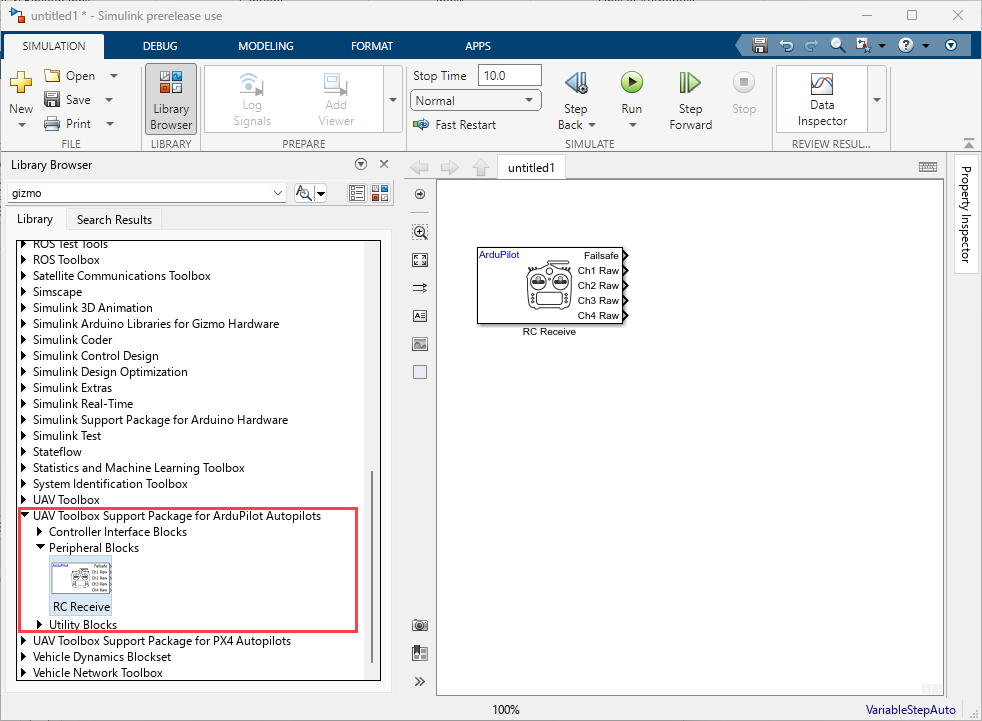
Open the required target block to access the device driver blocks.
Create your real-time model for your application the same way you create other Simulink models. Select blocks to build your model from the following sources or products:
The libraries in the
ardupilotlibblock library (for handling input and output functions for on your target hardware)Simulink Coder™ and Embedded Coder® software to generate the code from the model.
Discrete time blocks from Simulink
Another blockset that meets your needs and operates in the discrete time domain

