show
Show site in Site Viewer
Description
show( displays the location of
the specified transmitter or receiver site in the current Site Viewer using a
marker.site)
show(
specifies options using one or more name-value arguments.site,Name=Value)
Examples
Create a receiver site. By default, receiver sites use geographic coordinates. Specify the latitude as 42.3001 degrees and the longitude as -71.3504 degrees.
rx = rxsite(Name="MathWorks Apple Hill", ... Latitude=42.3001,Longitude=-71.3504);
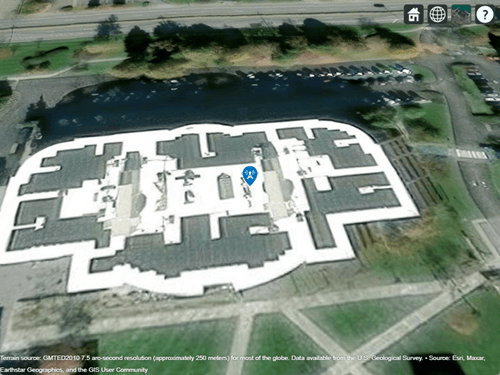
Display the receiver site.
show(rx)
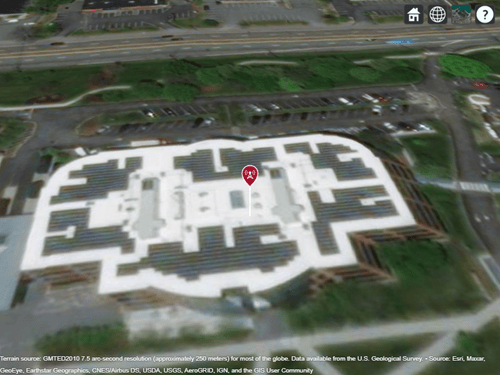
Create and show a transmitter site.
tx = txsite('Name','MathWorks Apple Hill',... 'Latitude',42.3001, ... 'Longitude',-71.3504); show(tx)
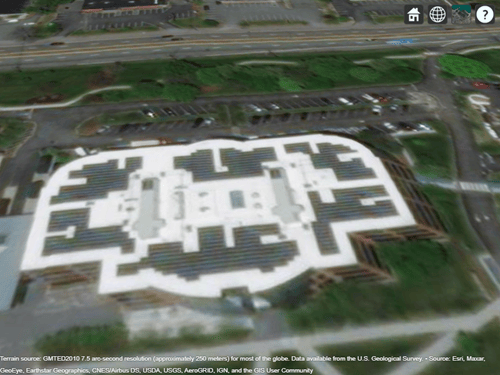
Hide the transmitter site.
hide(tx)
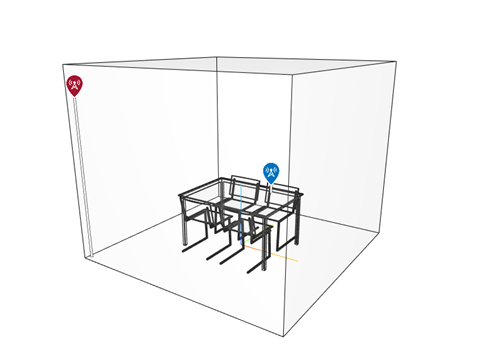
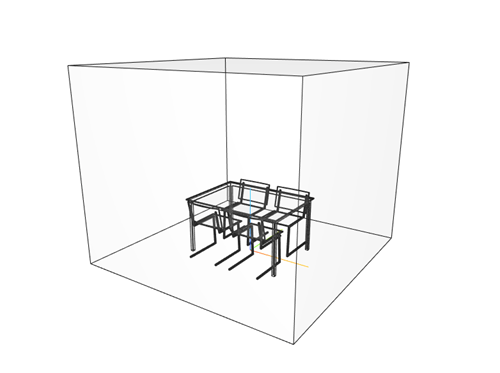
Import and view an STL file. The file models a small conference room with one table and four chairs.
viewer = siteviewer('SceneModel','conferenceroom.stl');
Create a transmitter site near the upper corner of the room and a receiver site above the table. Specify the position using Cartesian coordinates in meters. Then, visualize the sites.
tx = txsite('cartesian', ... 'AntennaPosition',[-1.46; -1.42; 2.1]); rx = rxsite('cartesian', ... 'AntennaPosition',[0.3; 0.3; 0.85]); show(tx) show(rx)
Pan by left-clicking, zoom by right-clicking or by using the scroll wheel, and rotate the visualization by clicking the middle button and dragging or by pressing Ctrl and left-clicking and dragging.
Hide the sites.
hide(tx) hide(rx)
Input Arguments
Name-Value Arguments
Specify optional pairs of arguments as
Name1=Value1,...,NameN=ValueN, where Name is
the argument name and Value is the corresponding value.
Name-value arguments must appear after other arguments, but the order of the
pairs does not matter.
Example: show(site,ClusterMarkers=true) combines nearby markers
into groups.
Before R2021a, use commas to separate each name and value, and enclose
Name in quotes.
Example: show(site,"ClusterMarkers",true) combines nearby markers
into groups.
Name of the image file, specified as a string scalar or character vector.
Data Types: char | string
Width and height of the icon, specified as a 1-by-2 vector of positive numeric values in pixels.
Vertical position of icon relative to the site, specified as on of this options:
"bottom"— Align the icon below the antenna position of the site."center"— Align the center of the icon with the antenna position of the site."top"— Align the icon above the antenna position of the site.
Option to combine nearby markers into groups or clusters, specified as
numeric or logical 1 (true) or
0 (false).
Data Types: logical
Map for visualization of surface data, specified as a siteviewer object.1
Data Types: char | string
Option to show a white line from the site down to the nearest surface,
specified as numeric or logical 1
(true) or 0
(false).
Data Types: logical
Version History
Introduced in R2019b
1 Alignment of boundaries and region labels are a presentation of the feature provided by the data vendors and do not imply endorsement by MathWorks®.
MATLAB Command
You clicked a link that corresponds to this MATLAB command:
Run the command by entering it in the MATLAB Command Window. Web browsers do not support MATLAB commands.
Sélectionner un site web
Choisissez un site web pour accéder au contenu traduit dans votre langue (lorsqu'il est disponible) et voir les événements et les offres locales. D’après votre position, nous vous recommandons de sélectionner la région suivante : .
Vous pouvez également sélectionner un site web dans la liste suivante :
Comment optimiser les performances du site
Pour optimiser les performances du site, sélectionnez la région Chine (en chinois ou en anglais). Les sites de MathWorks pour les autres pays ne sont pas optimisés pour les visites provenant de votre région.
Amériques
- América Latina (Español)
- Canada (English)
- United States (English)
Europe
- Belgium (English)
- Denmark (English)
- Deutschland (Deutsch)
- España (Español)
- Finland (English)
- France (Français)
- Ireland (English)
- Italia (Italiano)
- Luxembourg (English)
- Netherlands (English)
- Norway (English)
- Österreich (Deutsch)
- Portugal (English)
- Sweden (English)
- Switzerland
- United Kingdom (English)