remove
R2026bSyntax
Description
Add-On Required: This feature requires the Scenario Builder for Automated Driving Toolbox add-on.
remove(
removes sensor data for the specified timestamps sensorDataObj,Timestamp=timestamps)timestamps from the
sensor data object sensorDataObj.
remove(
removes sensor data for the specified timestamps sensorDataObj,Timestamp=timestamps,TimeTol=timeTol)timestamps, with a
tolerance time, timeTol, from the sensor data object
sensorDataObj.
remove(
removes sensor data for the specified row indices sensorDataObj,RowIndices=rowIndices)rowIndices from the
sensor data object sensorDataObj.
Examples
Load recorded GPS data into the workspace.
load("recordedGPSData.mat")Initialize a GPSData object using information from the loaded GPS data.
gpsData = scenariobuilder.GPSData(timestamps,latitudes,longitudes,altitudes)
gpsData =
  GPSData with properties:

          Name: ''

    NumSamples: 392
      Duration: 19.5498
    SampleRate: 20.0513
    SampleTime: 0.0500
    Timestamps: [392×1 double]

      Latitude: [392×1 single]
     Longitude: [392×1 single]
      Altitude: [392×1 single]

    Attributes: []
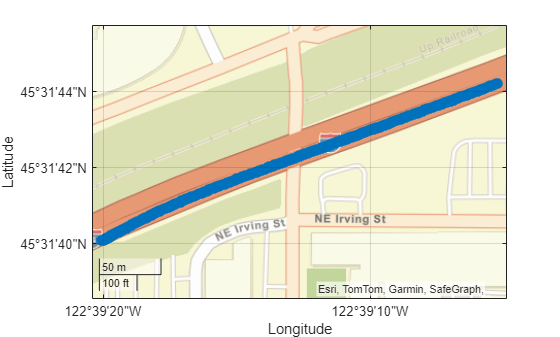
Plot waypoints in the GPS data object.
plot(gpsData)
Extract the timestamps for the data you want to remove from the GPS data object.
t = timestamps(1:100);
Remove the data from the GPS data object for the extracted timestamps.
remove(gpsData,Timestamp=t)
Display the GPS data object after data removal.
disp(gpsData)
  GPSData with properties:

          Name: ''

    NumSamples: 292
      Duration: 14.5500
    SampleRate: 20.0687
    SampleTime: 0.0500
    Timestamps: [292×1 double]

      Latitude: [292×1 single]
     Longitude: [292×1 single]
      Altitude: [292×1 single]

    Attributes: []
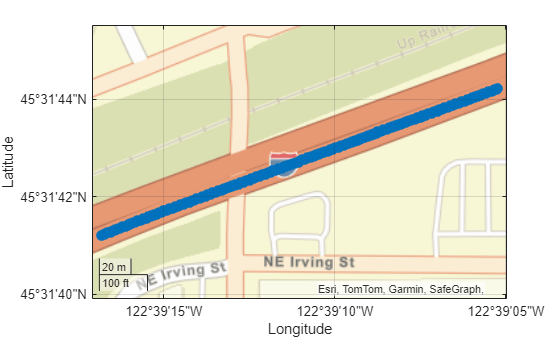
Plot the GPS data object, and observe where waypoints have been removed.
figure
plot(gpsData)
Specify row indices for which to remove data from the gpsData object.
idxs = 1:100;
Remove the data from the GPS data object for the specified row indices.
remove(gpsData,RowIndices=idxs)
Display the GPS data object after data removal.
disp(gpsData)
  GPSData with properties:

          Name: ''

    NumSamples: 192
      Duration: 9.5493
    SampleRate: 20.1063
    SampleTime: 0.0500
    Timestamps: [192×1 double]

      Latitude: [192×1 single]
     Longitude: [192×1 single]
      Altitude: [192×1 single]

    Attributes: []
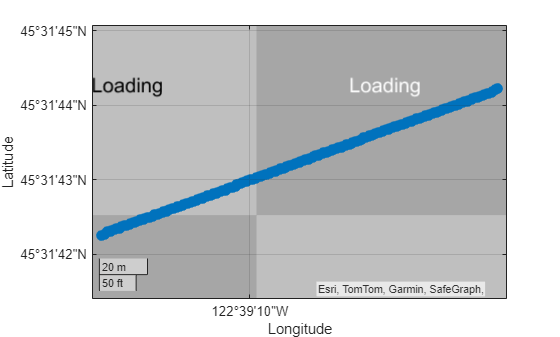
Plot the GPS data object, and observe where waypoints have been removed.
figure
plot(gpsData)
Load recorded GPS data into the workspace.
load("recordedGPSData.mat","X","Y","Z","timestamps")
Create a Trajectory object by using the loaded timestamps and xyz-coordinates.
traj = scenariobuilder.Trajectory(timestamps,X,Y,Z)
traj =
  Trajectory with properties:

               Name: ''

         NumSamples: 392
           Duration: 19.5498
         SampleRate: 20.0513
         SampleTime: 0.0500
         Timestamps: [392×1 double]

           Position: [392×3 double]
        Orientation: [392×3 double]
           Velocity: [392×3 double]
             Course: [392×1 double]
        GroundSpeed: [392×1 double]
       Acceleration: [392×3 double]
    AngularVelocity: [392×3 double]

        LocalOrigin: [0 0 0]
         TimeOrigin: 0

         Attributes: []
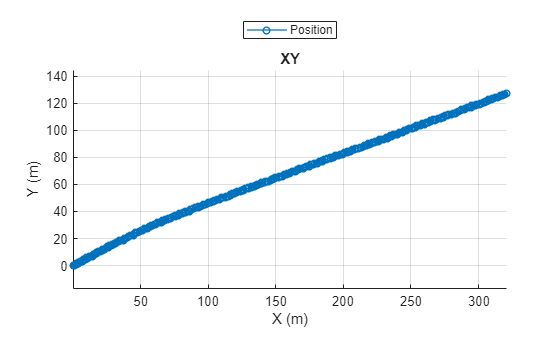
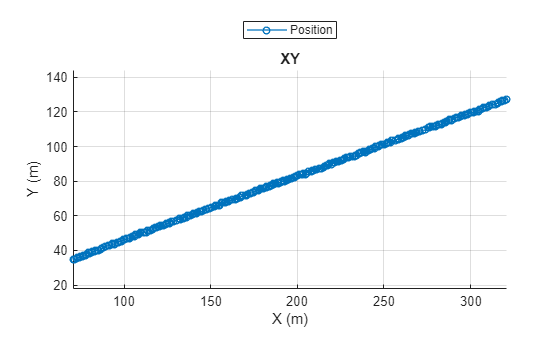
Plot the trajectory object.
plot(traj)
Extract the timestamps of the data you want to remove the from the trajectory object.
t = timestamps(1:100);
Remove the data from the trajectory object for the extracted timestamps.
remove(traj,Timestamp=t)
Display the trajectory object.
disp(traj)
  Trajectory with properties:

               Name: ''

         NumSamples: 292
           Duration: 14.5500
         SampleRate: 20.0687
         SampleTime: 0.0500
         Timestamps: [292×1 double]

           Position: [292×3 double]
        Orientation: [292×3 double]
           Velocity: [292×3 double]
             Course: [292×1 double]
        GroundSpeed: [292×1 double]
       Acceleration: [292×3 double]
    AngularVelocity: [292×3 double]

        LocalOrigin: [0 0 0]
         TimeOrigin: 0

         Attributes: []
Plot the trajectory object, and observe where waypoints have been removed.
plot(traj)
Input Arguments
Version History
Introduced in R2024b
See Also
GPSData | Trajectory | CameraData | LidarData | recordedSensorData

