plotPlatformLog
Description
plotPlatformLog(___,
specifies the reference frame used to interpret the coordinates of the platforms.frame)
plotPlatformLog(___,
specifies options using one or more name-value pair arguments. For example,
Name=Value)plotPlatformLog(viewer,platlog,LineWidth=2) specifies the width of the
platform trajectory line as 2.
Examples
Create a trackingGlobeViewer object and set its reference location. Also, set the camera view.
viewer = trackingGlobeViewer(Basemap="darkwater",ReferenceLocation=[42 -71 50]);
campos(viewer,[42.0002 -71 130]);Create a platform log that contains five platform positions.
plat1log = cell(1,5); for t=1:5 plat1log{t} = struct(PlatformID=1,Position=[t*10 -10 0],Time=t); end
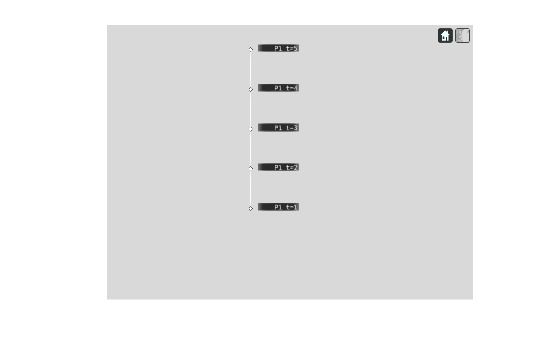
Plot the platform log on the globe viewer.
plotPlatformLog(viewer,plat1log,FontSize=14);
Take a snapshot and show the results.
drawnow snapshot(viewer)
![]()
Create a second log of platforms.
plat2log = cell(1,5); for t=1:5 plat2log{t} = struct(PlatformID=2,Position=[t*10 10 0],Time=t); end
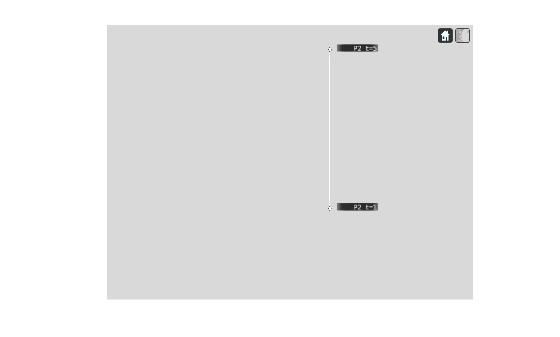
Plot the second log and display only the labels of the first and last platform positions.
sampleTimes = [plat2log{1}.Time plat2log{end}.Time];
plotPlatformLog(viewer,plat2log,LabelSampling=sampleTimes,FontSize=14);Take a snapshot and show the results.
drawnow snapshot(viewer)
![]()
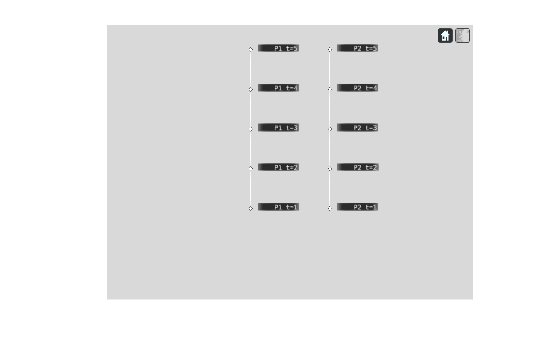
Plot the first and second logs together on the globe viewer.
platslog = [plat1log(:) plat2log(:)]; plotPlatformLog(viewer,platslog,FontSize=14);
Take a snapshot and show the results.
drawnow snapshot(viewer)
![]()
Input Arguments
Tracking globe viewer, specified as a trackingGlobeViewer object.1
Log of platforms, specified as an array of platform structures or a cell array of platform structures. Each structure must have these fields.
| Field Name | Description |
|---|---|
PlatformID | Unique platform identifier, specified as a positive integer. |
Time | Time of the platform position, specified as a nonnegative scalar in seconds. |
Position | Position of the platform, specified as a three-element real-valued vector. Specify the position in the form [x, y, z], in meters, in your specified reference frame. |
Reference frame, specified as "NED" for north-east down, "ENU" for east-north-up, or "ECEF" for Earth-centered-Earth-fixed. When specified as "NED" or "ENU", the origin of the reference frame is at the location specified by the ReferenceLocation property of the viewer object.
Data Types: char | string
Name-Value Arguments
Specify optional pairs of arguments as
Name1=Value1,...,NameN=ValueN, where Name is
the argument name and Value is the corresponding value.
Name-value arguments must appear after other arguments, but the order of the
pairs does not matter.
Before R2021a, use commas to separate each name and value, and enclose
Name in quotes.
Example: plotPlatformLog(viewer,platlog,LineWidth=2)
Since R2026a
Label sampling mode, specified as "Timestamp",
"IndexSpacing", or"CustomIndices".
LabelSamplingMode determines how
plotPlatformLog interpret the LabelSampling
argument.
LabelSamplingMode | How to Specify LabelSampling | Description |
|---|---|---|
"Timestamp" | Vector of nonnegative scalars of time values | Samples at specified times. Each value must match the
UpdateTime property of at least one track in the
platlog input. |
"IndexSpacing" | Positive integer, N | Samples every Nth step. |
"CustomIndices" | Vector of positive integers | Samples at the specified indices. The function samples at each index listed in the vector. |
Label sampling, specified as a vector of nonnegative scalars, a positive integer,
or a vector of positive integers. This argument depends on the
LabelSamplingMode argument.
LabelSamplingMode | How to Specify LabelSampling | Description |
|---|---|---|
"Timestamp" | Vector of nonnegative scalars of time values | Samples at specified times. Each value must match the
UpdateTime property of at least one track in the
platlog input. |
"IndexSpacing" | Positive integer, N | Samples every Nth step. |
"CustomIndices" | Vector of positive integers | Samples at the specified indices. The function samples at each index listed in the vector. |
Font size of the platform labels, specified as a positive scalar in point units. One point equals 1/72 inch.
Example: 11
Data Types: single | double
Line width of the platform trajectory line, specified as a nonnegative integer in point units, where 1 point = 1/72 of an inch.
Tip
If you specify the line width as 0, then the plot does not
the show trajectory line.
Example: 2
Color of the trajectory line, specified as an RGB triplet.
Since R2025a
Marker size, specified as a nonnegative real integer.
Data Types: single | double
Since R2025a
Platform label style, specified as:
"ID"– Display platform ID and time."None"– Display no label.
Data Types: char | string
Version History
Introduced in R2023bYou can use the Color name-value argument to customize platform log
color.
You can use the LabelSamplingMode name-value argument to customize
label sampling mode.
You can specify the marker size by using the MarkerSize name-value
argument. You can also change the platform label style using the
LabelStyle name-value argument.
See Also
1 Alignment of boundaries and region labels are a presentation of the feature provided by the data vendors and do not imply endorsement by MathWorks®.
MATLAB Command
You clicked a link that corresponds to this MATLAB command:
Run the command by entering it in the MATLAB Command Window. Web browsers do not support MATLAB commands.
Sélectionner un site web
Choisissez un site web pour accéder au contenu traduit dans votre langue (lorsqu'il est disponible) et voir les événements et les offres locales. D’après votre position, nous vous recommandons de sélectionner la région suivante : .
Vous pouvez également sélectionner un site web dans la liste suivante :
Comment optimiser les performances du site
Pour optimiser les performances du site, sélectionnez la région Chine (en chinois ou en anglais). Les sites de MathWorks pour les autres pays ne sont pas optimisés pour les visites provenant de votre région.
Amériques
- América Latina (Español)
- Canada (English)
- United States (English)
Europe
- Belgium (English)
- Denmark (English)
- Deutschland (Deutsch)
- España (Español)
- Finland (English)
- France (Français)
- Ireland (English)
- Italia (Italiano)
- Luxembourg (English)
- Netherlands (English)
- Norway (English)
- Österreich (Deutsch)
- Portugal (English)
- Sweden (English)
- Switzerland
- United Kingdom (English)