Collect Coverage for Tests and Address Missing Coverage
R2026bIn this step, you collect coverage for tests by using the MATLAB Test Manager and view the coverage results in a report. You identify source code that is not covered by tests and increase the coverage by adding tests.
Open the MATLABShortestPath project.
openProject("MATLABShortestPath");Collect Coverage and View Results
Open the MATLAB Test Manager.
matlabTestManager
Enable coverage by clicking the Coverage Settings button  and selecting Enable MATLAB code coverage. By default, the metrics slider is set to
 MC/DC, which includes all structural coverage metrics in the report.
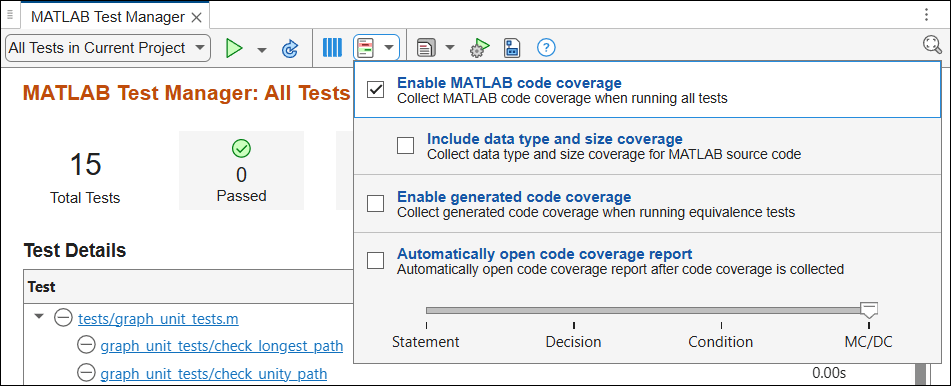
Run all tests in the project by clicking the Run button  . View the coverage report by clicking the Report button
  , and, under Code Coverage Reports, select the coverage report.
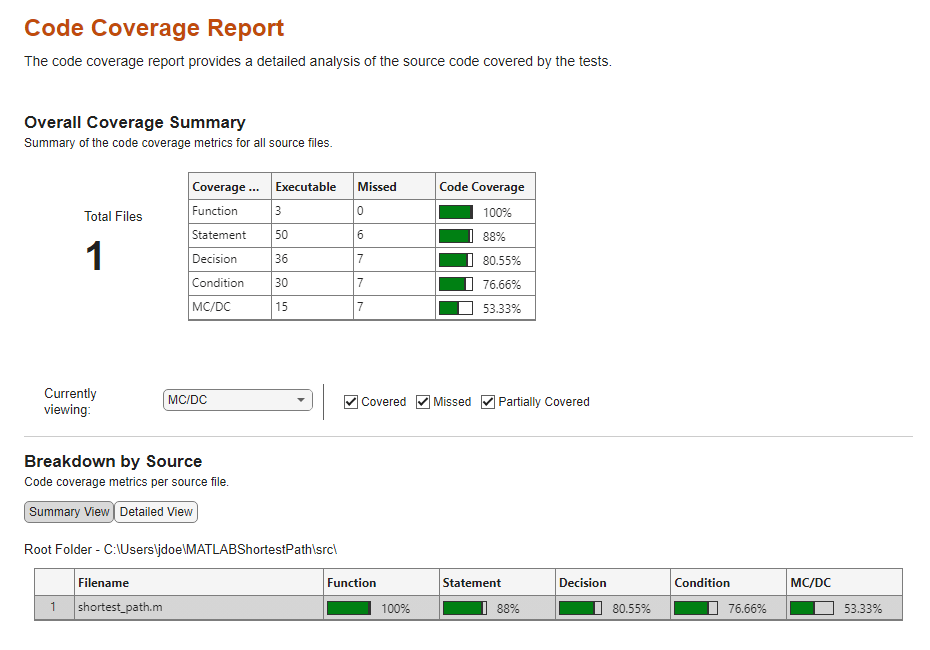
Identify and Address Missing Coverage
In the coverage report, set Currently viewing to Statement. In the Breakdown by Source table, select src\shortest_path.m.
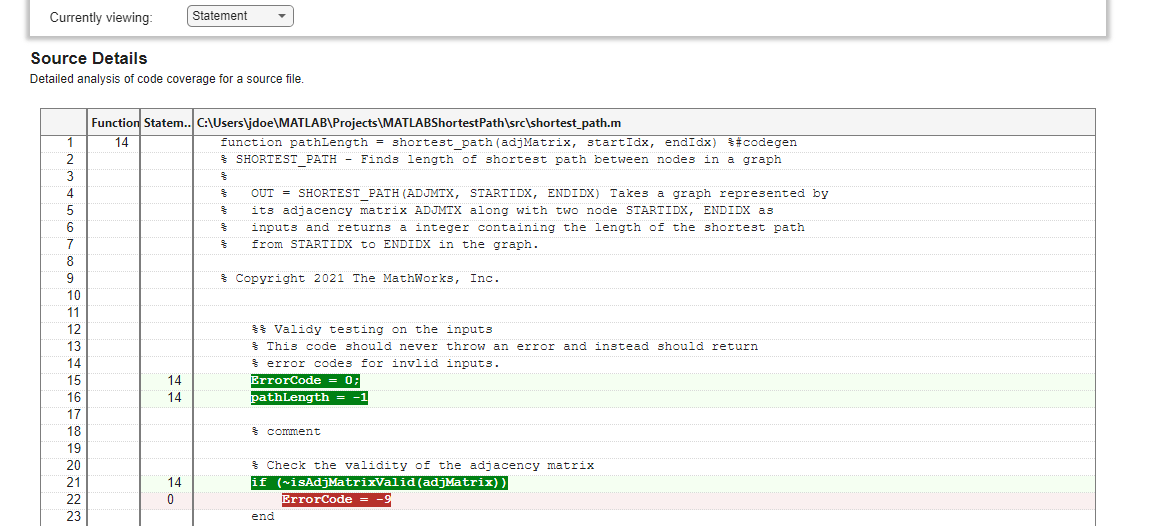
Red highlighting indicates that the tests do not execute line 22 in shortest_path.m. Address this missing coverage by adding a test that executes the code. Open graph_unit_tests.m and copy and paste this test in line 5:
function check_invalid_nonsquare(testCase)
    adjMatrix = zeros(2,3);
    startIdx = 1;
    endIdx = 1;
    expOut = -9;
    verify_path_length(testCase,adjMatrix,startIdx,endIdx,expOut, ...
        'Graph is not square');
end
Re-run the tests in the project and view the code coverage report.
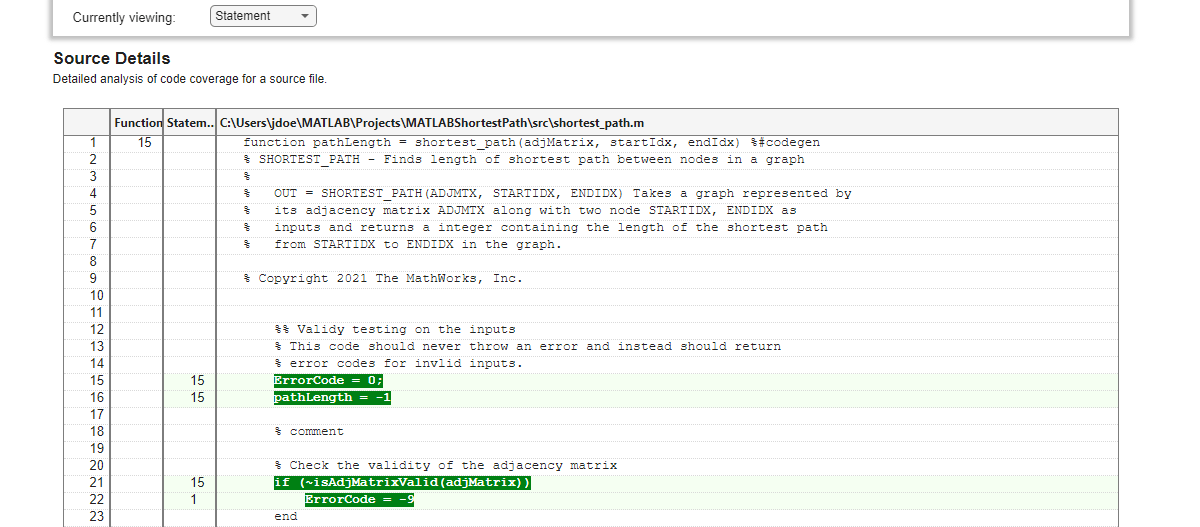
The report indicates that the tests now execute line 22.

