Planetary Gear Comparison
R2026bThis example compares three physically identical implementations of a planetary gearbox with a moving sun, planets and carrier, and a fixed outer ring.
Simscape Driveline and Simscape Multibody offer complimentary advantages. Simscape Driveline generally provides faster computation but does not support 3D visualization. Simscape Multibody enables detailed 3D visualization of the planetary gear kinematics, which helps to ensure a correct and intuitive implementation. During early development, you can use Simscape Multibody to validate the kinematic behavior in 3D and confirm modeling validity. When you confirm the model is valid, you can derive a Simscape Driveline model from the Multibody implementation to achieve faster simulation performance.
Review the Model
The example model contains a Simscape Multibody planetary gear implementation and two Simscape Driveline planetary gear implementations. The Simscape Multibody implementation has the advantages of enabling a visualization in the Mechanics Explorer. The two Simscape Driveline implementations are more compact and run faster.
Open the PlanetaryGearComparison model.
open_system("PlanetaryGearComparison");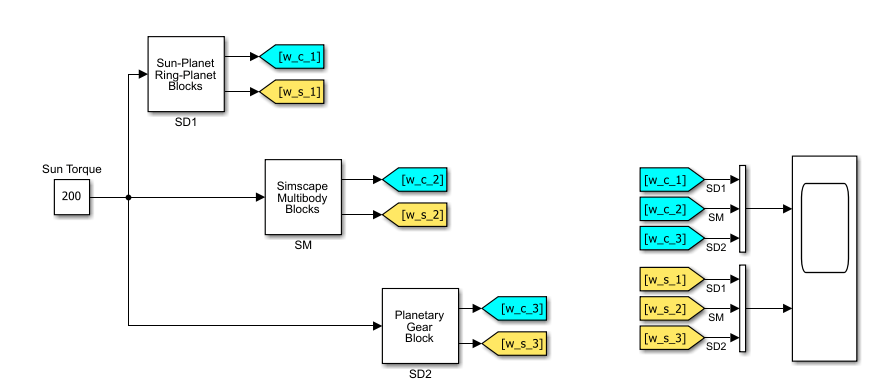
You can modify the values in the planetary gear implementations by modifying and running this script. To modify the inertia values of the Simscape Multibody implementation, you must update the corresponding dimensions in the model.
% Radii and number of teeth
rad_planet      = 0.26;                 % Radius of planets in m
rad_sun         = 0.78;                 % Radius of sun in m
rad_ring        = 2*rad_planet+rad_sun; % Radius of ring in m
rad_hole        = 0.05;                 % Radius of hole in the wheels in m
N_sun           = 45;                   % Number of teeth for the sun
N_planet        = 15;                   % Number of teeth for the planet
N_ring          = 75;                   % Number of teeth for the ring

% Inertias
J_planet  = 24.8161;                    % Inertia of 1 planet in kg*m^2
m_planet  = 687.114;                    % Mass of 1 planet in kg
J_carrier = 269.155;                    % Inertia carrier in kg*m^2, Taken from the Inertial sensor
J_sun     = 1986.55;                    % Inertia sun in kg*m^2

% Other dimensions
gear_thickness  = 0.5;                  % Thickness of all gears in m
link_thickness  = 0.1;                  % Thickness of the carrier links in m
dens_carrier    = 7000;                 % Density of the carrier in kg/m^3

% Simscape Multibody gear profile calculation
sun_xcdata      = Extr_Data_Gear('external',rad_sun*2,N_sun,rad_hole);
planet_xcdata   = Extr_Data_Gear('external',rad_planet*2,N_planet,rad_hole);
ring_xcdata     = Extr_Data_Gear('internal',rad_ring*2,N_ring,rad_ring*0.05);
The Simscape Multibody implementation, SM, takes components from the Simscape Multibody Part Library to create a 3D model of the planetary gear. 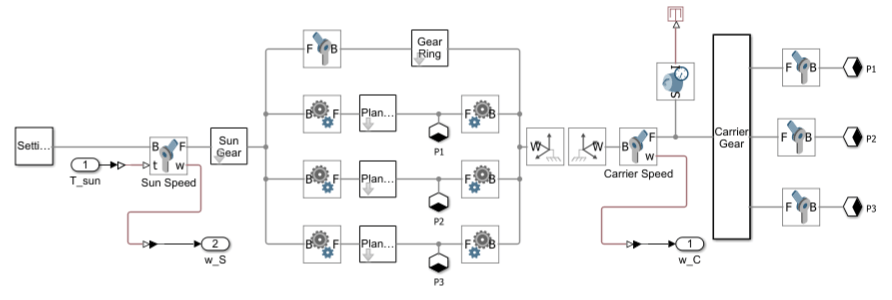
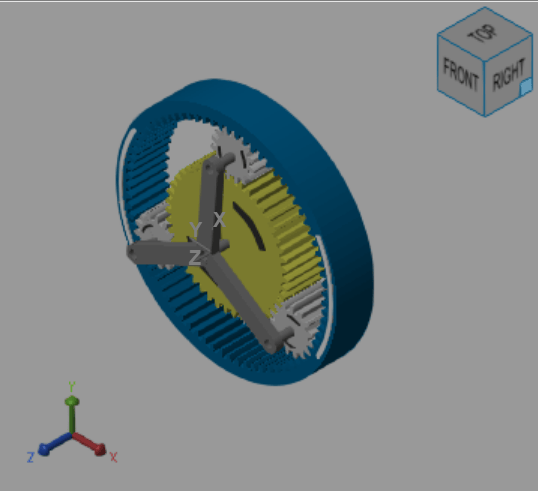
This implementation has the advantage of providing a 3D visualization of the planetary gear as shown in the figure.
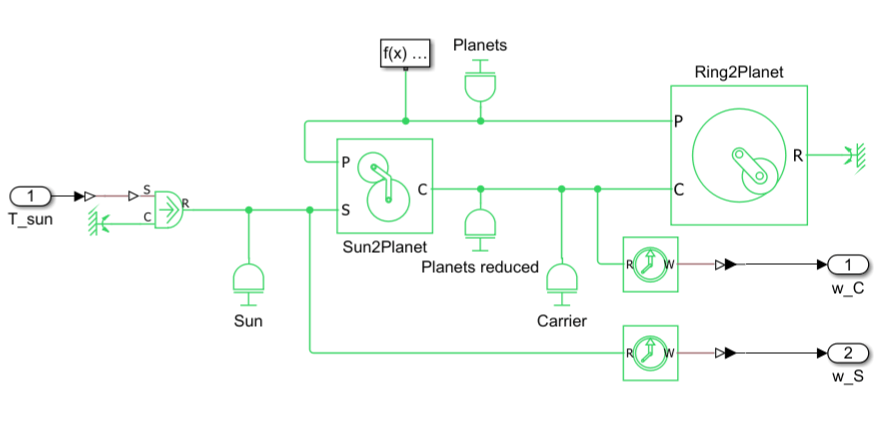
The Simscape Driveline implementations use the inertia calculations from the Simscape Multibody implementation. The first Simscape Driveline implementation, SD1, uses the Sun-Planet and the Ring-Planet blocks. In this implementation, you must carefully assign the inertia and also calculate the reduced inertia components, for example of the planets on the carrier pinion.
The second Simscape Driveline implementation, SD2, uses only one block from the Simscape Driveline library, the Planetary Gear block. You can easily provide the component inertias by using the block dialog box parameters.
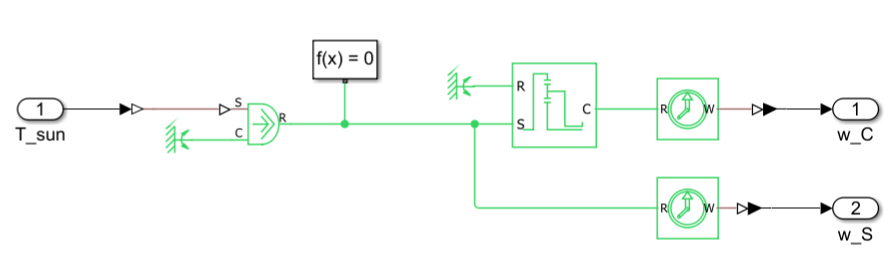
Compare Outputs
Run the simulation.
out = sim("PlanetaryGearComparison");To plot the results from each implementation, run the planetaryGearPlot helper function.
planetaryGearPlot
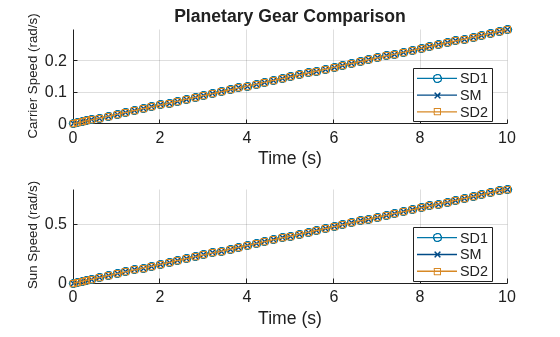
This plot shows a comparison of the carrier gear, which is the output speed, and sun gear, which is the input speed, for the three implementations. This comparison highlights how the implementations produce the same result.
References
Steve Miller (2026). Simscape Multibody Parts Library (https://github.com/mathworks/Simscape-Multibody-Parts-Library/releases/tag/25.2.4.1), GitHub. Retrieved January 27, 2026.

