Include Requirements Verification Status in Test Reports
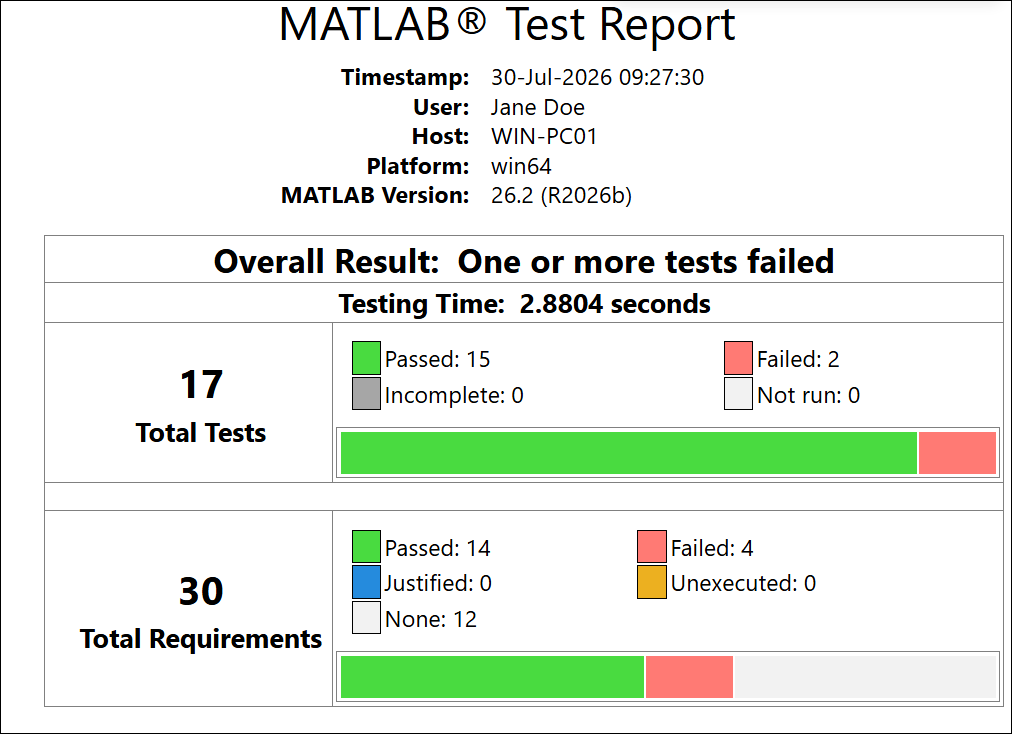
R2026bIf you have MATLAB® Test™, when you generate a test report, the report includes information about linked requirements. The report contains information about the verification status and the requirements that link to each test.
For more information about creating links to MATLAB code, see Verify Requirements with MATLAB Tests.
Run Tests
To include requirements in test reports, run the tests programmatically. For example:
Create a test suite by using the
testsuitefunction.Create a test runner by using the
testrunnerfunction.Run the test by using the
runmethod. Store the results in a variable.
This code creates a test suite for the tests in a folder called
tests, creates a test runner, runs the suite, and returns the test
results:
suite = testsuite("tests");
runner = testrunner;
results = run(runner,suite);
Generate Report
Generate the test report by using one of these methods:
This example code generates an HTML test report called
myReport from the test results in a variable called
results.
generateHTMLReport(results,"myReport.html")Tip
Alternatively, you can add a plugin to the test runner that generates the report when
the test suite runs. For example, this code adds a TestReportPlugin
plugin to the runner that generates an HTML test report with the requirements
information.
suite = testsuite("tests");
runner = testrunner;
import matlab.unittest.plugins.TestReportPlugin
plugin = TestReportPlugin.producingHTML("myReport.html");
addPlugin(runner,plugin);
result = runner.run(suite);
By default, the test report includes information about linked requirements. If there are
no Verify type links to requirements from the tests, the report omits
the requirements information. To include requirements information in the report even when
there are no links, specify the IncludingRequirements name-value
argument as "on".
To omit requirements from the report, specify the
IncludingRequirements argument as
"off".
View Report
The report includes:
A summary of the verification status for the linked requirement sets
A table that shows the requirements verification status for each linked requirement by test file
Details about the linked requirements for each test

For more information about the requirement verification status definitions, see Review Requirements Verification Status.
Note
If the test report includes results for parameterized tests, the verification status
for the requirement in the summary and table displays as Passed only
if all of the combinations pass. The table in the
Overview section indicates which tests have parameterizations.
The Details section lists each combination, its test result, and
its linked requirements.
See Also
Functions
generateHTMLReport|generatePDFReport|generateDOCXReport|TestReportPlugin.producingHTML|TestReportPlugin.producingPDF|TestReportPlugin.producingDOCX

