Impedance Scan (Three-Phase)
Detect oscillatory instabilities in power networks with inverter-based renewable resources
Since R2026a
Libraries:
Simscape /
Electrical /
Control /
Renewables Control
Description
The Impedance Scan (Three-Phase) block injects voltage or current disturbances into a balanced three-phase electrical system and measures the perturbed currents or voltages. Use this block to:
Detect oscillatory instabilities in power networks with inverter-based renewable resources, like solar plants, wind generators, and battery energy storage systems (BESS).
Detect sub-synchronous and super-synchronous oscillations in the power grid.
Obtain the D-axis and Q-axis impedance or admittance Bode plots to assist you in tuning controllers and designing inverters.
To inject disturbances into single-phase, unbalanced, or DC networks, use the Frequency Response Estimator (Simulink Control Design) block instead.
To use the Impedance Scan (Three-Phase) block, you need a Simulink® Control Design™ license.
The Impedance Scan (Three-Phase) block is a discrete-time block that runs at a fixed sample time. Specify the sampling frequency by using the Sampling frequency (Hz) parameter.
You can choose whether to inject voltage or current disturbances by using the Type of injection parameter. Use series voltage injection when the resource impedance is lower than the impedance of the rest of the system. Use shunt current injection when the resource impedance is higher than the impedance of the rest of the system.
You can also choose whether to inject disturbances in the form of a pseudorandom binary sequence (PRBS) or a sinestream with variable frequency by using the Disturbance parameter. A PRBS is faster to simulate. A sinestream gives more accurate results.
This figure shows the control structure. The physical system comprises the energy source, the disturbance injection point, the point of interconnection, and the grid. The control algorithm comprises a sinestream or PRBS generator, an inverse Park transform, a phase-locked loop (PLL), and Park transforms. The control algorithm measures the three-phase voltages at the point of interconnection and outputs the three-phase current or voltage disturbance at the disturbance injection point. The block uses the PLL to track the steady-state grid frequency F and phase angle θ. Park transforms then convert the voltages measured at the point of interconnection (POI) into their respective D and Q components for data processing. The block also uses θ to convert the reference D- and Q-axis voltage perturbations into their corresponding phases before injection.
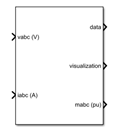
The mabc port outputs the three-phase per-unit current or voltage disturbance injection. To inject the disturbance into your electrical network, use this signal as a pulse-width modulation (PWM) reference for an inverter.
Specify the magnitude of the signal that you inject into the D- and Q-axis by setting the Disturbance amplitude along D-axis (pu) and Disturbance amplitude along Q-axis (pu) parameters, respectively. A typical voltage injection is 1-10% of the rated voltage of the device you want to scan. To identify the D- and Q-axis impedance spectrums sequentially, first run a simulation where you inject the disturbance along the D-axis only. Then, run a second simulation where you inject a disturbance along the Q-axis only.
Specify the duration of the disturbance injection by setting values for the
Disturbance injection start time (s) and Disturbance
injection end time (s) parameters. To limit the overall simulation time, start
the injection soon after the simulation has reached a periodic steady state. Longer durations
capture impedance spectra more accurately but also slow down the simulation. The minimum
duration of the disturbance depends on the values of the Disturbance,
Disturbance frequency vector (Hz), and Sampling frequency
(Hz) parameters. If you set the Disturbance parameter to
Sinestream, then the minimum duration also depends on the value
of the Number of cycles at each frequency parameter. You can check the
minimum duration in the Disturbance Injection Parameters tab of the
block dialog box, underneath the parameters. If you change any parameter values, click the
Apply button in the block dialog box to update the duration that the
block dialog box displays.
Perturbed Measurement Data
The signal at the data port is a structure containing the perturbed
measurements. To create Bode plots of the admittance or impedance, store this signal in a
variable and use the impedanceScanBodePlot function. The data structure contains these
ten fields:
DD — Voltage and current measurements along the D-axis for a disturbance injection along the D-axis, in volts and amps respectively, specified as a structure.
DQ — Voltage and current measurements along the Q-axis for a disturbance injection along the D-axis, in volts and amps respectively, specified as a structure.
QD — Voltage and current measurements along the D-axis for a disturbance injection along the Q-axis, in volts and amps respectively, specified as a structure.
QQ — Voltage and current measurements along the Q-axis for a disturbance injection along the Q-axis, in volts and amps respectively, specified as a structure.
Dd — Per-unit amplitude of the disturbance along the D-axis, specified as a time series. The value of the
Dataproperty of this time series is equal to the value of the Disturbance amplitude along D-axis (pu) parameter.Dq — Per-unit amplitude of the disturbance along the Q-axis, specified as a time series. The value of the
Dataproperty of this time series is equal to the value of the Disturbance amplitude along Q-axis (pu) parameter.Tstart — Time at which the disturbance injection starts in seconds, specified as a time series. The value of the
Dataproperty of this time series is equal to the value of the Disturbance injection start time (s) parameter.Tend — Time at which the disturbance injection ends in seconds, specified as a time series. The value of the
Dataproperty of this time series is equal to the value of the Disturbance injection end time (s) parameter.f — Frequencies at which the block calculates the frequency response in hertz, specified as a time series. The value of the
Dataproperty of this time series is equal to the value of the Disturbance frequency vector (Hz) parameter.scan — Type of disturbance injected, specified as a time series. The value of the
Dataproperty of this time series is0for a sinestream injection and1for a PRBS injection. This value corresponds to the Disturbance parameter.
Visualization
The visualization port outputs a bus containing these five signals for visualization:
Per-unit D-axis current iD
Per-unit Q-axis current iQ
Frequency F of the voltage measured at the POI, in hertz
Per-unit D-axis voltage VD
Per-unit Q-axis voltage VQ
Ports
Input
Output
Parameters
References
[1] Riccobono, Antonino, Markus Mirz, and Antonello Monti. “Noninvasive Online Parametric Identification of Three-Phase AC Power Impedances to Assess the Stability of Grid-Tied Power Electronic Inverters in LV Networks.” IEEE Journal of Emerging and Selected Topics in Power Electronics 6, no. 2 (2018): 629–47. https://doi.org/10.1109/JESTPE.2017.2783042.
[2] Jiang, Ying, and A. Ekstrom. “General Analysis of Harmonic Transfer through Converters.” IEEE Transactions on Power Electronics 12, no. 2 (1997): 287–93. https://doi.org/10.1109/63.558741.
[3] Zhu, Yue. Impedance Model Analysis and Measurement for Power System Stability. August 2022. https://doi.org/10.25560/100373.
Extended Capabilities
Version History
Introduced in R2026a

