uiselectboxes
R2026bDescription
Examples
Load an image containing objects to count into the workspace.
I = imread("coins.png");Display the image using the imageshow function.
hImage = imageshow(I);
To interactively define bounding box ROIs on the image, use the uiselectboxes function. Click a start point in the image and drag boxes around the desired objects. Click Accept in the top-right corner of the figure window when you are satisfied with your selections.
bboxes = uiselectboxes(hImage)
bboxes = 4×4
195.4484 28.4718 69.5974 63.5455
321.0263 101.0952 55.9805 58.2500
224.9516 116.2251 65.0584 61.2760
165.1886 85.9653 55.2240 52.1980
This GIF shows how to interactively select bounding boxes by creating and dragging the boxes to different positions on the image.
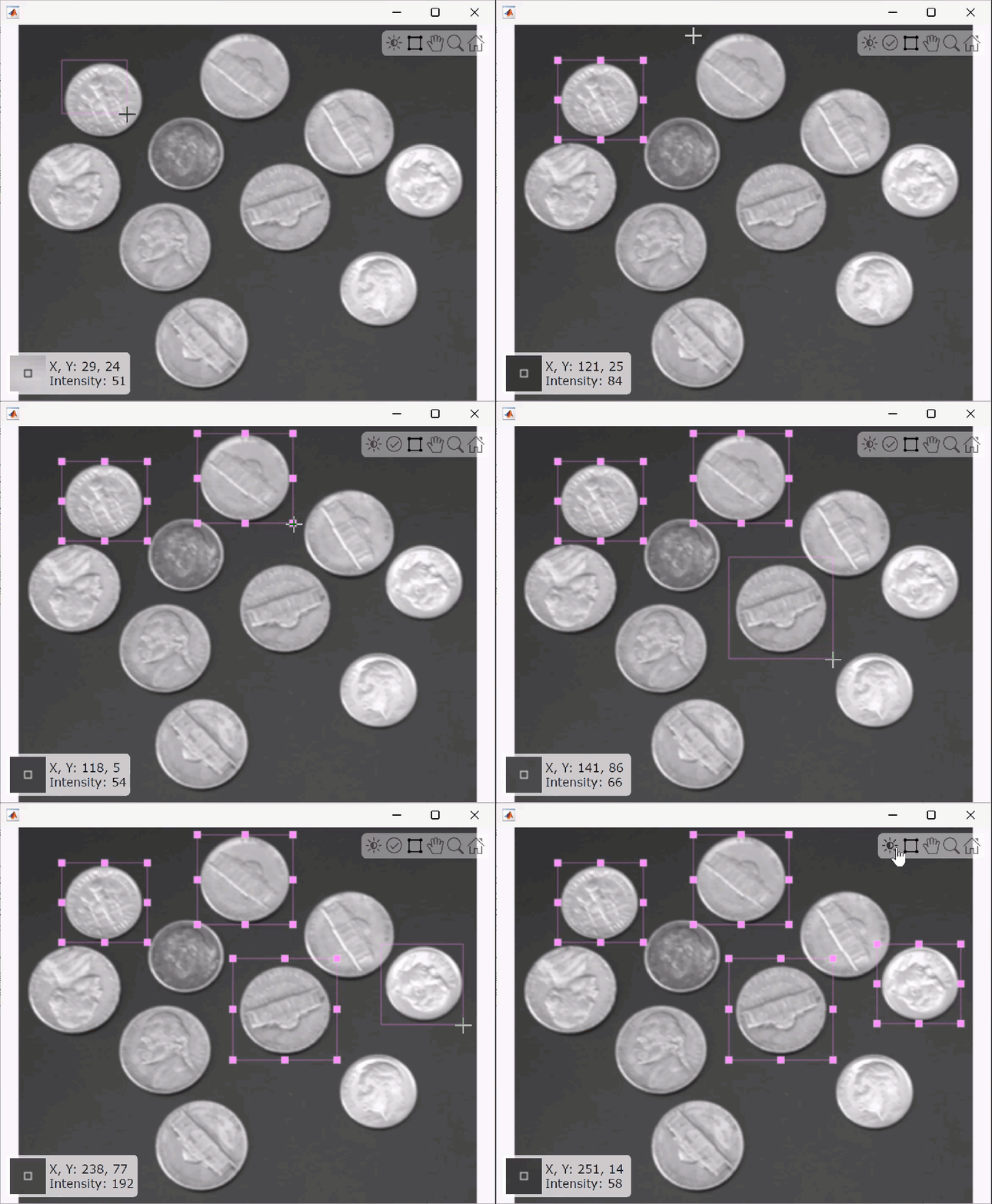
Extract the patch tiles from the image using the extractpatches function.
tiles = extractpatches(I,bboxes)
tiles = 4×1 cell array
64×70 uint8
58×56 uint8
62×65 uint8
52×55 uint8
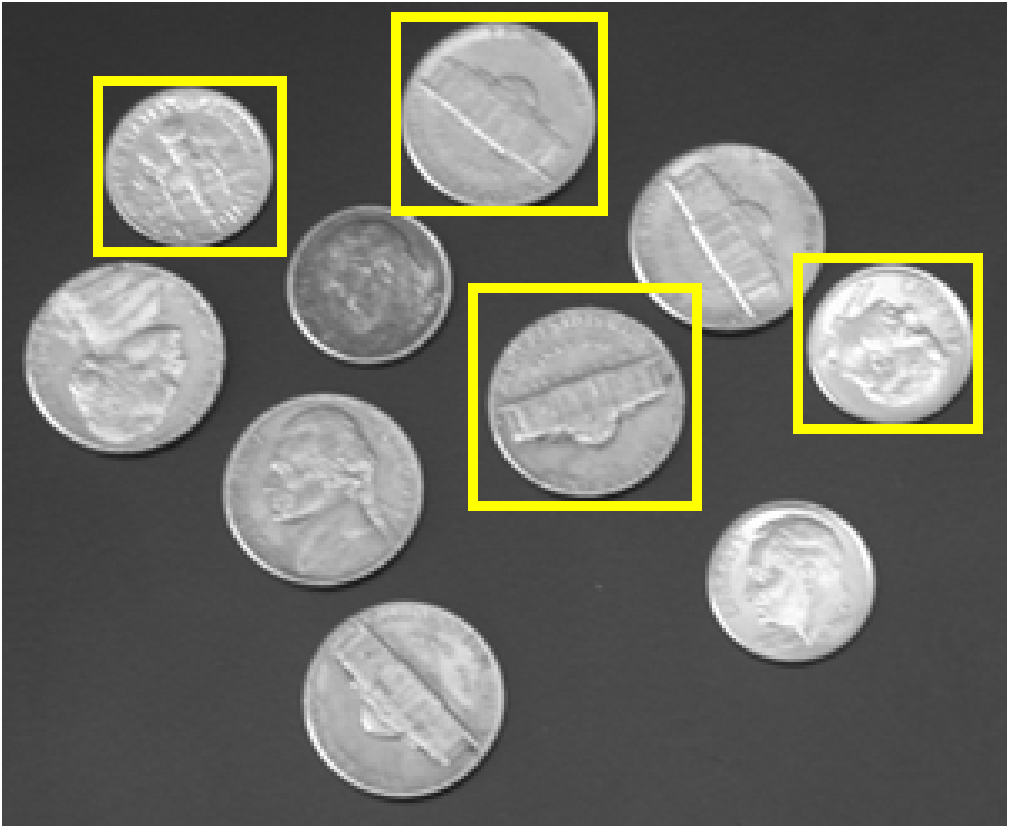
Display the bounding boxes defining the image patches overlaid on the image using the insertShape function.
annotatedImage = insertShape(I,"rectangle",bboxes,"LineWidth",3); imshow(annotatedImage)
Input Arguments
Input image object, specified as an Image object. To create an
Image object, use the imageshow function. The image must be RGB or grayscale.
Bounding box boundary color, specified as an RGB triplet, hexadecimal color code, or a short or long color name. For a custom color, specify an RGB triplet or a hexadecimal color code.
An RGB triplet is a three-element row vector whose elements specify the intensities of the red, green, and blue components of the color. The intensities must be in the range [0,1]. For example,
[0.4 0.6 0.7].A hexadecimal color code is a string scalar or character vector that starts with a hash symbol (
#) followed by three or six hexadecimal digits, which can range from0toF. The values are not case sensitive. Therefore, the color codes"#FF8800","#ff8800","#F80", and"#f80"are equivalent.
Output Arguments
Axis-aligned rectangular bounding box ROIs, returned as an M-by-4 numeric matrix. M is the number of bounding box ROIs. Each row of the matrix represents a bounding box, returned as a 4-element row vector, and is of the form [x y w h], where:
x and
yspecify the upper-left corner of the rectangle.w specifies the width of the rectangle, which is its length along the x-axis.
h specifies the height of the rectangle, which is its length along the y-axis.
Version History
Introduced in R2026aStarting in R2026b, uiselectboxes is available
in the Visual Inspection
Toolbox™ product. In releases R2026a and before, uiselectboxes is available
in the Automated Visual Inspection Library for Computer Vision Toolbox™ add-on.
See Also
MATLAB Command
You clicked a link that corresponds to this MATLAB command:
Run the command by entering it in the MATLAB Command Window. Web browsers do not support MATLAB commands.
Sélectionner un site web
Choisissez un site web pour accéder au contenu traduit dans votre langue (lorsqu'il est disponible) et voir les événements et les offres locales. D’après votre position, nous vous recommandons de sélectionner la région suivante : .
Vous pouvez également sélectionner un site web dans la liste suivante :
Comment optimiser les performances du site
Pour optimiser les performances du site, sélectionnez la région Chine (en chinois ou en anglais). Les sites de MathWorks pour les autres pays ne sont pas optimisés pour les visites provenant de votre région.
Amériques
- América Latina (Español)
- Canada (English)
- United States (English)
Europe
- Belgium (English)
- Denmark (English)
- Deutschland (Deutsch)
- España (Español)
- Finland (English)
- France (Français)
- Ireland (English)
- Italia (Italiano)
- Luxembourg (English)
- Netherlands (English)
- Norway (English)
- Österreich (Deutsch)
- Portugal (English)
- Sweden (English)
- Switzerland
- United Kingdom (English)