imrotate
R2026bRotate image
Syntax
Description
J = imrotate(I,angle)I by angle degrees in a
counterclockwise direction around its center point. To rotate the image clockwise,
specify a negative value for angle.
imrotate makes the output image J
large enough to contain the entire rotated image. By default,
imrotate uses nearest neighbor interpolation, setting the
values of pixels in J that are outside the rotated image to
0 for numeric and logical images and
missing for categorical images.
J = imrotate(___,FillValues=fillValues)FillValues name-value
argument in addition to any combination of input arguments from previous
syntaxes.
Examples
Read an image into the workspace, and convert it to a grayscale image.
I = fitsread('solarspectra.fts');
I = rescale(I);
Display the original image.
figure
imshow(I)
title('Original Image')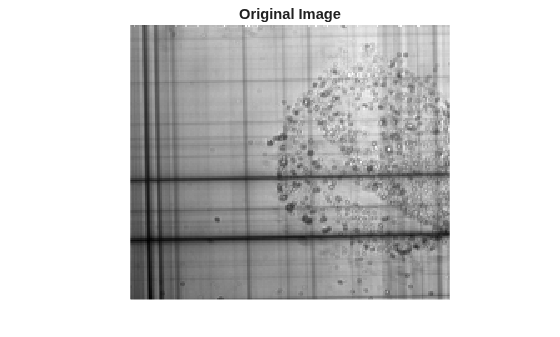
Rotate the image 1 degree clockwise to bring it into better horizontal alignment. The example specified bilinear interpolation and requests that the result be cropped to be the same size as the original image.
J = imrotate(I,-1,'bilinear','crop');
Display the rotated image.
figure
imshow(J)
title('Rotated Image')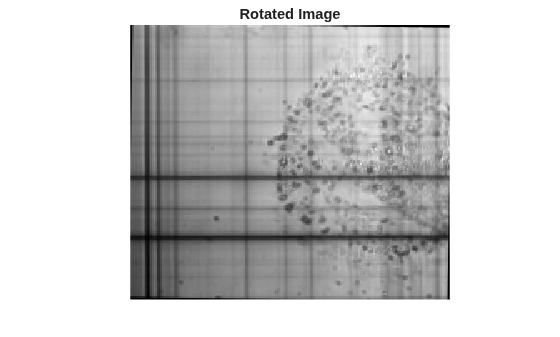
Input Arguments
Output Arguments
Tips
In some instances, this function takes advantage of hardware optimization for data types
uint8,uint16,single, anddoubleto run faster.
Extended Capabilities
Version History
Introduced before R2006aSee Also
imcrop | imrotate3 | imresize | imtransform | tformarray

