mergeCells
R2026bDescription
h = mergeCells(g,cellIDs)cellIDs for the 3-D geometry
g by removing their shared faces. mergeCells
renumbers cells, faces, edges, and vertices in the resulting geometry. The cell IDs of the
resulting geometry start with 1 and end with the number of cells after merging. Because the
function removes shared faces, it also removes edges and vertices belonging only to these
faces, and decreases the IDs of all subsequent faces, edges, and vertices.
Examples
Merge two cells in a nested cylinder consisting of three cells.
Create a nested cylinder.
gm = multicylinder([1 2 3],3);
Plot the cylinder with cell labels.
pdegplot(gm,CellLabels="on",FaceAlpha=0.2);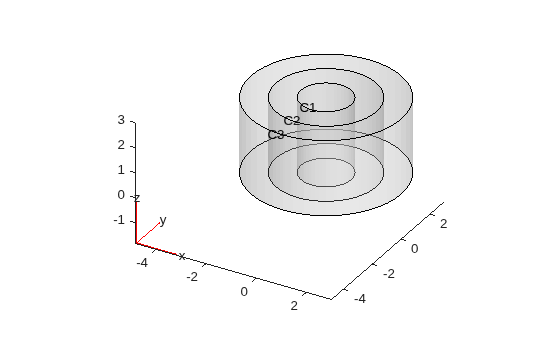
Merge the two inner cells.
newgm = mergeCells(gm,[1 2]);
Plot the resulting geometry. Although mergeCells removes shared faces, it does not merge faces of the merged cells. So, cell 1 has two top faces and two bottom faces.
pdegplot(newgm,CellLabels="on",FaceAlpha=0.2);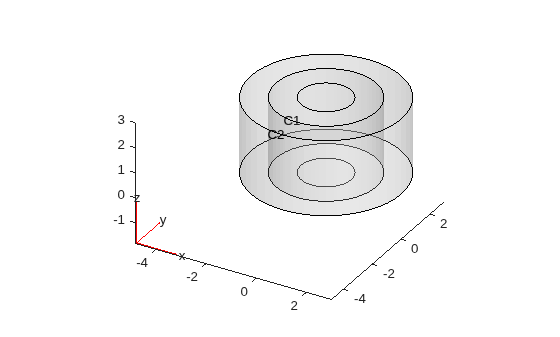
You also can merge all geometry cells into one.
newgm = mergeCells(gm);
pdegplot(newgm,CellLabels="on",FaceAlpha=0.2);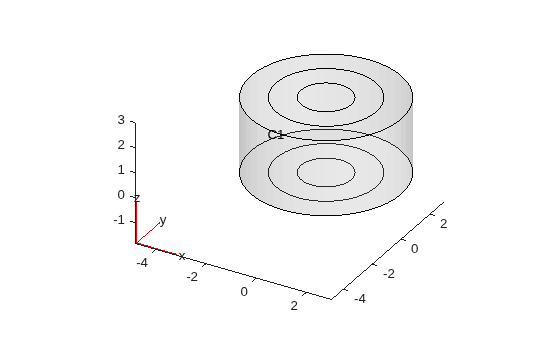
Since R2026a
Reduce the number of cells to two cells in a nested cuboid geometry consisting of five cells.
Create a nested cuboid.
gm = multicuboid(1:5,1:5,2);
Plot the cuboid with cell labels.
pdegplot(gm,CellLabels="on",FaceAlpha=0.2)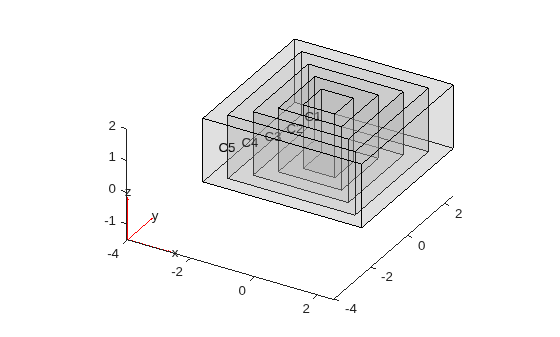
Merge the three smallest cells into one cell and the remaining two cells into another cell.
gm_merge = mergeCells(gm,{1:3,4:5});Plot the resulting geometry. Although mergeCells removes shared faces, it does not merge faces of the merged cells. So, the resulting nested cuboid has extraneous top and bottom faces.
pdegplot(gm_merge,CellLabels="on",FaceAlpha=0.2)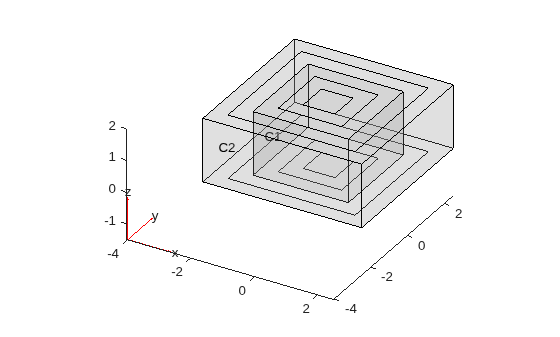
Input Arguments
Output Arguments
Tips
Although
mergeCellsremoves shared faces of the merged cells, it does not merge faces of the merged cell. So, the resulting geometry can have extraneous faces. For example, if you merge two stacked cubes,mergeCellsremoves the face between the cubes, but each side of the merged cell consists of two faces, not one face, for a total of 10 faces in the merged geometry.Merging modifies a geometry, but it does not modify the mesh. After merging cells, call
generateMeshfor a correct mesh association with the new geometry.
Version History
Introduced in R2023bSee Also
Functions
deleteCell|findCell|addCell|addFace|addVertex|addVoid|generateMesh|union

