String Concatenate
R2026bConcatenate input strings to form one output string
String Concatenate block
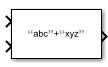
To add a block to a model, double-click the canvas and start typing the block name. Then, select the block from the list.
Libraries:
Simulink /
String
Description
The String Concatenate block concatenates multiple input strings, in order of their input, to form one output string. Use this block if you want to combine multiple strings into a single string.
Ports
Input
Output
Parameters
Number of input strings to concatenate, specified as a scalar. You can specify from 2 to 512 input ports.
Programmatic Use
Block Parameter:
Inputs |
| Type: character vector |
Values: scalar from
2 to 512 |
Default:
'2' |
Output data type, specified using the string data type to specify a string with no maximum length.
To specify a string data type with a maximum length, specify
stringtype(. For
example, N)stringtype(128) creates a string data type with
a maximum length of 128 characters.
Click the Show data type assistant button
 to display the Data Type
Assistant, which helps you set the data type attributes. See
Specify Data Types Using Data Type Assistant for more information.
Programmatic Use
Block Parameter:
OutDataTypeStr |
| Type: character vector |
Values:
'string' | <data type
expression> |
Default:
'string' |
Use the stringtype function, for example,
stringtype(128).
Dependency
Clicking the Show data type assistant button enables this parameter.
Block Characteristics
Data Types |
|
Direct Feedthrough |
|
Multidimensional Signals |
|
Variable-Size Signals |
|
Zero-Crossing Detection |
|
Programmatic Use: Add Block
To add the block programmatically, use the add_block function with one of these library block paths as the source.
"simulink/String/String Concatenate"
Example: add_block("simulink/String/String Concatenate","myModel/myBlock",MakeNameUnique="on")
Extended Capabilities
Version History
Introduced in R2018a
See Also
ASCII to String | Compose String | Scan String | String Compare | String Constant | String Find | String Length | String to Single | String to Double | String to Enum | String to ASCII | Substring | To String

