Analog Input
R2026bMeasure voltage of analog input pin
Analog Input Common block
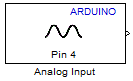
To add a block to a model, double-click the canvas and start typing the block name. Then, select the block from the list.
Libraries:
Simulink Support Package for Arduino Hardware /
Common
Description
Add-On Required: This feature requires the Simulink Support Package for Arduino Hardware add-on.
Use the Analog Input block to measure the voltage of an analog pin relative
to the analog input reference voltage on the Arduino® hardware. The block outputs the measurement as a value that ranges from
0 to 1023.
If the measured voltage equals the ground voltage, the block output emits
0.If the measured voltage equals the analog reference voltage, the block output emits
1023.
The default value of the analog input reference voltage for most of the Arduino boards is 5 V. To change the Analog input reference voltage parameter in your model Configuration Parameters, navigate to Hardware Implementation > Target hardware resources > Analog input channel properties.
The analog input reference voltage for Arduino Due, Nano 33 IoT, MKR boards, and Nano 33 BLE Sense boards is 3.3 V. You cannot change this value.
Warning
The range of the voltage that can be applied to the analog input pin depends on the analog input reference voltage. For details, read the documentation for your Arduino hardware.
Supported Arduino Boards
Arduino Due
Arduino Leonardo
Arduino Mega 2560
Arduino Mega ADK
Arduino Micro
Arduino MKR Wi-Fi® 1010
Arduino Nano 33 IoT
Arduino MKR1000
Arduino MKRZero
Arduino Nano 3.0
Arduino Uno
Arduino Robot Control Board
Arduino Robot Motor Board
Arduino Nano 33 BLE Sense
Arduino compatible ESP32-WROOM and ESP32-WROVER
Arduino compatible ESP32-S3 Series
Arduino Nano ESP32
Arduino compatible Teensy 4.0
Arduino compatible Teensy 4.1
Arduino Nano RP2040 Connect
Arduino Uno R4 Wi-Fi
Arduino Uno R4 Minima
Arduino Nano R4
Arduino compatible Raspberry Pi Pico
Arduino compatible Raspberry Pi Pico W
Ports
Output
Parameters
Version History
Introduced in R2014a

