PWM
R2026bGenerate pulse width modulated signal on analog output pin
PWM Common block
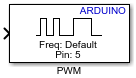
To add a block to a model, double-click the canvas and start typing the block name. Then, select the block from the list.
Libraries:
Simulink Support Package for Arduino Hardware /
Common
Description
Add-On Required: This feature requires the Simulink Support Package for Arduino Hardware add-on.
The PWM block generates square pulses of varying duty cycle depending on the input value sent to the block on the Arduino® hardware pin. This block enables a digital output to provide a range of different power levels, similar to that of an analog output.
For more information on how to select pins when you Simulink® model contains PWM, Standard Servo Read, Standard Servo Write, Continuous Servo Write, and Input Capture blocks, see Conflicting Pin Configurations on Arduino Timer.
Ports
Input
Parameters
Programmatic Use: Add Block
To add the block programmatically, use the add_block function with one of these library block paths as the source.
"arduinolib/PWM"
Example: add_block("arduinolib/PWM","myModel/myBlock",MakeNameUnique="on")
More About
Version History
Introduced in R2012b
See Also
Install Support for Arduino Hardware | Pin Mapping for Arduino Timer-Dependent Blocks | Conflicting Pin Configurations on Arduino Timer | Model Configuration Parameters for Simulink Support Package for Arduino Hardware | Standard Servo Read | Standard Servo Write | Continuous Servo Write | Supported Default PWM Frequencies and Pins on Arduino Compatible Teensy Boards

