La traduction de cette page n'est pas à jour. Cliquez ici pour voir la dernière version en anglais.
Conversion manuelle en virgule fixe dans MATLAB
R2025bUtilisez la fonction buildInstrumentedMex pour instrumenter votre algorithme afin d'enregistrer les valeurs minimale et maximale de toutes les variables nommées et intermédiaires. Utilisez la fonction showInstrumentationResults pour proposer des types de données à virgule fixe en fonction des valeurs enregistrées.
Fonctions
Rubriques
- Decide Between Fixed-Point Conversion Workflows
Learn the benefits of each conversion workflow to help you decide which one best fits your application.
- Manual Fixed-Point Conversion Workflow and Best Practices
Get from generic MATLAB® code to an efficient fixed-point implementation using manual fixed-point conversion.
- Conversion manuelle d’un algorithme MATLAB virgule flottante en virgule fixe
Conversion manuelle d’un algorithme MATLAB virgule flottante en virgule fixe.
Informations connexes
Résolution des problèmes
Resolve Error: Function Is Not Supported for Fixed-Point Conversion
Troubleshoot functions that are not supported for fixed-point conversion.
Troubleshoot fi*non-fi errors.
Resolve Error: Data Type Mismatch
Troubleshoot data type mismatch errors.
Resolve Error: Mismatched fimath
Troubleshoot mismatched fimath errors.
Sélection d՚exemples
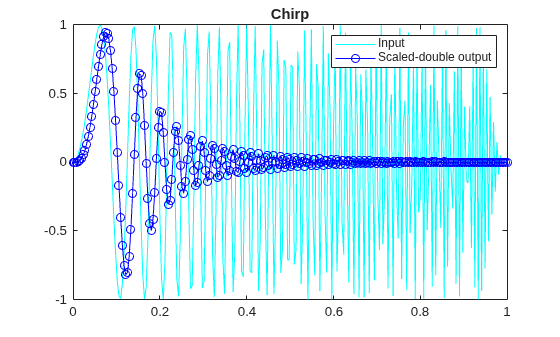
Set Data Types Using Min/Max Instrumentation
Set fixed-point data types by instrumenting MATLAB code for min/max logging and using the tools to propose data types.
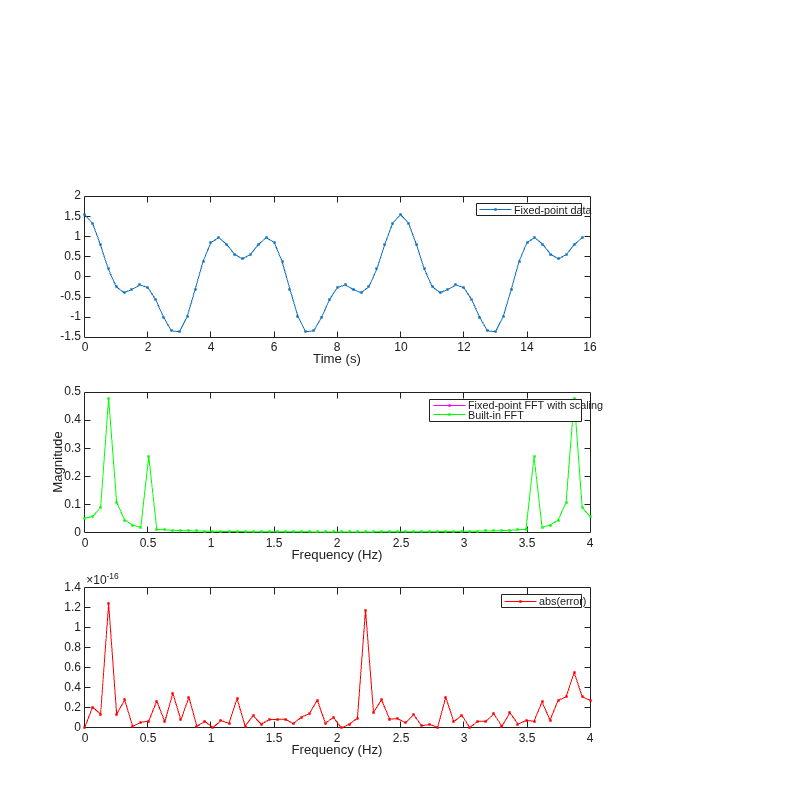
Convert Fast Fourier Transform (FFT) to Fixed Point
Convert a version of the Fast Fourier Transform (FFT) algorithm into fixed-point MATLAB code.

Implement FIR Filter Algorithm for Floating-Point and Fixed-Point Types Using cast and zeros
Convert a finite impulse-response (FIR) filter to fixed point by separating the fixed-point type specification from the algorithm code.

