Annotate Image Displays and Draw ROIs
R2026bOverlay masks and labels on images, and draw regions of interest of many
shapes
The toolbox supports a set of objects that you can use to create ROIs of many shapes, such circles, ellipses, polygons, rectangles, and hand-drawn shapes. After you create the objects, you can modify their shape, position, appearance, and behavior.
Functions
Topics
Specify ROIs
- Choose Approach to Annotate ROIs in Images
Discover tools for representing ROIs as geometric and hand-drawn shapes. - Create Interactive Viewer-Based ROIs
Draw and edit interactive ROIs for images and volumes displayed usingimageshowandvolshow. - Create Static Viewer-Based ROIs
Efficiently create many non-interactive ROIs on images and volumes displayed usingimageshowandvolshow. - Create Axes-Based ROIs
Draw and edit interactive ROIs on images displayed usingimshow.
Interact with Axes-Based ROIs Using Events and Callback Functions
- Subsample or Simplify a Freehand ROI
This example shows how to subsample or reduce the number of points in aFreehandROI object. - Create Freehand ROI Editing Tool
This example shows how to create a simple tool to edit the shape of a freehand ROI using another ROI object. - Use Wait Function After Drawing ROI
This example shows how to define a custom wait function that blocks the MATLAB® command line until you finish positioning a rectangle. - Create Image Comparison Tool Using ROIs
This example shows how to use the new ROI functions to create an interactive image comparison tool.
Featured Examples
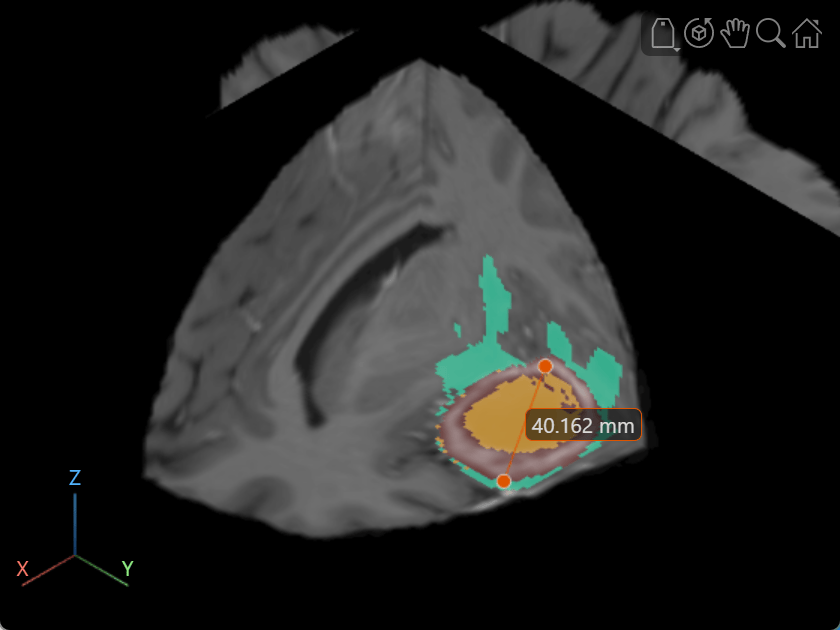
Label Volume Display Using Point and Line Annotations
Add and edit point and line annotations in a Viewer object displaying a 3-D Brain MRI scan.
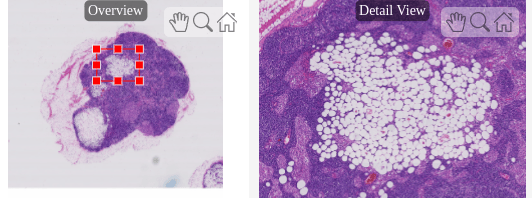
Explore Blocked Image Details with Interactive ROIs
Display a detailed region of a blocked image selected interactively using ROI tools.

