addMember
R2026bSyntax
Description
Examples
Create a selection group that manages three toggle buttons.
fig = uifigure(Position=[100 100 200 200]);
gl = uigridlayout(fig,[3,1]);
tb1 = uitogglebutton(gl,Text="English");
tb2 = uitogglebutton(gl,Text="French");
tb3 = uitogglebutton(gl,Text="German");
sg = uiselectiongroup([tb1 tb2 tb3]);
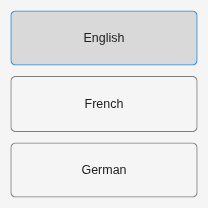
Add a fourth button to the group.
tb4 = uitogglebutton(gl,Text="Japanese");
addMember(sg,tb4)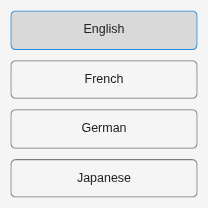
Create a grid layout in a figure with seven radio buttons managed by a selection group and a check box.
fig = uifigure(Position=[100 100 800 100]);
gl = uigridlayout(fig,[2 7]);
rb1 = uiradiobutton(gl,Text="Monday");
rb2 = uiradiobutton(gl,Text="Tuesday");
rb3 = uiradiobutton(gl,Text="Wednesday");
rb4 = uiradiobutton(gl,Text="Thursday");
rb5 = uiradiobutton(gl,Text="Friday");
rb6 = uiradiobutton(gl,Text="Saturday");
rb7 = uiradiobutton(gl,Text="Sunday");
sg = uiselectiongroup([rb1 rb2 rb3 rb4 rb5 rb6 rb7]);
cb = uicheckbox(gl,Text="Exclude Weekend");
cb.Layout.Column = [1 2];

Write a callback function named toggleWeekend that controls whether the Saturday and Sunday buttons are enabled and part of the selection group. This callback executes when a user interacts with the check box. Save the function in a folder that is on the MATLAB path.
function toggleWeekend(src,event,sg,rb6,rb7)
    if src.Value == 1
        sg.removeMember([rb6 rb7])
        rb6.Enable = "off";
        rb7.Enable = "off";
    elseif src.Value == 0
        sg.addMember([rb6 rb7])
        rb6.Enable = "on";
        rb7.Enable = "on";
    end
end
cb.ValueChangedFcn = @(src,event) toggleWeekend(src,event,sg,rb6,rb7);

Input Arguments
Version History
Introduced in R2026b

