dicomwrite to save dicom image with window level setting
Afficher commentaires plus anciens
Any one can help me?
I want to save my dicom images as dicom in right contrast.
I wrote like this
R = dicomread('1.dcm');
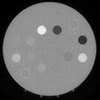
The image like below

then I wrote
T = imshow(R, [0 1844]);

then I want to save as new image, i wrote
dicomwrite(T, 'S.dcm');
But got ERROR
Error using dicom_prep_ImagePixel>getPixelStorage (line 204)
Invalid datatype for image pixels.
Error in dicom_prep_ImagePixel (line 13)
[ba, bs, hb, pr] = getPixelStorage(X, txfr, useExistingBitDepths, metadata,
dictionary);
Error in dicom_prep_metadata (line 51)
metadata = dicom_prep_ImagePixel(metadata, X, map, txfr,
useMetadataBitDepths, dictionary);
Error in dicom_create_IOD (line 26)
metadata = dicom_prep_metadata(IOD_UID, metadata, X, map, options.txfr,
options.usemetadatabitdepths, dictionary);
Error in dicomwrite>write_message (line 275)
[attrs, status] = dicom_create_IOD(SOP_UID, X, map, ...
Error in dicomwrite (line 211)
[status, options] = write_message(X, filename, map, metadata, options);
ANYONE KNOW HOW TO SAVE IMAGE DICOM AS 2ND PICTURE ???
Réponse acceptée
Simon Chan
le 18 Août 2021
The matrix R coming from dicomread is the rawdata and you are not advised to change it.
Most probably you are only able to change the Default Window Level and Window Width in the DICOM headers. This default Window Level and Window Width are only used in application software which is able to retrieve this DICOM header information and hence display the image in an expected contrast level.
Hence, the displayed image will always be compelely black if you use image(R) instead of image(R,[]).
Following code provides a reference for you and you can observe the difference by usng imtool
clear; clc;
X = dicomread('old.dcm');
metadata = dicominfo('old.dcm');
WC = metadata.WindowCenter; % original [40; 40]
WW = metadata.WindowWidth; % original [80; 80]
imtool(X,'DisplayRange',[WC(1)-WW(1), WC(1)+WW(1)]); % Left figure below
metadata.WindowCenter = [1050; 1050];
metadata.WindowWidth = [400; 400];
dicomwrite(X, 'New.dcm', metadata, 'CreateMode', 'copy');
Y = dicomread('New.dcm');
newmetadata = dicominfo('New.dcm');
newWC = newmetadata.WindowCenter;
newWW = newmetadata.WindowWidth;
imtool(Y,'DisplayRange',[newWC(1)-newWW(1), newWC(1)+newWW(1)]); % Right figure below
Use the original Window Level and Window Width (Left), and revised WL & WW (right):


6 commentaires

mohd akmal masud
le 31 Août 2021

Walter Roberson
le 31 Août 2021
dicomwrite(dcmImagei(:,:,k),sprintf('%d.png',k), metadata, 'CreateMode', 'copy');
why are using using a .png file extension when writing a DICOM file? DICOM does not care what file extension name is used, but MS Windows and (to lesser extent) MacOS care what file extension is used, and humans are easily confused. The result of the dicomwrite() would be a DICOM format file that had a .png file extension, and which would not be a valid PNG image.
Walter Roberson
le 31 Août 2021
After the
[I, cmap] = dicomread('I10');
what shows up for
size(I)
size(cmap)
Walter Roberson
le 31 Août 2021
for k = 1:176
metadata = dicominfo('I10');
You are always reading the metadata from the same file (and the same part of the same file). You do not alter the file within the loop, so it is going to get the same information each time. That is not efficient.
WC = metadata.WindowCenter; % original [40; 40]
WW = metadata.WindowWidth; % original [80; 80] % Left figure below
You extract that information in the loop, but you do not use it in the loop. That is not efficient.
metadata.WindowCenter = [1200; 1200];
metadata.WindowWidth = [400; 400];
With the metadata being read out the same each time, the result of updating the metadata to hold constant values is going to be the same each time, so it does not need to be done inside the loop. This is not efficient.
% dcmImagei(:,:,k) = uint8(255 * mat2gray( dcmImagei(:,:,k)));
% dicomwrite(dcmImagei(:,:,k), sprintf('%d.dcm', k));
% imwrite(J(:,:,k),newmap,sprintf('%d.png',k))
dicomwrite(dcmImagei(:,:,k),sprintf('%d.png',k), metadata, 'CreateMode', 'copy');
end
Extract the metadata once before the loop, and update it that once. The loop then simplifies down to
for k = 1:176
dicomwrite(dcmImagei(:,:,k),sprintf('%d.png',k), metadata, 'CreateMode', 'copy');
end
mohd akmal masud
le 1 Sep 2021
Walter Roberson
le 1 Sep 2021
metadata = dicominfo('I10');
WC = metadata.WindowCenter; % original [40; 40]
WW = metadata.WindowWidth; % original [80; 80] % Left figure below
metadata.WindowCenter = [1200; 1200];
metadata.WindowWidth = [400; 400];
I = dicomread(metadata);
imshow3D(permute(I,[1 2 4 3])); %look for the WL and best picture
for k = 1:size(I,4)
dicomwrite(I(:,:,:,k),sprintf('%d.dcm',k), metadata, 'CreateMode', 'copy');
end
Plus de réponses (1)
Walter Roberson
le 18 Août 2021
T = imshow(R, [0 1844]);
the result of imshow() is a handle to a graphics image() object. You cannot write a graphics handle as an image.
You should use rescale(); older MATLAB would have to use the obscurely-named mat2gray()
Catégories
En savoir plus sur DICOM Format dans Centre d'aide et File Exchange
le 18 Août 2021
le 1 Sep 2021
Community Treasure Hunt
Find the treasures in MATLAB Central and discover how the community can help you!
Start Hunting!
Translated by 

