Set and enforce axis properties immediately
Afficher commentaires plus anciens
I have visualization code along the following lines:
subplot(1, 2, 1);
scatter3(N(:,1), N(:,2), N(:,3), '.');
drawnow;
hold on;
for r = 1 : NUM
% ... heavy calculations here
trisurf(Tri(FBtri), XYZ(:,1), XYZ(:,2), XYZ(:,3));
drawnow;
hold on;
end
set(gca, 'XDir', 'reverse');
% End subplot 1
subplot(1, 2, 2);
% Similar code
set(gca, 'XDir', 'reverse');
% End subplot 2
% So on, and so forth...
I need to reverse the X axis, and have found that it only works if I add the property setter after the entire code block for each subplot. This results in the entire subplot being rendered, and then visibly being reversed.
Is there a way that this property can be set and enforced before any contained future objects are computed/rendered, so that everything is shown reversed along the specified axis in the first place?
I would also welcome suggestions towards improving my usage of hold and drawnow, and on how to set and enforce axis reversal (or any axis property in general) for all subplots in the beginning itself with a single call to set, if that's possible.
Réponse acceptée

Geoff Hayes
le 14 Oct 2014
You mention subplots, but your above code does not show that. What are you iterating over? Does NUM correspond to each subplot?
Suppose that you have a figure that you wish to add 16 subplots to. Then you could create the figure with the plots, and reverse the x-axis for each plot.
figure; % create the figure
m = 4; % define the number of subplot rows
n = 4; % define the number of subplot columns
hSubplots = zeros(m,n); % create an array for the handles to each subplot
% create/initialize the subplots
for u=1:m
for v=1:m
hSubplots(u,v) = subplot(m,n,(u-1)*n+v);
hold(hSubplots(u,v),'on');
% only reverse the x-axis for the first two rows
if u<=2
set(hSubplots(u,v),'XDir','reverse');
end
end
end
A figure is displayed with sixteen subplots, with the x-axis reversed for all subplots in the first two rows. Now let's plot some data for each subplot
% create/initialize the subplots
[x,y] = meshgrid(1:15,1:15);
tri = delaunay(x,y);
z = peaks(15);
for u=1:m
for v=1:m
trisurf(tri,x,y,z,'Parent',hSubplots(u,v))
axis(hSubplots(u,v),'tight');
end
end
After running the second block of code, we can see that the 8 subplots whose x-axes was reversed still maintains that "reversal" after the trisurf displayed the triangles on that subplot.
You should be able to use the above code as a guide to do the same for your work so that everything is shown reversed along the specified axis in the first place.
2 commentaires
Geoff Hayes
le 14 Oct 2014
Try my example and see if it meets your needs. Run the first block of code and observe that the axes are reversed. Then run the second block of code and see that afterwards, the directions of the subplots have been enforced.
For your case, just see what happens for the first subplot if you do something like
h = subplot(1, 2, 1);
scatter3(N(:,1), N(:,2), N(:,3), '.');
drawnow;
hold(h,'on');
set(h,'XDir','reverse');
for r = 1 : NUM
% ... heavy calculations here
trisurf(Tri(FBtri), XYZ(:,1), XYZ(:,2), XYZ(:,3));
drawnow;
end
Plus de réponses (2)

Sean de Wolski
le 14 Oct 2014
0 votes
If you don't need the intermediate updates in the loop, pull the drawnow out of the loop and call it once after setting xdir reverse. This way the graphics are only updated after the loop which will save time and it will only show the final result which includes xdir reversed.
1 commentaire

slaiyer
le 14 Oct 2014
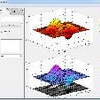
Robert Cumming
le 14 Oct 2014
when you create your subplot set the Xdir then:
subplot ( 1, 2, 1, 'xdir', 'reverse' );
% your other code goes here
subplot(1, 2, 2, 'xdir', 'reverse' );
If this doesn't work it could be due to you use cla - which resets all axes properties, if thats the case then change the default behaviour of the nextplot command (then you dont need hold on).
subplot ( 1, 2, 1, 'xdir', 'reverse', 'nextplot', 'add' );
Catégories
En savoir plus sur Subplots dans Centre d'aide et File Exchange
le 13 Oct 2014
le 14 Oct 2014
Community Treasure Hunt
Find the treasures in MATLAB Central and discover how the community can help you!
Start Hunting!
Translated by 

