HSV heatmap from RGB image
Afficher commentaires plus anciens
How do I get the HSV heatmap shown in the picture below? According to the source, "hue saturation value (HSV) heat map (is) produced from grayscale image". So do I use rgb2gray and then after that what?

Also, sorry, as you can tell, I'm a beginner at MATLAB.
Réponse acceptée

Image Analyst
le 20 Nov 2021
1 vote
If you have a super low contrast RGB image with horrendous shading (light falling off from the center) as shown in your comment, first I'd try to estimate the background to flatten the image and get rid of the shading. So divide your image by your estimated background image to get a flattened image. Then I'd use imadjust() to increase the contrast to make it easier to see. I think that seeing an enhanced original color image would be preferable to converting it to grayscale and then pseudocoloring a gray scale image with some artificial and arbitrary colormap, don't you? Why would you want fake colors rather than the "real" ones?
1 commentaire

riane
le 22 Nov 2021
Plus de réponses (1)
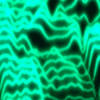
If all you want is to apply a colormap to a monochrome image, then:
A = imread('cameraman.tif');
imshow(A,[]);
colormap(hsv(256));

If you want something else, then you'll have to clarify.
6 commentaires
riane
le 20 Nov 2021
Say, I have this image right here:

I want it to look like the heatmap but when I convert the rgb to hsv & apply turbo colormap, the colors don't look as colorful(?) as I want it to (seen below). I know it's prob because of the raw data itself, but is there any way I can process the image to make it similar? I tried converting it to grayscale first before pseudocoloring it but the image looks too dark in grayscale so it just turns out like a ball of green light.

You're going to have to decide what the color mapping represents or describe what you're actually trying to do. You have a very low contrast image that looks like the image is converted it to HSV and then you converted it to HSV again. It shouldn't be necessary to convert it to HSV once, let alone twice.
% this is probably the original RGB image
A = imread('https://www.mathworks.com/matlabcentral/answers/uploaded_files/807319/image.jpeg');
A = hsv2rgb(im2double(A));
imshow(A)

If I assume that the image is already HSV, and that the colorbar should represent the value channel:
A = imread('https://www.mathworks.com/matlabcentral/answers/uploaded_files/807319/image.jpeg');
A = A(:,:,3); % i'm just assuming this is HSV
% map spans from black to white
imshow(A);
colormap(hsv(256));

% map spans from min(A) to max(A)
clf; imshow(A,[]);
colormap(hsv(256));

riane
le 22 Nov 2021
Image Analyst
le 22 Nov 2021
@riane there is nothing that can be improved as far as image analysis goes by applying a pseudocolor look up table to the original image. You're better off working with the original image. By the way, was your camera a monochrome camera or a RGB camera?
riane
le 23 Nov 2021
Image Analyst
le 23 Nov 2021
OK so you should use the Blue Channel for any UV that managed to be detected by the sensor, and the red channel for the IR image:
[uvImage, unusedGreenChannel, IRImage] = imsplit(rgbImage);
You should probably not use the green channel -- it will most likely be all black anyway since your filters block any green light from the sensor.
Again pseudocoloring the UV image and IR image (say maybe to shades of blue and red, respectively) will not help the image analysis but may give you a visual effect on the display that you like.
Catégories
En savoir plus sur Blue dans Centre d'aide et File Exchange
Produits
le 20 Nov 2021
le 23 Nov 2021
Community Treasure Hunt
Find the treasures in MATLAB Central and discover how the community can help you!
Start Hunting!
Translated by 

