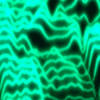
To plot a 3D histogram of a true colour image, try the following steps:
1. Convert it to a grayscale image, focusing on intensity values.
2. Then proceed by using the "meshgrid" function to determine the X and Y coordinates.
3. Finally, plot the 3D surface using the "surf" function.
For more information about the “meshgrid” and “surf” functions, you can refer to their official MATLAB documentation using the following commands:
web(fullfile(docroot, "/matlab/ref/meshgrid.html"))
web(fullfile(docroot, "/matlab/ref/surf.html"))
Below is a reference MATLAB code snippet:
img = imread('image.jpg');
grayImg = rgb2gray(img);
grayImg = double(grayImg);
[X, Y] = meshgrid(1:size(grayImg, 2), 1:size(grayImg, 1));
figure;
surf(X, Y, grayImg, 'EdgeColor', 'none');
colormap jet;
colorbar;
This script generates a 3D surface plot where the height represents pixel intensity. Darker regions correspond to low intensity, while brighter regions indicate higher intensity values.