Résultats pour

VOTE on your favorite MATLAB images before Oct. 31 and win special edition T-shirts!
In just 2 weeks, 11,000 votes have been cast on 1200+ entries ! In the final week (Oct 25~Oct 31, 2021), we will add some fun and give out a T-shirt to lucky voters who cast:
- The 12000th vote
- The 12500th vote
- The 13000th vote
- The 13500th vote
- The 14000th vote
- The 14500th vote
- The 15000th vote
- The 15500th vote
- The 16000th vote
Furthermore, for every vote an entry gets, MathWorks will donate $1 to Direct Relief (Maximum amount of $20 donated per entry; maximum of $20,000 in total).
Look at the entries , and if they make you smile, VOTE!
What amazing images can be created with no more than 280 characters of MATLAB code? Check out the GALLERY of 700+ entries from the MATLAB Mini Hack contest.
VOTE on your favorite images and help fight the global pandemic! For every vote an entry gets, MathWorks will donate $1 to Direct Relief *.
How can I vote?
1) You need to log in with your MathWorks Account. If you do not have a MathWorks Account, you can create one at MathWorks sign in .
2) You can vote for an entry by clicking on the heart icon on an entry card or the vote button on the entry detail page.
*Maximum amount of $20 donated per entry; maximum of $20,000 donated based on the combined totals raised from the Treasure Hunt contest and the MATLAB Mini Hack contest.
As part of MATLAB Central’s 20 year anniversary celebration, we created the MATLAB Mini Hack . The contest starts today on Oct. 4th!
What to do?
Generate an interesting image using up to 280 characters of MATLAB code.
Who can play?
Participants across all skill levels are welcome. Create original entries of your own code, remix others’ entries and make them your own, or simply vote on ENTRIES you love!
How to win prizes?
Those at the top of the leaderboard at the end of the contest will win up to $300 Amazon gift cards, 5 customized T-shirts, or special badges. Visit the prizes section on the contest page for more information.
To add more fun, we will award RANDOM PRIZES that every participant has a chance to win.
- Each week, we will pick 5 players who participate in both the Treasure Hunt and MATLAB Mini Hack .
- Each week, we will have different surprise giveaways.
Important Notes
- The first week (Oct. 4th, 2021 ~ Oct. 10th 2021) is for creating entries only. Voting starts on Week 2.
- Make sure you follow the contests (click the ‘follow the contests’ button on the top) to get notified when prizes are awarded and of other important announcements.
We hope you are the winner!
Join our celebration of the 20th anniversary of MATLAB Central community! You are invited to enter 2 contests - A Treasure Hunt and a MATLAB Mini Hack - to have fun and win prizes.
How to Play
- In the Treasure Hunt, complete 10 fun tasks to explore the ‘treasures’ in the community.
- In the MATLAB Mini Hack, use up to 280 characters of MATLAB code to generate an interesting image. Simply vote for the entries that you like or share your own entries to gain votes.
Prizes
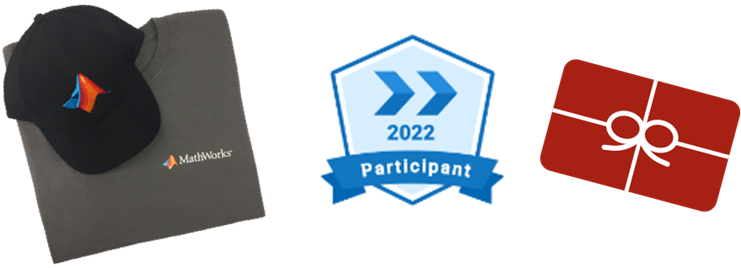
You will have opportunities to win compelling prizes, including special edition T-shirts, customized T-shirts, Amazon gift cards, and virtual badges. Your participation will also bump up our charity donations.
Ready to participate?
Visit the community contests space and choose the contest you’d like to enter. Note that:
- You need a MathWorks account to participate. If you don’t have a MathWorks account, you can create one at MathWorks sign in .
- Make sure you follow the contests (click the ‘follow the contests’ button on the top) to get notified for prize information and important announcements.
For the full contest rules, prizes, and terms, see details here .
We hope you enjoy the contests and win big prizes. NOW, LET THE CELEBRATION BEGIN!
Join our celebration of the 20th anniversary of MATLAB Central community! You are invited to enter 2 contests - A Treasure Hunt and a MATLAB Mini Hack - to have fun and win prizes.
How to Play
- In the Treasure Hunt, complete 10 fun tasks to explore the ‘treasures’ in the community.
- In the MATLAB Mini Hack, use up to 280 characters of MATLAB code to generate an interesting image. Simply vote for the entries that you like or share your own entries to gain votes.
Prizes
You will have opportunities to win compelling prizes, including special edition T-shirts, customized T-shirts, Amazon gift cards, and virtual badges. Your participation will also bump up our charity donations.
Ready to participate?
Visit the community contests space and choose the contest you’d like to enter. Note that:
- You need a MathWorks account to participate. If you don’t have a MathWorks account, you can create one at MathWorks sign in .
- Make sure you follow the contests (click the ‘follow the contests’ button on the top) to get notified for prize information and important announcements.
For the full contest rules, prizes, and terms, see details here .
We hope you enjoy the contests and win big prizes. NOW, LET THE CELEBRATION BEGIN!
We are excited to announce that Cody Contest 2020 starts today! Again, the rule is simple - solve any problem and rate its difficulty. If you have any question, please visit our FAQs page first. Want to know your ranking? Check out the contest leaderboard .
Happy problem-solving! We hope you are a winner.
Solve coding problems. Improve MATLAB skills. Have fun. See details and register .
Below are some FAQs for the Cody contest 2020. If you have any additional questions, ask your questions by replying to this post. We will keep updating the FAQs.
Q1: If I rate a problem I solved before the contest, will I still get a raffle ticket?
A: Yes. You can rate any problem you have solved, whether it was before or during the contest period.
Q2: When will I receive the contest badges that I've earned?
A: All badges will be awarded after the contest ends.
Q3: How do I know if I’m the raffle winner?
A: If you are a winner, we will contact you to get your name and mailing address. You can find the list of winners on the Cody contest page .
Q4: When will I receive my T-shirt or hat?
A: You will typically receive your prize within a few weeks. It might take longer for international shipping.
Q5: I'm new to Cody. If I have some questions about using Cody, how can I get help?
A: You can ask your question by replying this post. Other community users might help you and we will also monitor the threads. You might also find answers here .
Q6: What do I do if I have a question about a specific problem?
A: If the problem description is unclear, the test suite is broken, or similar concerns arise, post your question(s) as a comment on the specific problem page. If you are having a hard time solving a problem, you can post a comment to your solution attempt (after submitting it). However, do not ask other people to solve problems for you.
Q7: If I find a bug or notice someone is cheating/spamming during the contest, how can I report it?
A: Use Web Site Feedback . Select "MATLAB Central" from the category list.
Q8: Why can't I rate a problem?
A: To rate a problem, you must solve that problem first and have at least 50 total points.