
Binary Dataset
MATLAB code for 2D or 3D binary dataset for classification.

Vous suivez désormais cette soumission
- Les mises à jour seront visibles dans votre flux de contenu suivi
- Selon vos préférences en matière de communication il est possible que vous receviez des e-mails
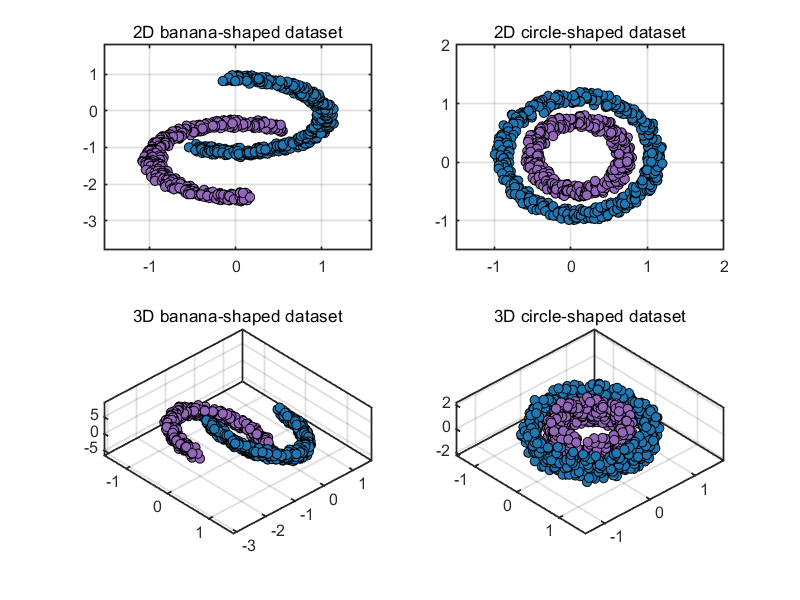
🔥🔥 BinaryDataset
MATLAB code for 2D or 3D binary dataset.
✨ MAIN FEATURES
- 2D or 3D binary dataset of "banana" and "circle" shapes.
- Partitioning of training dataset/label and test dataset/label.
🔨 HOW TO USE
ocdata = BinaryDataset();
[data, label] = ocdata.generate;
[trainData, trainLabel, testData, testLabel] = ocdata.partition;
The full Name-Value Arguments of class BinaryDataset are
-
shape: shape of dataset, 'banana' or 'circle'. -
dimensionality: dimensionality of dataset, 2 or 3. -
number: number of samples per class, for example: [200, 200]. -
display: visualization, 'on' or 'off'. -
noise: noise added to dataset with range [0, 1]. For example: 0.2. -
ratio: ratio of the test set with range (0, 1). For example: 0.3.
👉 Example 1
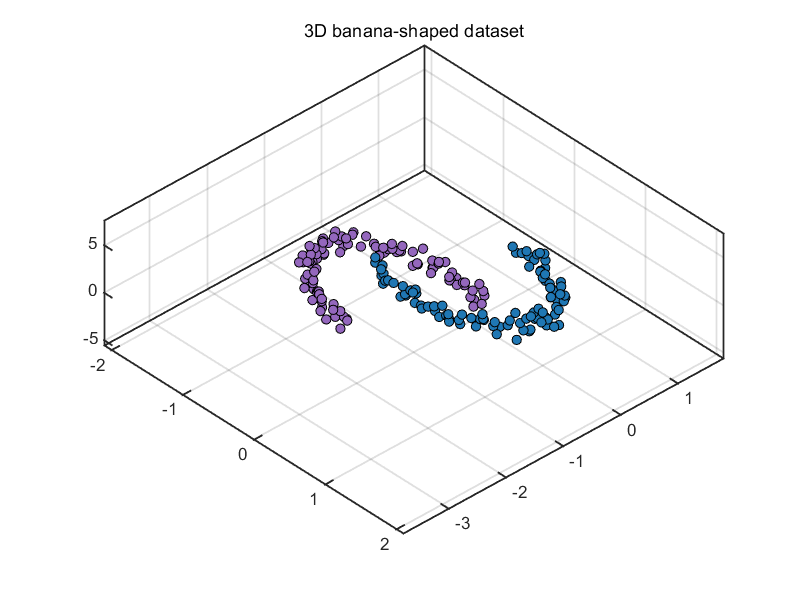
Generate a 3D banana-shaped dataset with 200 and 100 samples for each class, and divide 10% of the data into the test dataset.
ocdata = BinaryDataset( 'shape', 'banana',...
                        'dimensionality', 3,...
                        'number', [200, 100],...
                        'display', 'on', ...
                        'noise', 0.2,...
                        'ratio', 0.1);
[data, label] = ocdata.generate;
[trainData, trainLabel, testData, testLabel] = ocdata.partition;
👉 Example 2
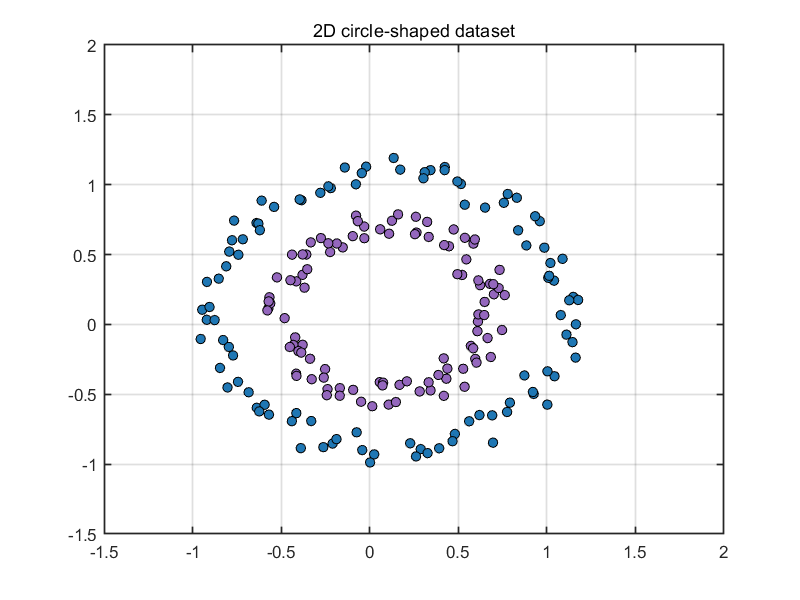
Generate a 2D circle-shaped dataset with 100 and 300 samples for each class, and divide 50% of the data into the test dataset.
ocdata = BinaryDataset( 'shape', 'circle',...
                        'dimensionality', 2,...
                        'number', [100, 300],...
                        'display', 'on', ...
                        'noise', 0.2,...
                        'ratio', 0.5);
[data, label] = ocdata.generate;
[trainData, trainLabel, testData, testLabel] = ocdata.partition;
Citation pour cette source
Kepeng Qiu (2026). Binary Dataset (https://github.com/iqiukp/BinaryDataset/releases/tag/v1.0), GitHub. Extrait(e) le .
Informations générales
- Version 1.0 (4,05 ko)
-
 Afficher la licence sur GitHub
Compatibilité avec les versions de MATLAB
- Compatible avec les versions R2016b et ultérieures
Plateformes compatibles
- Windows
- macOS
- Linux
| Version | Publié le | Notes de version | Action |
|---|---|---|---|
| 1.0 |
Pour consulter ou signaler des problèmes liés à ce module complémentaire GitHub, accédez au dépôt GitHub.
Pour consulter ou signaler des problèmes liés à ce module complémentaire GitHub, accédez au dépôt GitHub.

