Vous suivez désormais cette soumission
- Les mises à jour seront visibles dans votre flux de contenu suivi
- Selon vos préférences en matière de communication il est possible que vous receviez des e-mails
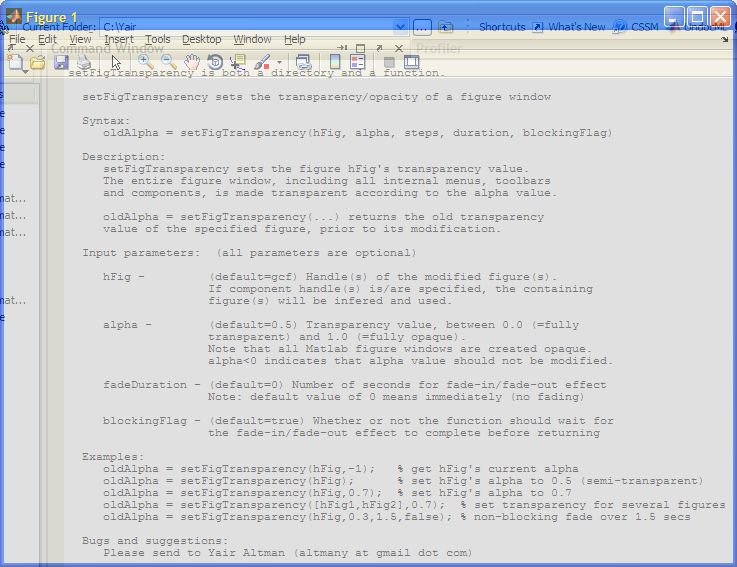
Syntax:
oldAlpha = setFigTransparency(hFig, alpha, fadeDuration, blockingFlag)
Description:
setFigTransparency sets the figure hFig's transparency value. The entire figure window, including all internal menus, toolbars and components, is made transparent according to the alpha value.
oldAlpha = setFigTransparency(...) returns the old transparency value of the specified figure, prior to its modification.
This submission is based on an original idea implemented by Malcolm Lidierth in his MUtilities submission: http://www.mathworks.com/matlabcentral/fileexchange/28326-mutilities
Input parameters: (all parameters are optional)
hFig (default=gcf) - Handle(s) of the modified figure(s). If component handle(s) is/are specified, the containing figure(s) will be inferred and used.
alpha (default=0.5) - Transparency value, between 0.0 (=fully transparent) and 1.0 (=fully opaque). Note that all Matlab figure windows are created opaque. alpha<0 indicates that alpha value should not be modified.
fadeDuration (default=0) - Number of seconds for fade-in/fade-out effect. Note: default value of 0 means immediately (no fading)
blockingFlag - (default=true) Whether or not the function should wait for the fade-in/fade-out effect to complete before returning
Examples:
oldAlpha = setFigTransparency(hFig,-1); % get hFig's current alpha
oldAlpha = setFigTransparency(hFig); % set hFig's alpha to 0.5 (semi-transparent)
oldAlpha = setFigTransparency(hFig,0.7); % set hFig's alpha to 0.7
oldAlpha = setFigTransparency([hFig1,hFig2],0.7); % set transparency for several figures
oldAlpha = setFigTransparency(hFig,0.3,1.5,false); % non-blocking fade over 1.5 secs
Bugs and suggestions:
Please send to Yair Altman (altmany at gmail dot com)
Warning:
This code heavily relies on undocumented and unsupported Matlab functionality. It works on Matlab 7.9 (R2009b) and higher, but use at your own risk!
Citation pour cette source
Yair Altman (2026). setFigTransparency - set figure transparency / fading (https://fr.mathworks.com/matlabcentral/fileexchange/30583-setfigtransparency-set-figure-transparency-fading), MATLAB Central File Exchange. Extrait(e) le .
Remerciements
Inspiré par : getjframe - Retrieves a figure's underlying Java frame, enable/disable entire figure window
A inspiré : ScreenCapture - screenshot of component, figure or screen, blurFigure - blurs and prevents interaction on figure window, WindowAPI, undecorateFig - remove/restore figure border and title bar
Informations générales
- Version 1.1.0.0 (3,82 ko)
Compatibilité avec les versions de MATLAB
- Compatible avec toutes les versions
Plateformes compatibles
- Windows
- macOS
- Linux
| Version | Publié le | Notes de version | Action |
|---|---|---|---|
| 1.1.0.0 | Fix for R2011b |
||
| 1.0.0.0 |