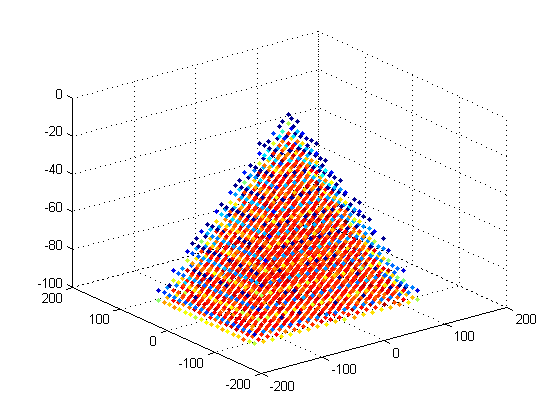
histograms for ND data

Create histograms for ND data using ND bins

Vous suivez désormais cette soumission

histnd Histogram count of ND data with ND bins

histmat = histnd(x, y, ..., xedges, yedges, ...)
Extract ND histogram data containing the number of events
of [x, y, ...] tuples that fall in each bin of the ND-grid defined by
xedges, yedges, .... The edges are passed to histc internally and should
therefore conform to histc's input restrictions: the edge-vectors should
be monotonically non-decreasing.

[histmat, nOOF, OOFidx] = histnd(x, y, ..., xedges, yedges, ...)
If any values are outside of the range of the edges, they are not
counted. The number of those cases and their linear index in the input
data is however returned in the second and third output arguments.

EXAMPLES

events = 1000000;
x1 = sqrt(0.05)*randn(events,1)-0.5; x2 = sqrt(0.05)*randn(events,1)+0.5;
y1 = sqrt(0.05)*randn(events,1)+0.5; y2 = sqrt(0.05)*randn(events,1)-0.5;
x= [x1;x2]; y = [y1;y2];

For linearly spaced edges:
xedges = linspace(-1,1,64); yedges = linspace(-1,1,64);
histmat = histnd(x, y, xedges, yedges);
figure; pcolor(xedges,yedges,histmat'); colorbar ; axis square tight ;

For nonlinearly spaced edges:
xedges_ = logspace(0,log10(3),64)-2; yedges_ = linspace(-1,1,64);
histmat_ = histnd(x, y, xedges_, yedges_);
figure; pcolor(xedges_,yedges_,histmat_'); colorbar ; axis square tight ;

3D data
x = 3.*randn(640000,1);
y = 1.*randn(640000,1);
z = 1.*randn(640000,1);
histmat = histnd(x,y,z,linspace(min(x),max(x),20),linspace(min(y),max(y),20),linspace(min(z),max(z),20));
% make 3D hist, color of points indicates count
[xp,yp,zp] = meshgrid(linspace(min(x),max(x),20),linspace(min(y),max(y),20),linspace(min(z),max(z),20));
% cut away histogram positions where count is 0
qzero = histmat==0;
histmat(qzero) = [];
xp(qzero) = [];
yp(qzero) = [];
zp(qzero) = [];
% draw points
figure;%('Renderer','OpenGL') % might need the openGL renderer to handle so many points
ax = scatter3(xp(:),yp(:),zp(:),'.');
% color them according to count
cdata = histmat(:)./max(histmat);
set(ax,'CData',cdata);
xlabel('X'), ylabel('Y'), zlabel('Z')

Citation pour cette source

Diederick (2026). histograms for ND data (https://fr.mathworks.com/matlabcentral/fileexchange/31889-histograms-for-nd-data), MATLAB Central File Exchange. Extrait(e) le .

Remerciements

Inspiré par : 2D Histogram Calculation

Informations générales

Compatibilité avec les versions de MATLAB

  • Compatible avec toutes les versions

Plateformes compatibles

  • Windows
  • macOS
  • Linux
Version Publié le Notes de version Action
1.0.0.0