SETARGS | Parse user-specified optional arguments (varargin) with default values

Assigning values (default vs. user) to optional arguments (varargin) in a function

https://github.com/spunt/setargs

Vous suivez désormais cette soumission

This is a utility for setting the value of optional arguments to a function. The first argument is required and should be a cell array of "name, default value" pairs for all optional arguments. The second argument is optional and should be a cell array of "name, custom value"pairs for at least one of the optional arguments.
USAGE: argstruct = setargs(defaultargs, varargs)

---
OUTPUT

ARGSTRUCT
structure containing the final argument values

---
INPUTS

DEFAULTARGS
cell array of "'Name', value" pairs for all variables with default values

VARARGS [optional]
cell array of user-specified "'Name', value" pairs for one or more of the variables with default values. this will typically be the "varargin" cell array. for each pair, SETARGS determines if the specified variable name can be uniquely matched to one of the default variable names specified in DEFAULTARGS. matching uses STRNCMPI and thus is case-insensitive and open to partial name matches (e.g., default variable name 'FontWeight' would be matched by 'fontweight', 'Fontw', etc.). if a match is found, the user-specified value is then used in place of the default value. if no match is found or if multiple matches are found, SETARGS returns an error and displays in the command window information about the argument that caused the problem.

---
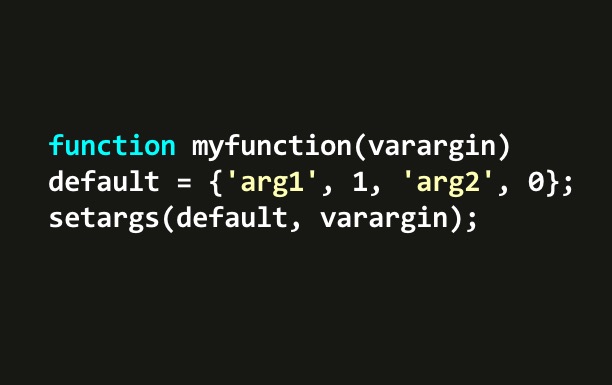
USAGE EXAMPLE (TO BE USED AT TOP OF FUNCTION WITH VARARGIN)

defaultargs = {'arg1', 0, 'arg2', 'words', 'arg3', rand};
argstruct = setargs(defaultargs, varargin)

Citation pour cette source

Bob Spunt (2026). SETARGS | Parse user-specified optional arguments (varargin) with default values (https://github.com/spunt/setargs), GitHub. Extrait(e) le .

Catégories

En savoir plus sur Argument Definitions dans Help Center et MATLAB Answers

Informations générales

Compatibilité avec les versions de MATLAB

  • Compatible avec toutes les versions

Plateformes compatibles

  • Windows
  • macOS
  • Linux

Les versions qui utilisent la branche GitHub par défaut ne peuvent pas être téléchargées

Version Publié le Notes de version Action
2.0.0.0

Updated documentation and variable names and clarified content of error messages

1.0.0.0

Pour consulter ou signaler des problèmes liés à ce module complémentaire GitHub, accédez au dépôt GitHub.