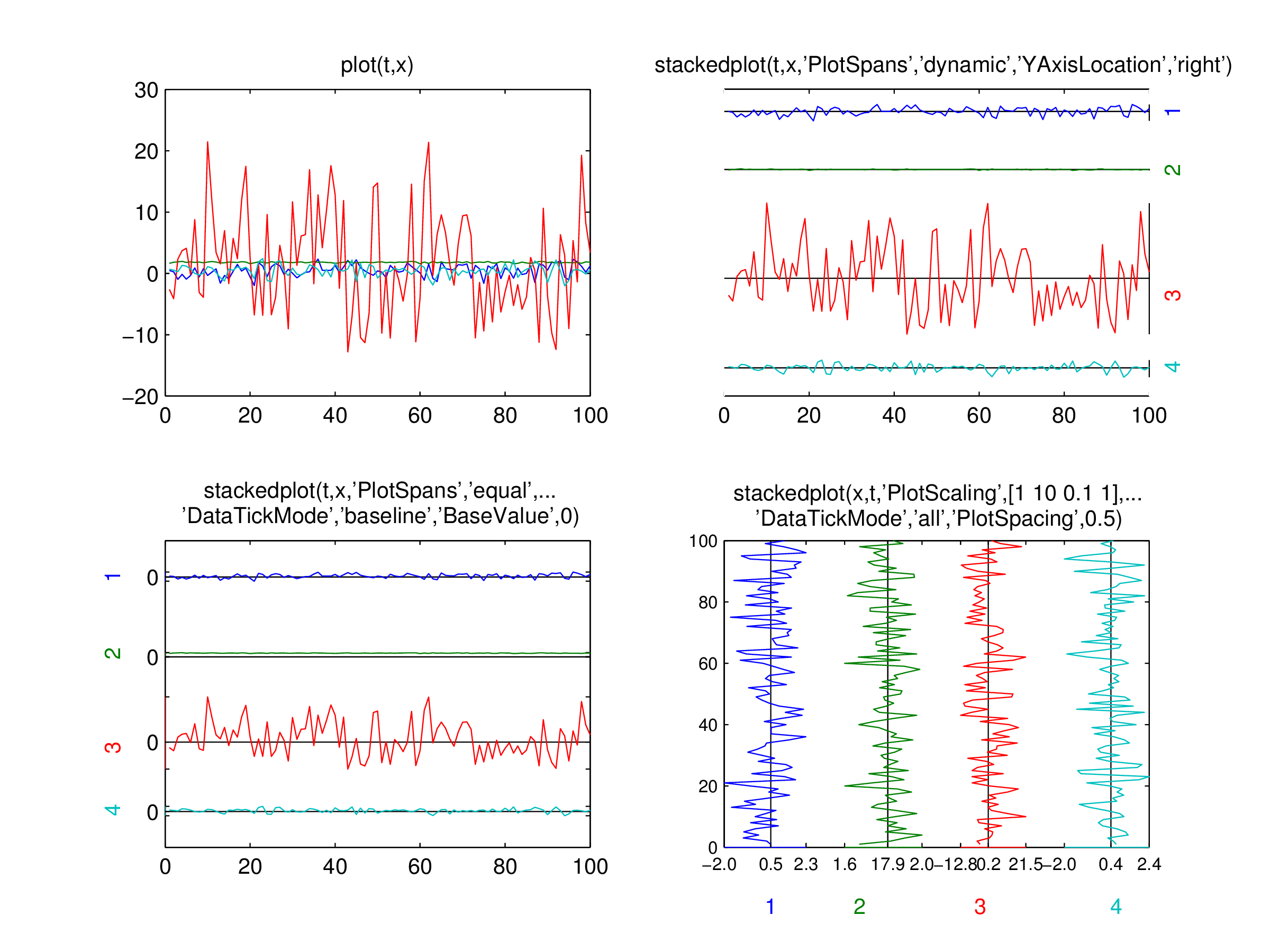
stackedplot: A quick way to plot without lines overlapping

Plotting multple lines on the same axes with properly spaced offsets

Vous suivez désormais cette soumission

Stackedplot wraps the built-in plot function to post-process the plotted lines, spacing them out so each lines can be observed easily. Makes it a quick (if not the quickest) way to inspect multi-channel data.
Features:
* Just works. Simply add "stacked" in front of an existing "plot" command line to spread the plots out
* Can spread on either x and y axis via PlotOrder parameter
* A label is automatically added for each plot lines in place of the standard ylabel/xlabel
* Layout is highly customizable via a number of parametric arguments
* Support log plots
* Baseline can be added (think of the built-in "bar" function)
* Baseline and rangelines are automatically adjusted if non-stacked axis limits property is modified

Citation pour cette source

Kesh Ikuma (2026). stackedplot: A quick way to plot without lines overlapping (https://fr.mathworks.com/matlabcentral/fileexchange/53620-stackedplot-a-quick-way-to-plot-without-lines-overlapping), MATLAB Central File Exchange. Extrait(e) le .

Informations générales

Compatibilité avec les versions de MATLAB

  • Compatible avec toutes les versions

Plateformes compatibles

  • Windows
  • macOS
  • Linux
Version Publié le Notes de version Action
1.2.2.0

(r5)
* Fixed the error due to mishandling of the plot linespec arguments
* Changed single-line plot default PlotOrder from 'leftright' to 'topdown'
(r5)
* Further fix to the input argument processing

1.2.1.0

(r4)
* Removed the nagging warning in R2014b for using 'feature('UseHG2')

1.2.0.0

(r2)
* Automatic baseline/rangeline adjustment when non-stacked axis limit changes
* Bug fixes

1.1.0.0

(v1.1)
* Added 'normalize' option to PlotScaling parameter
* Fixed values of ticklabels if DataTickMode~='none' and PlotScaling is turned on

1.0.0.0