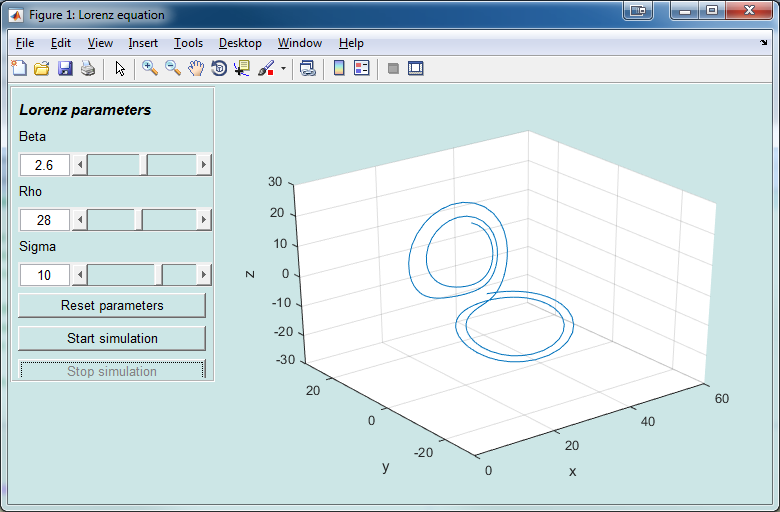
This is an update of original EasyGUI toolbox (https://se.mathworks.com/matlabcentral/fileexchange/22936-easygui) that brings support of modern Matlab. Read about the initial fix: http://blog.vadimfrolov.com/fixing-easygui-toolbox/.
Below is the description of original library:
EasyGUI allows you to quickly create a graphical "front-end" for an m-file so that users can interactively manipulate parameters. It provides:
* A set of “widgets” (UI controls) with a simple programming interface
* Automatic layout of the widgets
* An intuitive way to combine a GUI with MATLAB plotting and visualization
* An intuitive way to share data between GUIs (e.g., a dialog window and the main GUI)
---------------------
EasyGUI also comes with a widget for analog data acquisition (requires the Data Acquisition Toolbox). This allows you to easily create a GUI to:
* Acquire data (allowing the user to start and stop acquisition, and set sampling rate, channels, etc.)
* Analyze the data (using parameters that can be set using the GUI), and
* Plot the results using familiar MATLAB commands
---------------------
NOTE: EasyGUI does not generate the GUI for you. Rather, it makes it easy to add UI controls to an m-file, get and set the values of those controls, and wait for user input.
EasyGUI is written using MATLAB Classes and requires at least R2008a. For more information object-oriented programming with MATLAB, see:
http://www.mathworks.com/products/matlab/object_oriented_programming.html
Citation pour cette source
Vadim Frolov (2026). EasyGUI (https://github.com/kavli-ntnu/EasyGUI), GitHub. Extrait(e) le .
Compatibilité avec les versions de MATLAB
Plateformes compatibles
Windows macOS LinuxTags
Remerciements
Inspiré par : EasyGUI
Découvrir Live Editor
Créez des scripts avec du code, des résultats et du texte formaté dans un même document exécutable.
Les versions qui utilisent la branche GitHub par défaut ne peuvent pas être téléchargées
| Version | Publié le | Notes de version | |
|---|---|---|---|
| 1.5.0.0 |
|
