patchMicrostripTriangular
R2026bCreate regular or AI-based triangular microstrip patch antenna
Description
Use the default patchMicrostripTriangular object to create
a triangular microstrip patch antenna resonating around 15.67 GHz. The default patch is
centered at the origin.
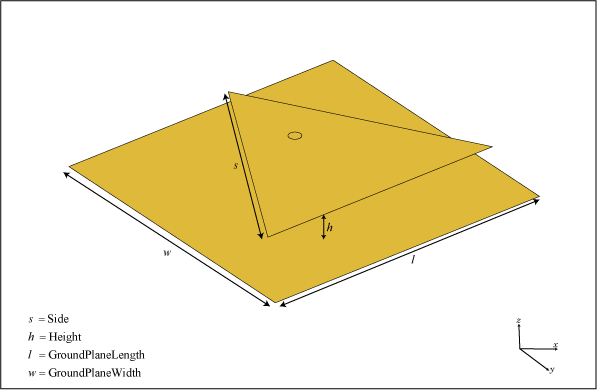
You can perform full-wave EM solver based analysis on the regular
patchMicrostripTriangular antenna or you can create a
patchMicrostripTriangular type AIAntenna and explore the design
space to tune the antenna for your application using AI-based analysis.
Creation
Syntax
Description
trianglepatch = patchMicrostripTriangular creates a
triangular microstrip patch antenna with default property values. The
default dimensions are chosen for an operating frequency of 15.67 GHz for
the air or 12.9 GHz for the Teflon substrate.
trianglepatch = patchMicrostripTriangular(
sets properties using one or more name-value arguments.
PropertyName=Value)PropertyName is the property name and
Value is the corresponding value. You can specify
several name-value arguments in any order as
PropertyName1=Value1,...,PropertyNameN=ValueN.
Properties that you do not specify, retain their default values.
For example, trianglepatch =
patchMicrostripTriangular(Side=0.2) creates a triangular
microstrip patch with a side length of 0.2 m.
You can create a standard
patchMicrostripTriangularantenna resonating at a desired frequency using thedesignfunction. For example, to create a standardpatchMicrostripTriangularantenna resonating at 15.67 GHz, use this code.>> design(patchMicrostripTriangular,15.67e9)
You can also create an AI-based version of the
patchMicrostripTriangularantenna resonating at a desired frequency using the samedesignfunction. Set theForAIargument in thedesignfunction totrueto create anAIAntennaobject. To use this feature, you need a license for the Statistics and Machine Learning Toolbox™ in addition to the Antenna Toolbox™. For example, to create an AI-basedpatchMicrostripTriangularantenna resonating at 15.67 GHz, use this code.The AI‑based>> design(patchMicrostripTriangular,15.67e9,ForAI=true)
patchMicrostripTriangularantenna retains the Side and Height properties of the standard antenna as tunable properties and introduces SubstrateEpsilonR as an additional tunable property. All other properties derived from the standard antenna become read‑only. To find the upper and lower bounds of the tunable properties, use thetunableRangesfunction.To create a standard
patchMicrostripTriangularantenna from the AI‑based antenna, use theexportAntennafunction.
Properties
Object Functions
axialRatio | Calculate and plot axial ratio of antenna or array |
bandwidth | Calculate and plot absolute bandwidth of antenna or array |
beamwidth | Beamwidth of antenna |
charge | Charge distribution on antenna or array surface |
current | Current distribution on antenna or array surface |
design | Create antenna, array, or AI-based antenna resonating at specified frequency |
efficiency | Calculate and plot radiation efficiency of antenna or array |
EHfields | Electric and magnetic fields of antennas or embedded electric and magnetic fields of antenna element in arrays |
feedCurrent | Calculate current at feed for antenna or array |
impedance | Calculate and plot input impedance of antenna or scan impedance of array |
info | Display information about antenna, array, or platform |
memoryEstimate | Estimate memory required to solve antenna or array mesh |
mesh | Generate and view mesh for antennas, arrays, and custom shapes |
meshconfig | Change meshing mode of antenna, array, custom antenna, custom array, or custom geometry |
msiwrite | Write antenna or array analysis data to MSI planet file |
optimize | Optimize antenna and array catalog elements using SADEA or TR-SADEA algorithm |
pattern | Plot radiation pattern of antenna, array, or embedded element of array |
patternAzimuth | Azimuth plane radiation pattern of antenna or array |
patternElevation | Elevation plane radiation pattern of antenna or array |
peakRadiation | Calculate and mark maximum radiation points of antenna or array on radiation pattern |
rcs | Calculate and plot monostatic and bistatic radar cross section (RCS) of platform, antenna, or array |
resonantFrequency | Calculate and plot resonant frequency of antenna |
returnLoss | Calculate and plot return loss of antenna or scan return loss of array |
show | Display antenna, array, AI-based antenna, platform, or shape |
sparameters | S-parameters for antenna or array |
stlwrite | Write mesh information to STL file |
vswr | Calculate and plot voltage standing wave ratio (VSWR) of antenna or array element |
Examples
Create and view a default triangular microstrip patch.
p = patchMicrostripTriangular
p =
  patchMicrostripTriangular with properties:

                 Side: 0.0102
               Height: 0.0016
            Substrate: [1×1 dielectric]
    GroundPlaneLength: 0.0120
     GroundPlaneWidth: 0.0120
    PatchCenterOffset: [0 0]
           FeedOffset: [0 5.4173e-04]
         FeedDiameter: 2.5000e-04
            Conductor: [1×1 metal]
                 Tilt: 0
             TiltAxis: [1 0 0]
                 Load: [1×1 lumpedElement]
show(p)
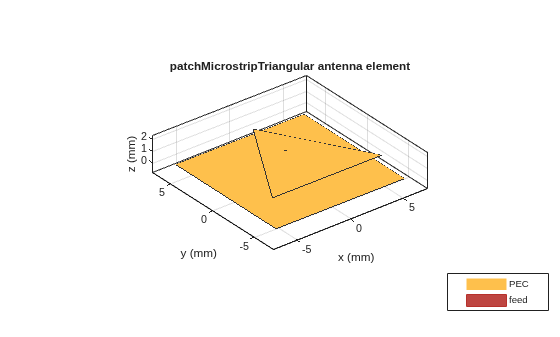
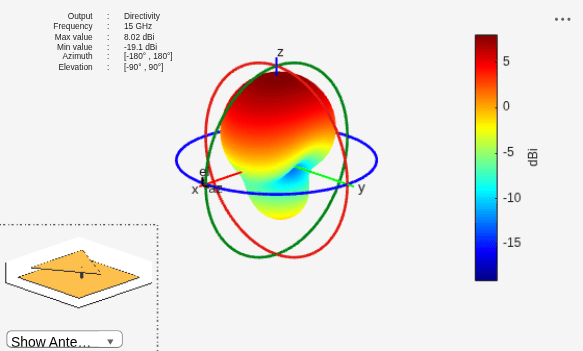
Plot the radiation pattern at 15 GHz.
pattern(p,15e9)
Create different types of triangles to use in the patch.
Equilateral Triangle
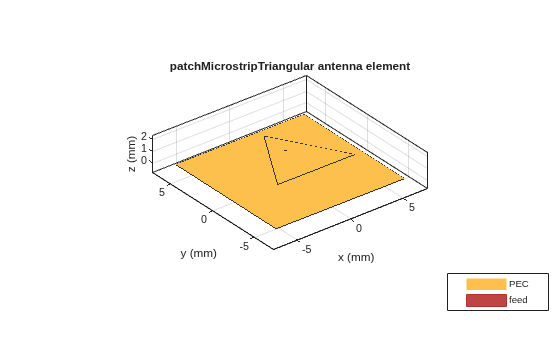
Create an equilateral triangle patch of side 7.2 mm.
ant = patchMicrostripTriangular(Side=7.2e-3);
show(ant)
Isosceles Triangle
Create an isosceles triangular patch antenna with sides using the following dimensions: 5 mm and 7.2 mm.
ant =  patchMicrostripTriangular(Side=[5e-3,7.2e-3]);
show(ant)
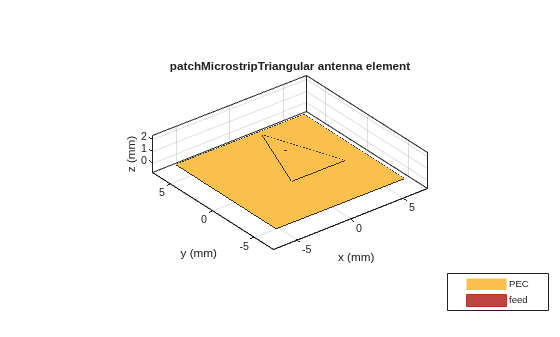
In the above figure, the first value of the side is chosen as the base of the triangle.
Scalene Triangle
Create a scalene triangular patch antenna with side using the following dimensions: 8 mm, 5 mm, and 4 mm.
ant = patchMicrostripTriangular(Side=[8e-3, 6e-3, 5e-3]);
show(ant)
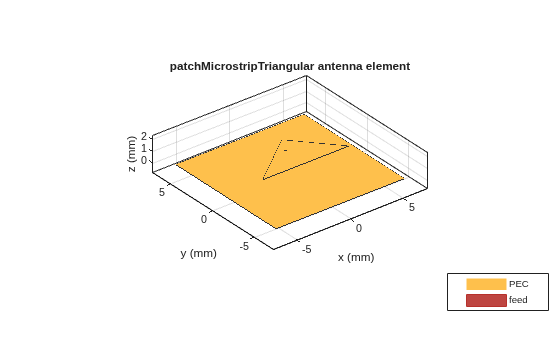
In the above figure, the first value of the side is chosen as the base of the triangle.
Create and view a triangular microstrip patch using Teflon substrate.
d = dielectric("Teflon");
p = patchMicrostripTriangular(Substrate=d);
show(p)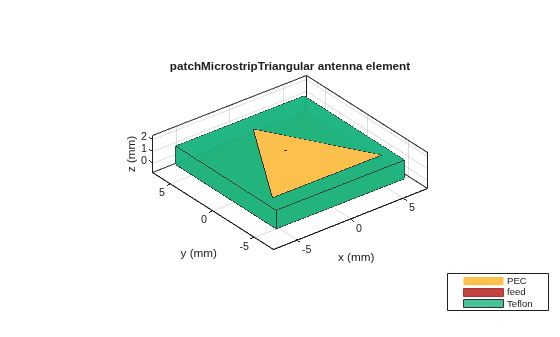
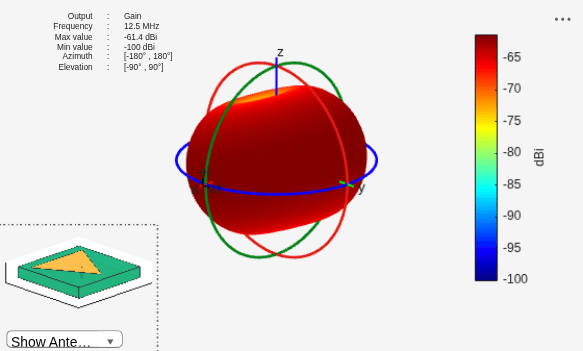
Plot the radiation pattern of the antenna.
pattern(p,12.5e6)
Create an AI-based triangular microstrip patch antenna with a Rogers RO4725JXR™ substrate operating at a frequency of 12.5 GHz.
d = dielectric("RO4725JXR");
pAI = design(patchMicrostripTriangular(Substrate=d),12.5e9,ForAI=true)
pAI =
AIAntenna with properties:
Antenna Info
AntennaType: 'patchMicrostripTriangular'
InitialDesignFrequency: 1.2500e+10
Tunable Parameters
Side: 0.0090
Height: 6.0076e-04
SubstrateEpsilonR: 2.5500
Show read-only properties
Use the tunableRanges function to get the tunable ranges of the antenna properties.
tunableRanges(pAI)
ans = 4×3 table
                                 Side                      Height             SubstrateEpsilonR
                         _____________________    ________________________    _________________

                            min         max          min           max         min       max
                         _________    ________    __________    __________    ______    ______

    resonantFrequency    0.0076597    0.010363    0.00051065    0.00069087    2.1675    2.9325
    bandwidth            0.0076597    0.010363    0.00051065    0.00069087    2.1675    2.9325
    beamwidth            0.0076597    0.010363    0.00051065    0.00069087    2.1675    2.9325
    peakRadiation        0.0076597    0.010363    0.00051065    0.00069087    2.1675    2.9325

	Get insights using Copilot
Set the side length and height of the antenna to values within the tunable range and calculate its resonant frequency.
pAI.Side = 0.0098;
pAI.Height = 0.00054;
resonantFrequency(pAI)
ans =
1.2335e+10
Convert the AIAntenna to a standard triangular microstrip patch antenna.
pmC = exportAntenna(pAI)
pmC =
  patchMicrostripTriangular with properties:

                 Side: 0.0098
               Height: 5.4000e-04
            Substrate: [1×1 dielectric]
    GroundPlaneLength: 0.0150
     GroundPlaneWidth: 0.0150
    PatchCenterOffset: [0 0]
           FeedOffset: [0 -2.3123e-04]
         FeedDiameter: 1.8774e-04
            Conductor: [1×1 metal]
                 Tilt: 0
             TiltAxis: [1 0 0]
                 Load: [1×1 lumpedElement]

