Applications d'automatisation industrielle
R2026bSimulink® permet aux fabricants d'équipements industriels de créer des spécifications exécutables sous forme de modèles qui transmettent des instructions de design claires aux différents services d'ingénierie. Ces exemples de modèles illustrent les applications d'automatisation industrielle.
Sélection d՚exemples
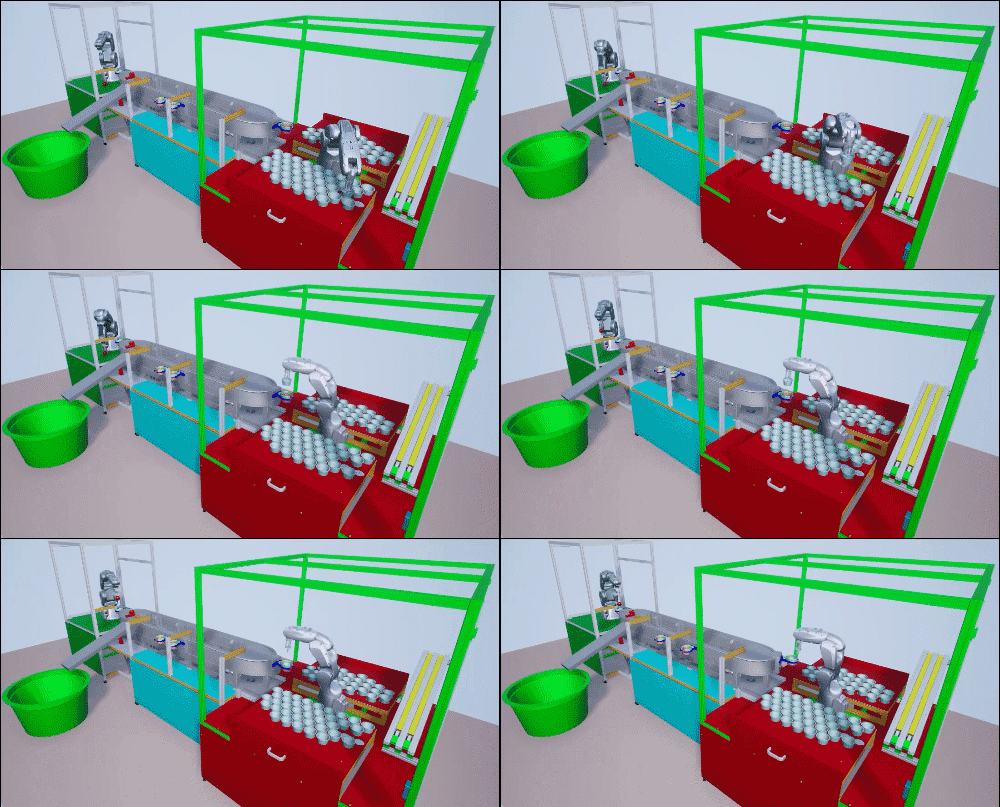
Model and Control Robot Dynamics to Automate Virtual Assembly Line
Extends the Smart4i virtual commissioning applications to accommodate robot dynamics in the system framework to automate assembly line operation. This example models the digit twin of the Smart4i setup and controls the dynamics of robots in the assembly line, which helps develop a more realistic simulation environment. The virtual assembly line consists of four components: two robotic workcells, connected by a shuttle track and a conveyor belt. The first robot, Robot 1, is a Comau Racer V3 and places cups onto the shuttle. The second robot, Robot 2, is a Mitsubishi RV-4F and places balls in the cups. The shuttle track system consists of four shuttles which continuously move to Robot 1, then to Robot 2, followed by a slider. A slider then delivers those cups containing balls to a container. This example downloads the assembly line CAD data, robot model files and shuttle trajectory data. For a detailed system overview, see Automate Virtual Assembly Line with Two Robotic Workcells (Robotics System Toolbox).
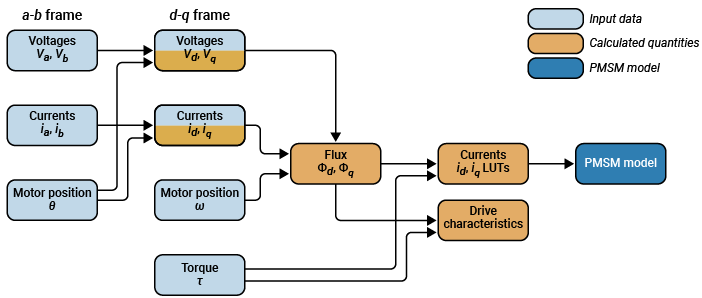
Determine Nonlinear Behavior of PMSM Using Characterization Test Data
Build realistic closed-loop simulation of PMSM using characterization test data and obtain nonlinear operating characteristics.
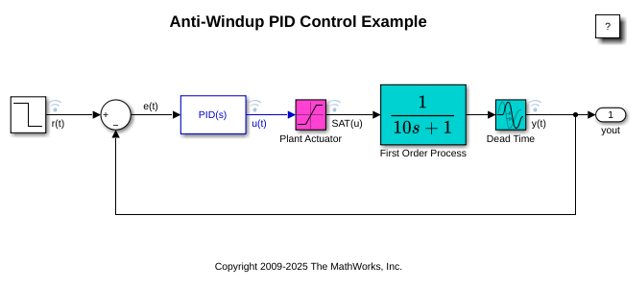
Contrôle anti-windup avec le bloc PID Controller
Cet exemple montre comment utiliser des mécanismes anti-windup pour empêcher tout wind-up d’intégration dans les contrôleurs PID lorsque les actionneurs sont saturés. Le bloc PID Controller de Simulink® dispose de deux méthodes anti-windup intégrées (back-calculation et clamping) ainsi que d’un mode de pistage pour gérer des scénarios industriels plus complexes. Le bloc PID Controller supporte plusieurs fonctionnalités qui lui permettent de gérer les problèmes de windup du contrôleur dans des scénarios industriels courants.
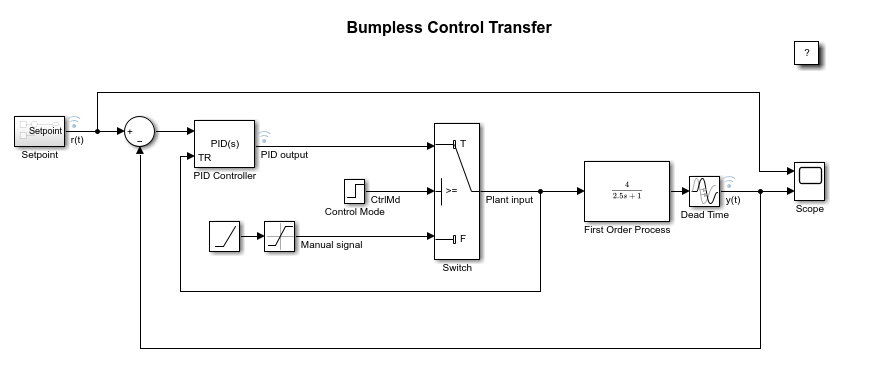
Bumpless Control Transfer Between Manual and PID Control
Achieve bumpless control transfer when switching from manual control to proportional integral derivative (PID) control. The model uses the PID Controller block in Simulink® to control a first-order process with dead-time.
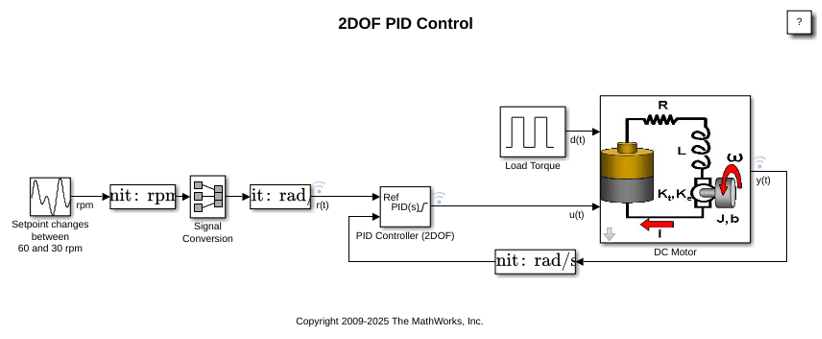
Two Degree-of-Freedom PID Control for Setpoint Tracking
Regulate the speed of an electric motor using two degree-of-freedom PID control with set-point weighting. This model uses the PID Controller (2DOF) block. The model changes the setpoint values between 60 and 30 rpm. To convert the units to rad/s for use in the PID controller, the model uses a Signal Conversion block.
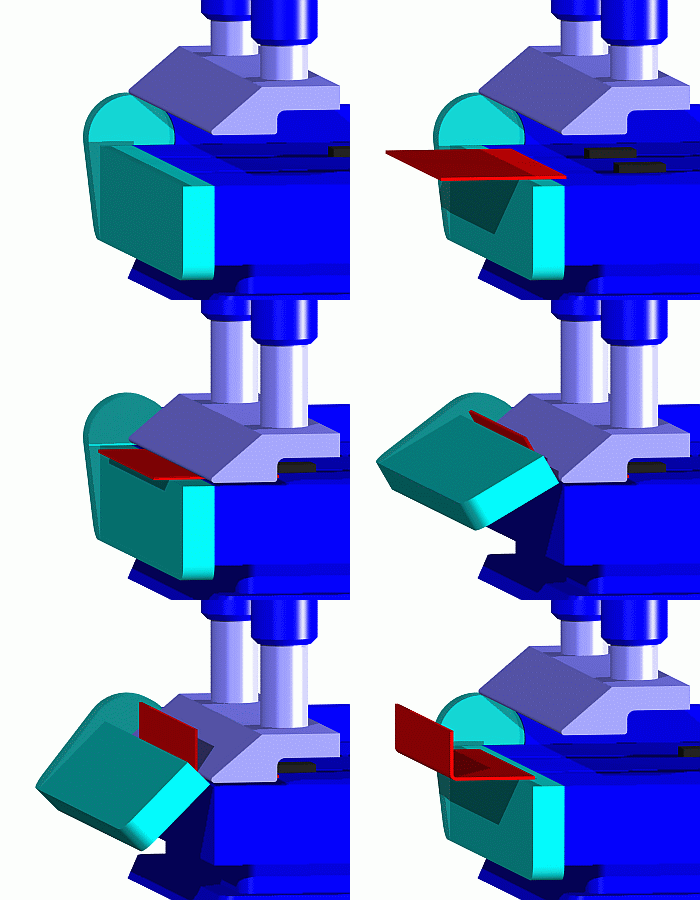
Job Scheduling and Resource Estimation for a Manufacturing Plant
Model a manufacturing plant. The plant consists of an assembly line that processes jobs based on a pre-determined schedule. This example walks you through a workflow for:
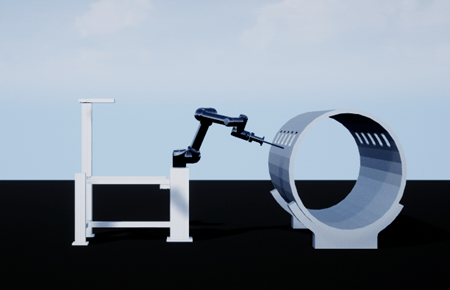
Shape Tracing Manipulator with Simulink 3D Animation
Model and visualize the shape tracing manipulator in the 3D environment.
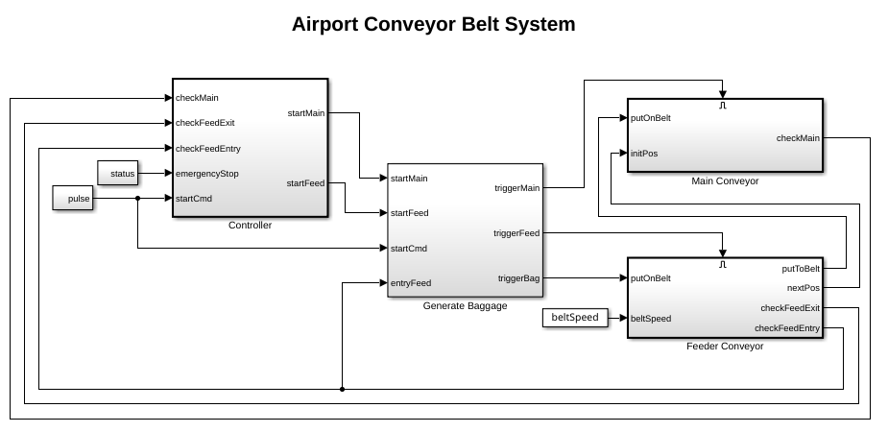
Simulate and Generate Code for Airport Conveyor Belt Control System
Simulate and generate Structured Text code for a Stateflow® controller in an airport conveyor belt model using Simulink® PLC Coder™.
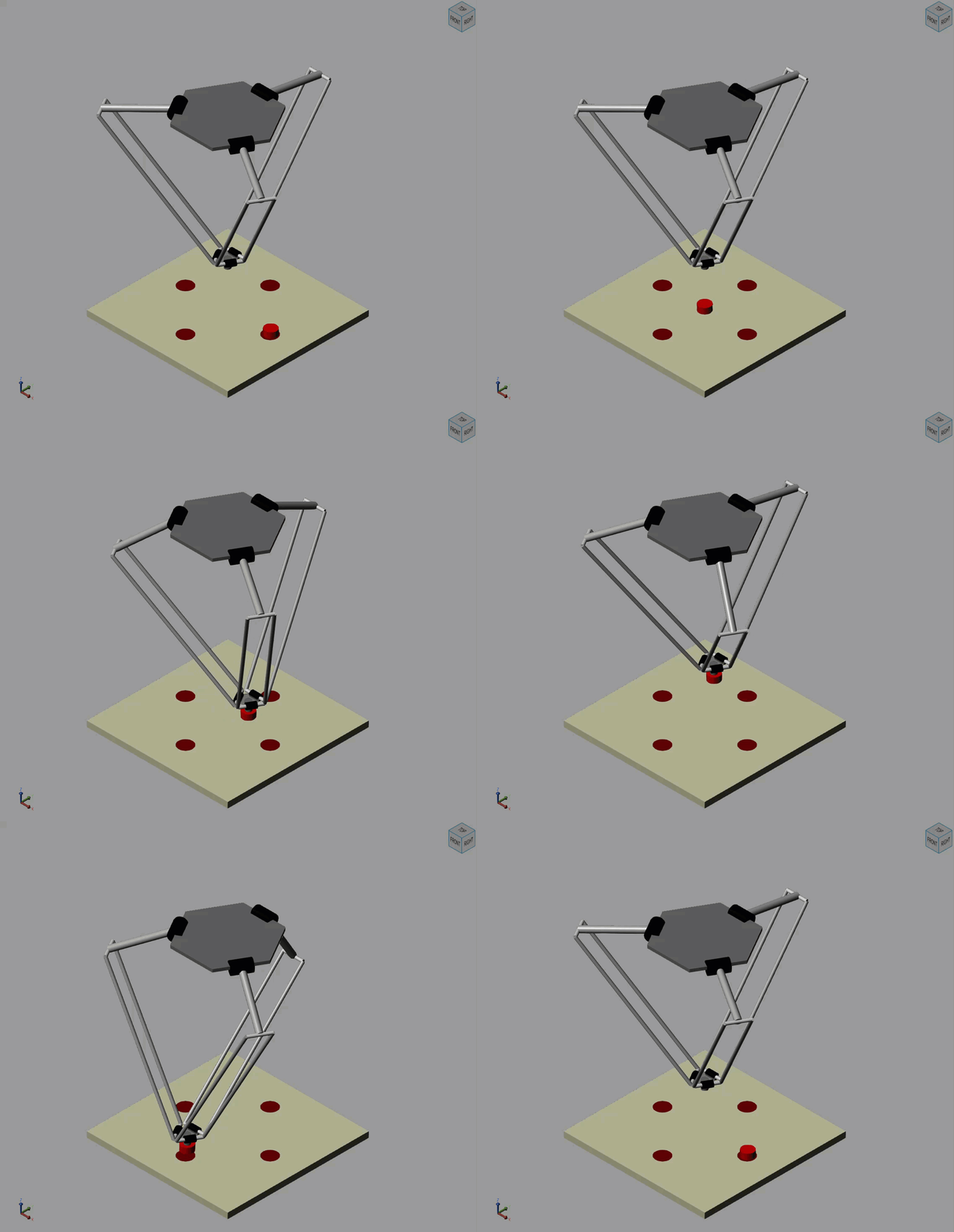
Pick and Place Robot Using Forward and Inverse Kinematics
Model a delta robot performing a pick and place task.
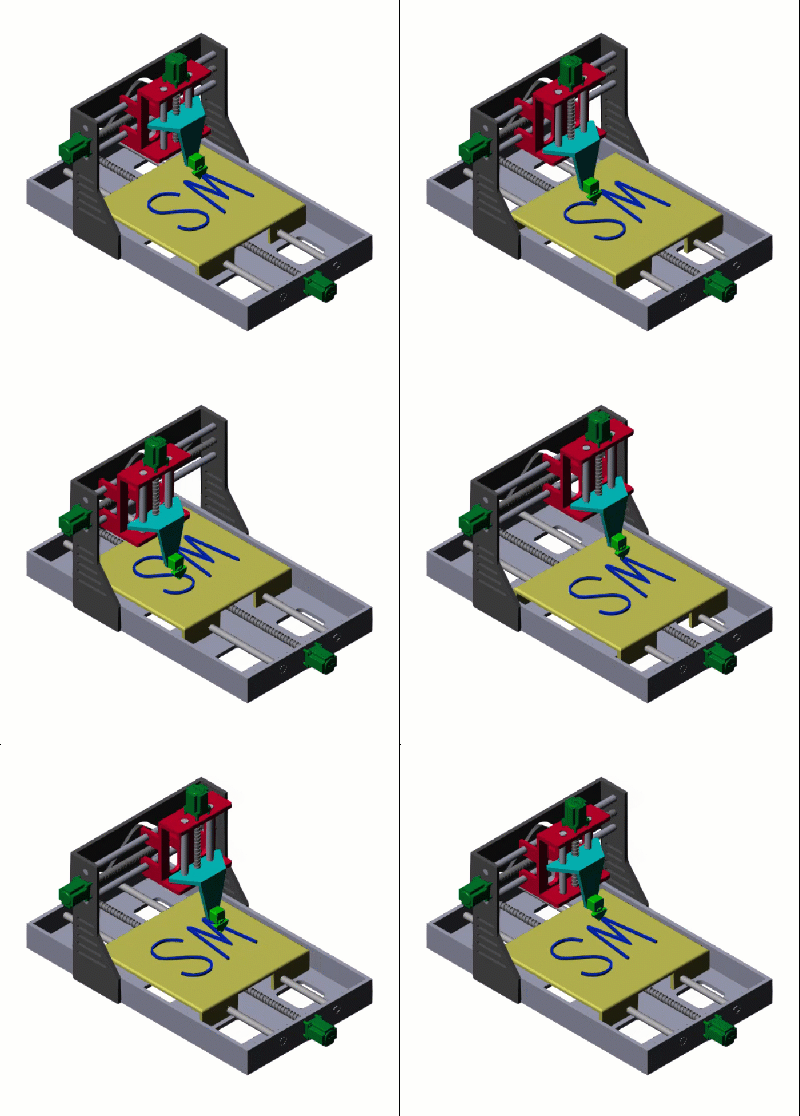
Model a Cartesian 3-D Printer
Models a Cartesian 3-D printer. In this model, the printer uses Lead Screw Joint blocks to represent the actuators that drive the motion of the printing head along the x-, y-, and z-axes. These lead screw joints convert rotational input into translational motion.
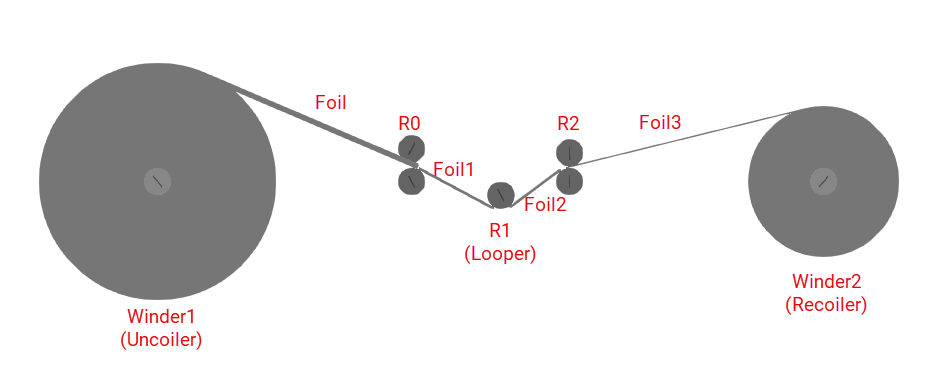
Multi-Stage Rolling Mill Simulation and Control
Design and simulate a multi‑stage rolling mill process using Simulink and Simscape™.
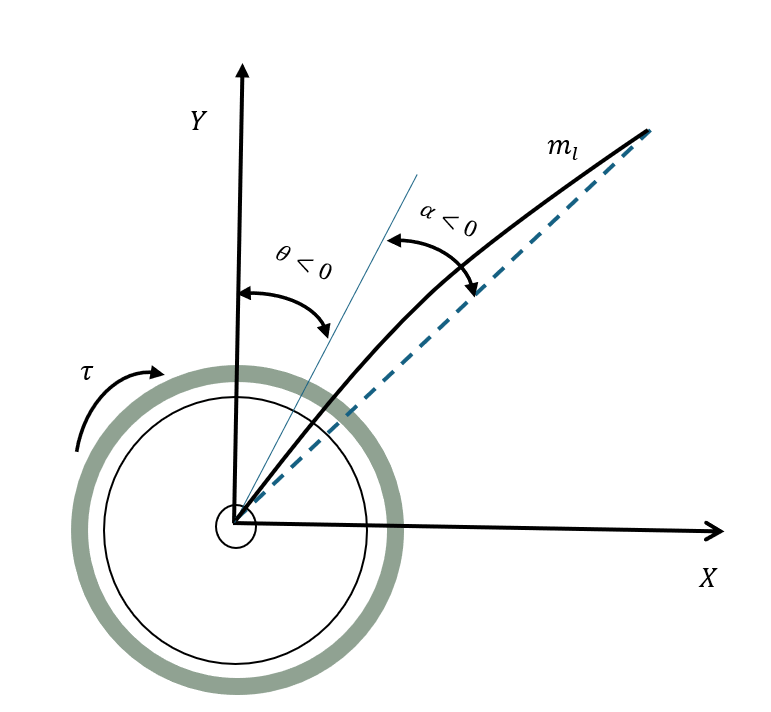
Multirate Output Feedback Control of Rotary Flexible Link System
Use a multirate output feedback approach to control a rotary flexible link system.

